How to create Lucky Pick content
What is Lucky Pick?
Lucky Pick is a live prize draw that the moderator (presenter) runs from the big screen, giving the prizes out round by round. Each round stands for one prize and sets how many lucky participants are drawn for it. Every time the moderator presses New Pick, the next lucky participant appears on screen together with the prize. Prizes are drawn in round order, that is, in the order of the list.
Winners can be drawn from two pools:
- Predefined list: The people on the Predefined Registration List you upload for this event. Once the list is uploaded, everyone on it takes part in the draw, even if they never log in to the event.
- Self-registration: If you do not upload a list, the draw is made among the participants who register for the event with a QR code or link.
Note: Lucky Pick is available only on the Enterprise membership plan. Brands that need a prize draw only at certain times, such as New Year or a company anniversary, can also choose the event-based membership, which offers the Enterprise features for a short period.
1) Set a title for the event
In the Title section at the top of the page, you should set a title of up to 30 characters.
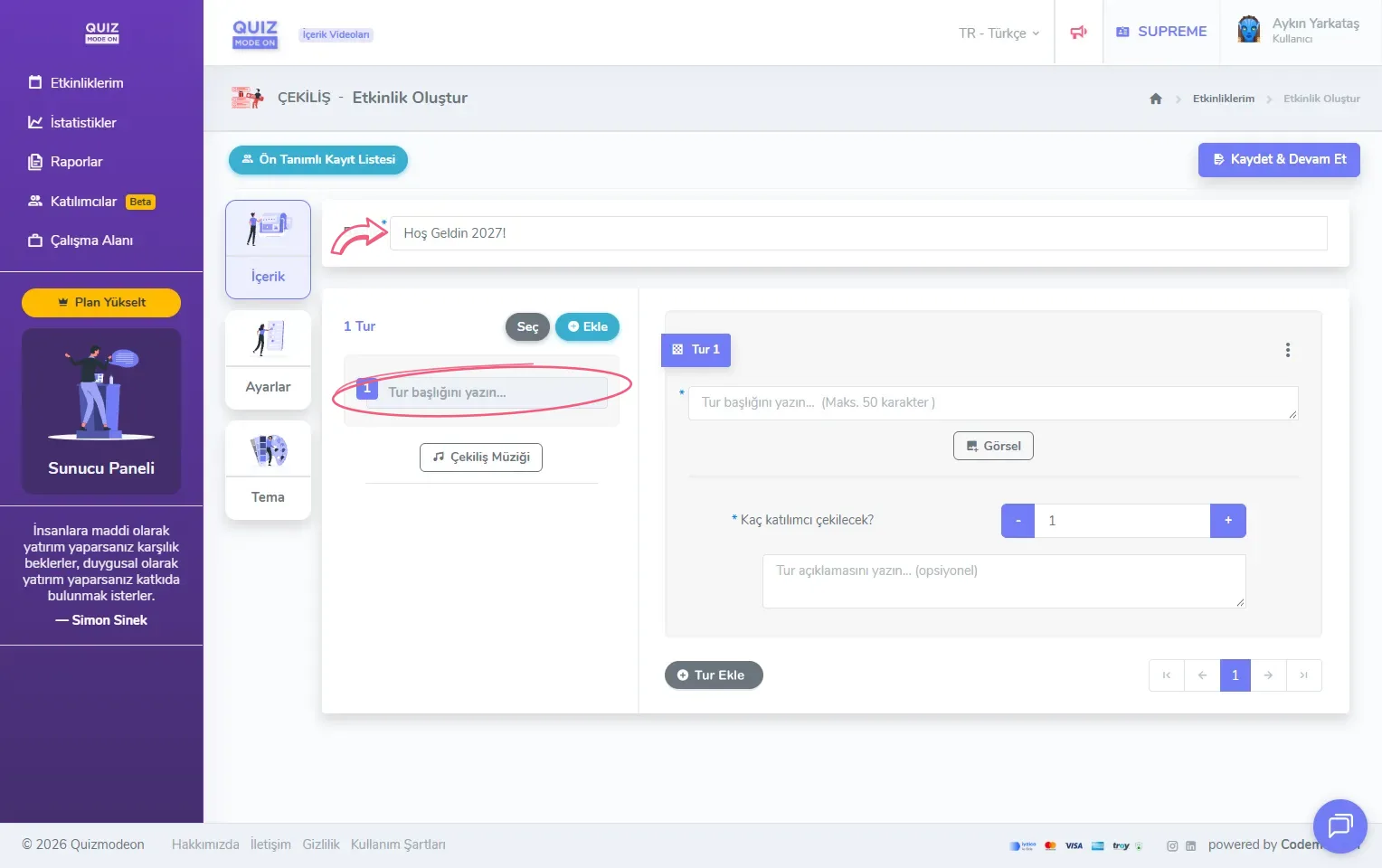
create a lucky pick - content - title and round
2) Add the rounds
You should add one round for each prize. When you use the Add button above the round list on the left, two options appear.
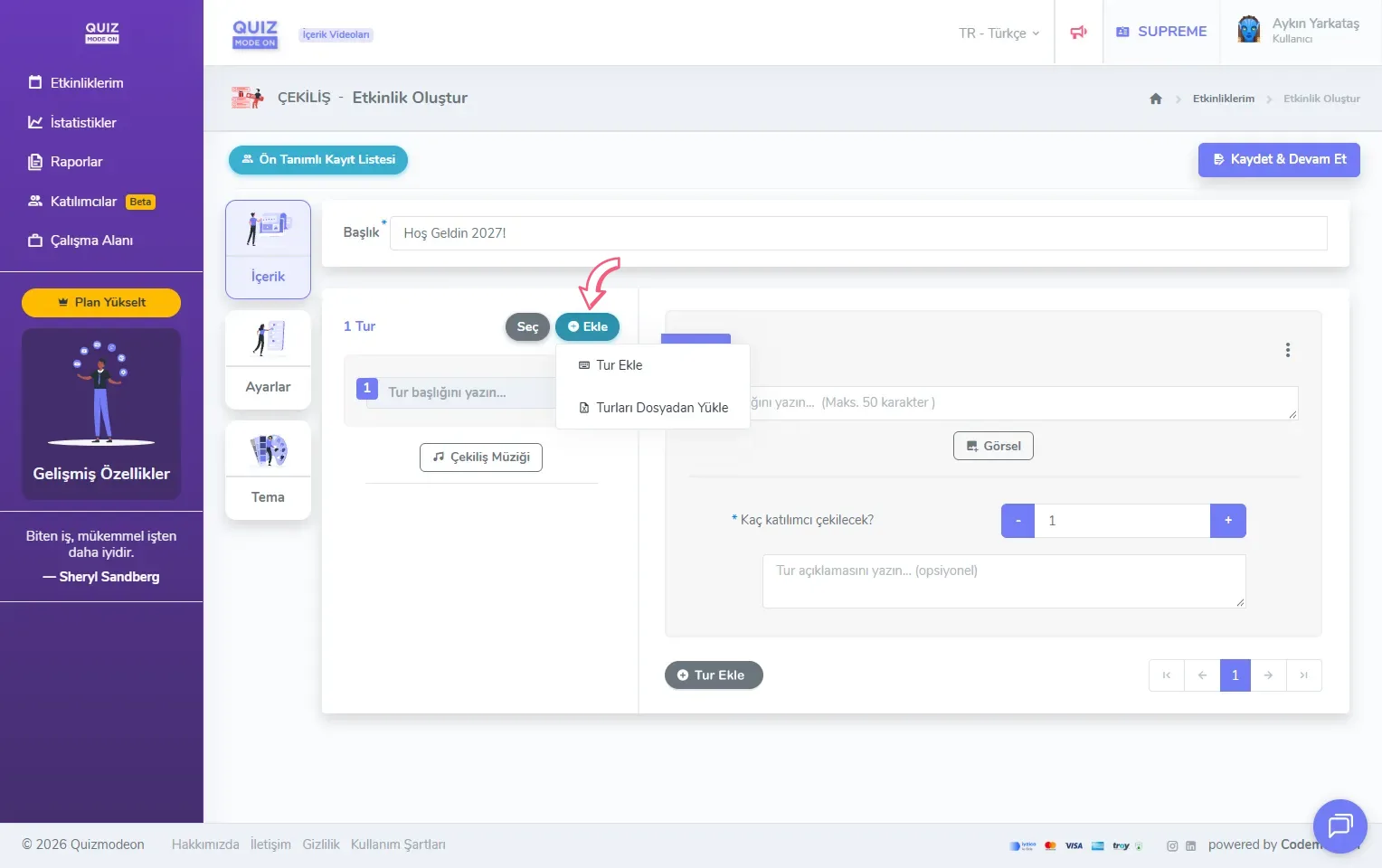
create a lucky pick - content - options for adding rounds
- Add Round: Adds a new, empty round to the list. The Add Round button below the round form on the right does the same thing; you can use it to add rounds one after another quickly.
- Upload Rounds From File: You can upload all your rounds at once from an Excel file. In the sample file each row is one round, with the columns Title, How many participants to pick? and Description. If you have many prizes, this is quicker than entering the rounds one by one.
Enter the round details
When you click a round in the list, the form for that round opens on the right.
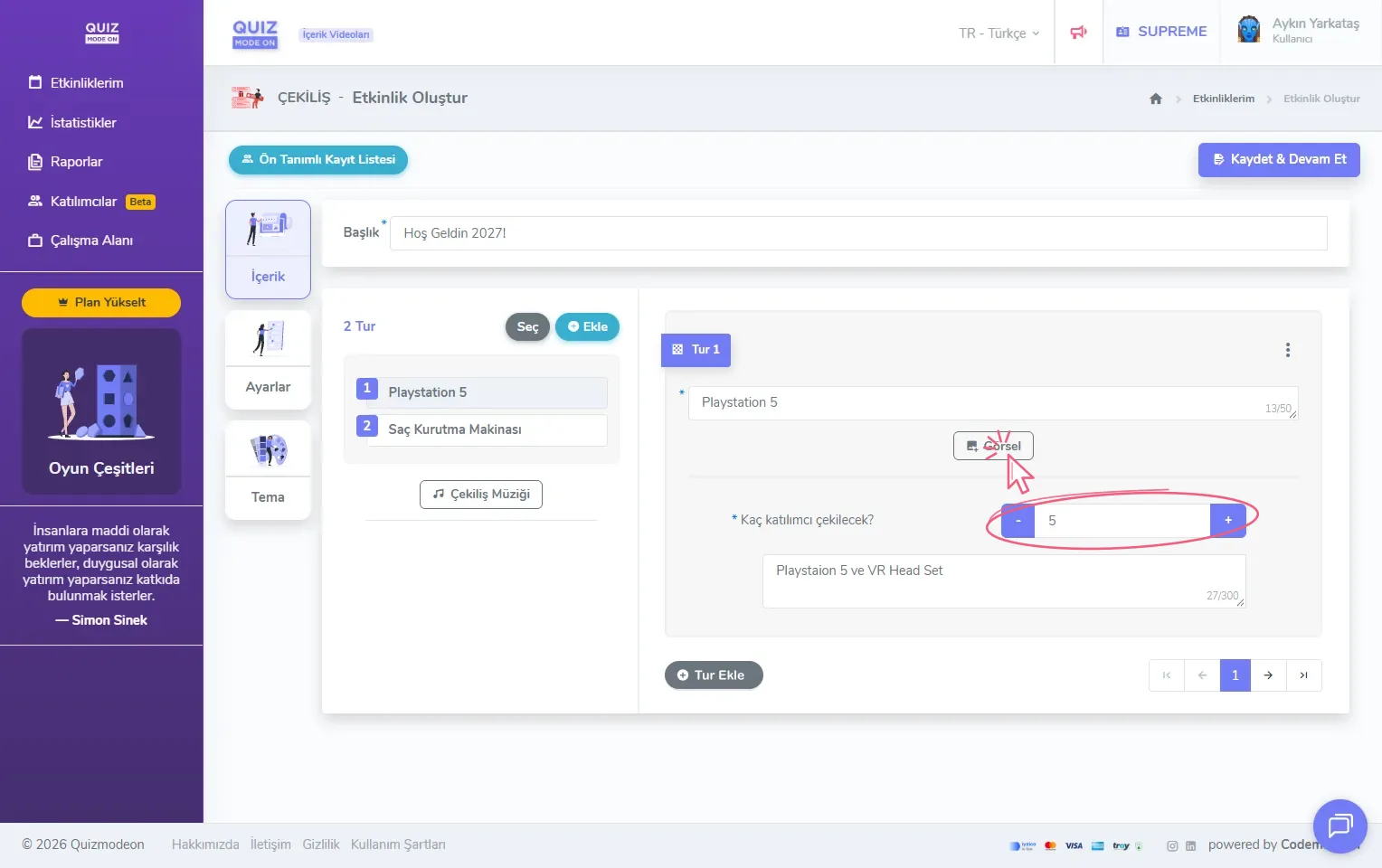
create a lucky pick - content - round details
- Round title: The required field for the prize name, up to 50 characters. For example: “Playstation 5” or “Hair Dryer”. The round title is shown on the prize card during the draw.
- Image: You can add a picture of the prize. It is shown on the prize card on the draw screen and in the prize catalog.
- How many participants to pick?: The required field for the number of lucky participants drawn for this prize. You can change it with the + and - buttons. For example: if you enter 5 for 5 pieces of the prize, the progress on the draw screen starts at 0/5 and goes up by one with every pick.
- Round description: An optional field for a short note about the prize, up to 300 characters. For example: “Playstation 5 and VR headset”.
Select rounds and delete them together
When you click the Select button above the round list, a checkbox appears next to each round and the button turns into Selected. After ticking the rounds you want to remove, you can delete them all at once with the trash button that appears next to it.
3) Set a music or sound for each round
When you click the Lucky Pick Music button below the round list, a music upload window opens. You can add a different background music or sound for each round, so the draw of every prize runs with its own music.
After adding all the rounds, you can move on to the event settings with the Save & Continue button at the top right.
Lucky Pick rules
- A person can win only once. However many rounds a draw has, a winner’s chance is used up and they are not drawn again in the following rounds. When nobody is left to draw, the draw ends even if some prizes are still left.
- If registration is open, new users cannot log in or register once the moderator has started the first draw. The draw pool closes with the first draw, so participants need to register before it.
- There is no redraw and no way to cancel a winner. As in every game of chance, the result of the draw stands. Because a winner may not be in the room or the online meeting, or may even have left the company since the list was prepared in advance, you can add a separate reserve winners round. For example: add a last round called “Reserve Winners” and set the number of people to draw as you need.
Note: You can choose whether the draw uses the predefined list or the registered participants on the Registration tab of the Lucky Pick settings page.