Participant and player
Who is a participant or player, and what can they do?
A participant (player) is an end user who logs in to events and experiences the flow.
To give some examples, participants are users who take part in the flow of various events, such as:
- people who answer questions in a quiz event,
- people who express their opinions in a few words in a word cloud event,
- people who mark the numbers on their cards in a Tombola game.
What is the difference between a member and a participant?
A member (admin) is a user who signs up for the portal and creates events such as quizzes, polls and word clouds.
A participant is a player or participant who logs in to the events the member created and takes part in the flow.
For all the details about the member (admin) and participant roles, visit the User Roles page.
Do I need to be a member to join an event or game?
You do not need to be a member to join an event. Participants or players can easily log in to the event without signing up. You only need to log in through the link or QR code shared with you.
You can learn more on the Join an Event page.
How can I get the access link, QR code and PIN code to log in to an event?
The access link needed to join the event is shared with participants as a QR code and a web link, before or during the event.
In live events, the QR code and PIN details are usually shown on a screen shared by the moderator or presenter right before the event. In asynchronous events, the participant link and QR details are shared with participants through communication channels such as email, SMS or WhatsApp.
If the event link was not shared with you, ask the event manager.
What participant details are requested when logging in to an event and during registration?
Different details can be requested to join an event, mainly name surname, email, phone and ID. None of these details may be requested at all, and you can even offer anonymous login by only picking an avatar image.
The details requested from the participant to log in to the event are set by the brand representative (admin) and can vary.
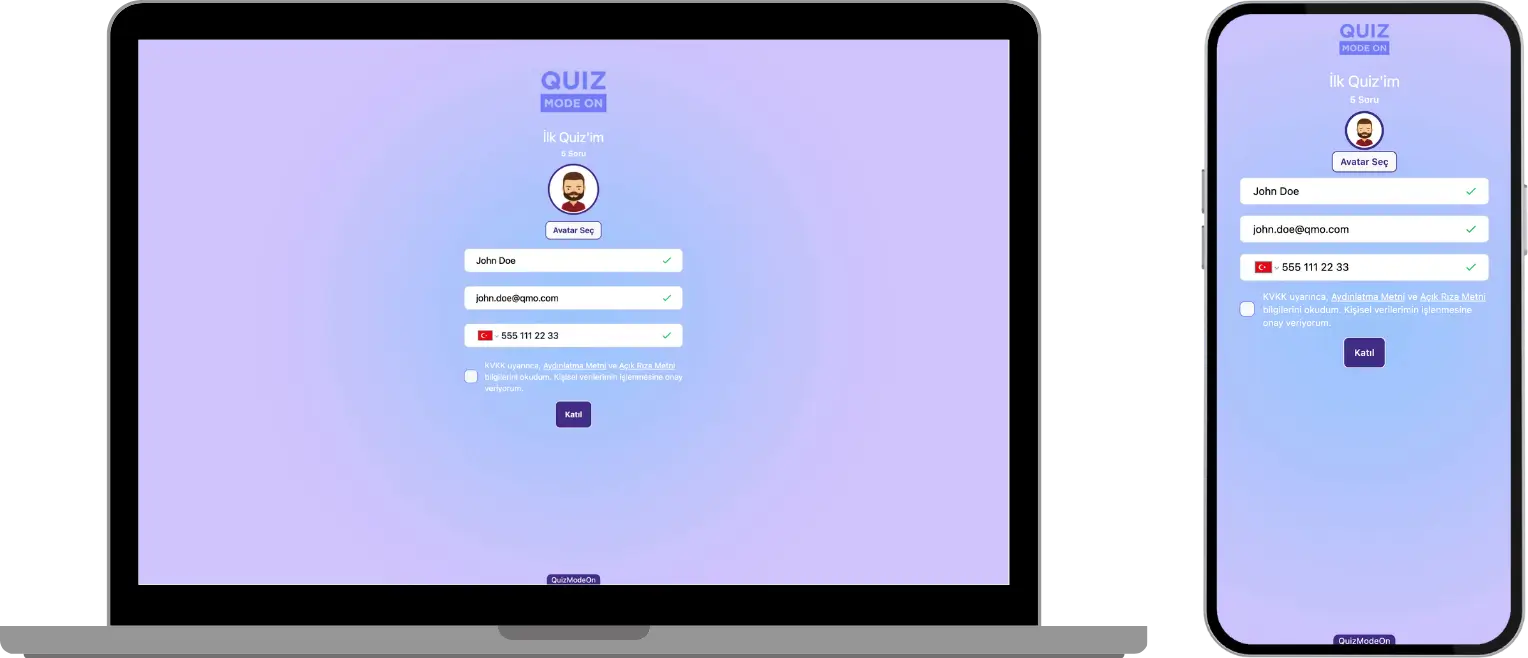
event settings - participant login - registration details
As a participant, if my connection drops after I log in to an event, can I reconnect?
If there is a problem with your internet connection, you are automatically reconnected to the event when the connection is restored. Even if you close the web page where the app is open, you can rejoin the event directly from the same link (because your last login details are saved when you log in).
As a participant, how can I join ready-made quizzes or events?
QuizModeOn is not a platform designed as a ‘ready-made event platform’ that anyone can join.
QuizModeOn is a platform where brands, agencies and some communities (NGOs, educational classes, student clubs, etc.) create 20 different event formats, such as quiz, guess what, poll and tombola, and reach their audiences. For this reason, event links can only be seen by the participants the brand shares them with.
If you would also like to create a quiz and have a good time with your employees, friends or whoever your audience is, sign up and create an event right away.