Membership account
I want to cancel my membership. What do I need to do?
After logging in to the portal, click your current membership plan (Bronze, Silver, Gold, etc.) in the top area and select My Membership. There, click the Cancel Membership Renewal option to cancel your monthly or annual membership renewal.
As an alternative, open the Account Details page from the user menu at the top right, and click the Details button under the Subscription area on the Account tab. You can turn off the automatic renewal option by clicking the Cancel Membership Renewal link on the membership plan details page.
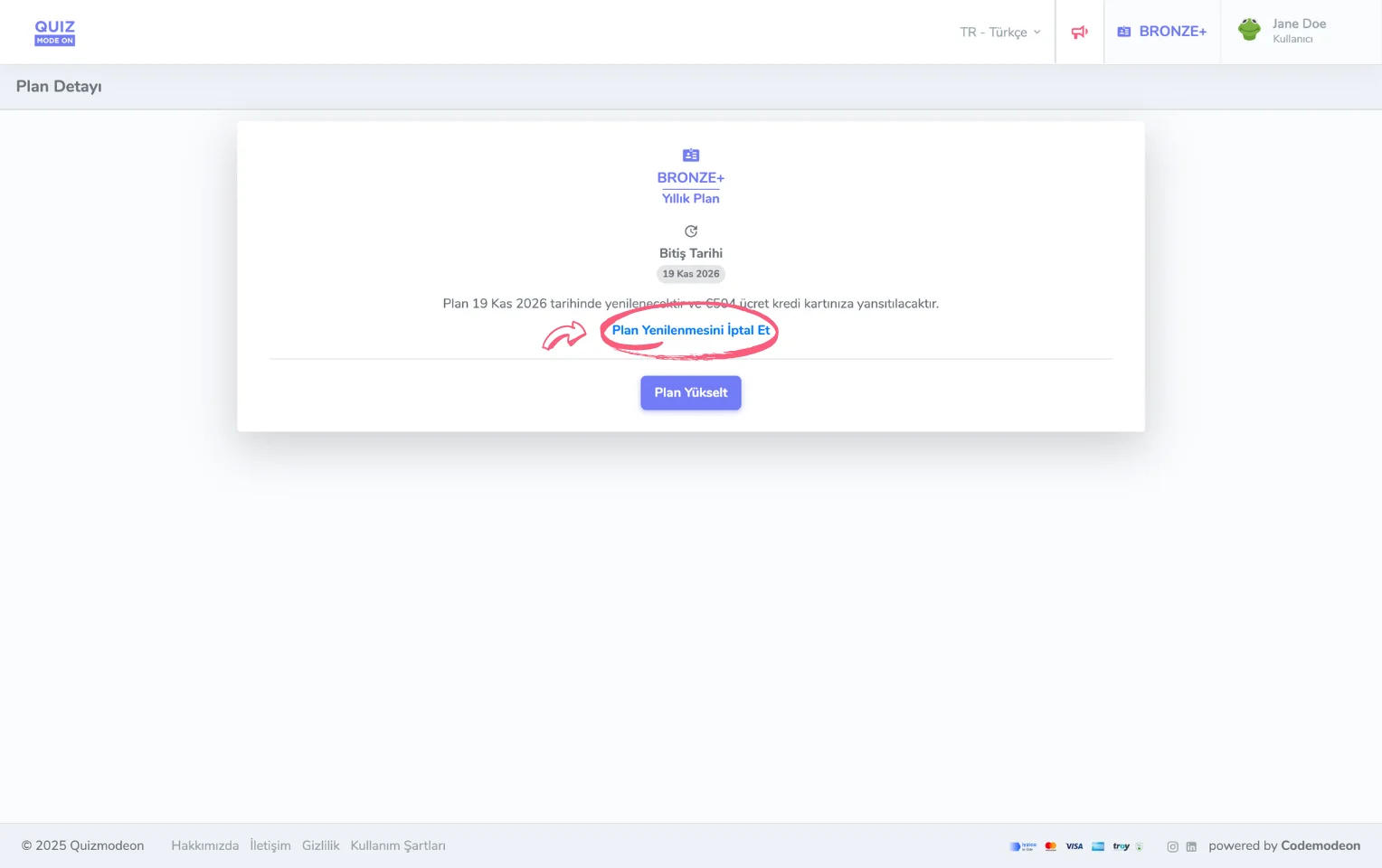
membership plan - plan renewal - cancelling renewal
I want to delete my membership account. What do I need to do?
After logging in to the portal, click your avatar at the top right and select the Account Details link. At the very bottom of the Account tab, click the Delete button in the Delete My Account area.
But remember, the content and settings of all the events you created will also be deleted. If you do not want to lose your content, you can cancel your membership instead of deleting it.
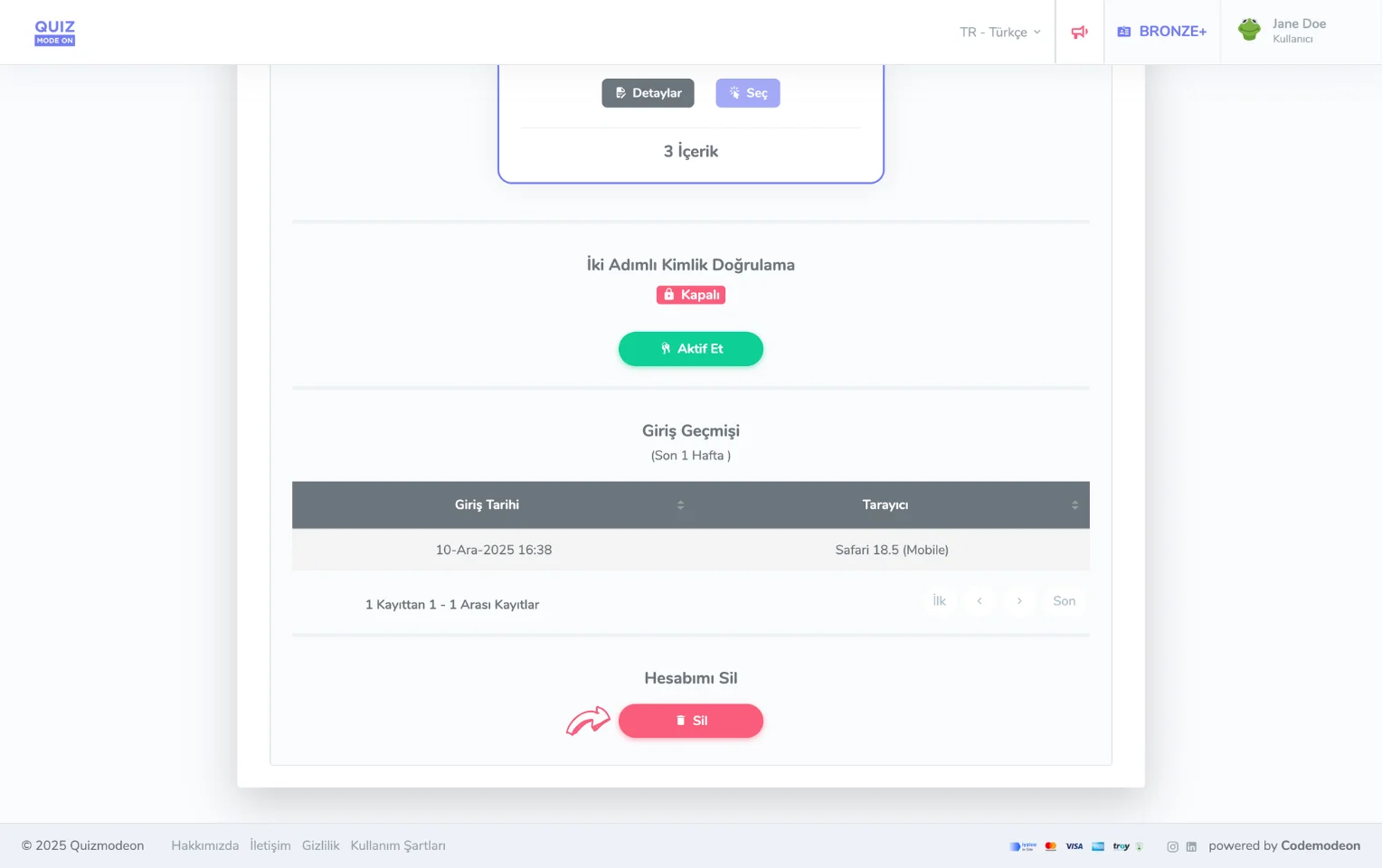
membership plan - deleting the account
I want to change my membership. What do I need to do?
To increase your concurrent participant limit or benefit from more features, you can upgrade your membership to a higher plan. Enterprise memberships cannot be upgraded through the portal; you need to contact us. However, you cannot move your membership down to a lower plan. For more details, see the Upgrade Your Membership Plan page.