Cancel your membership plan
All paid membership plans renew automatically according to their purchase period. You can cancel before your membership renewal date. This way you can choose our monthly memberships without an annual commitment, and buy one of the membership plans again whenever you need it.
Buy a monthly or annual membership plan
When you sign up for the portal for free, you start with the FREE membership plan. If you want more features and event formats, you can buy one of our monthly or annual memberships.
To upgrade, click the Upgrade Plan button in the left panel, or click your current membership plan (FREE) at the top right of the page and select Upgrade Plan.
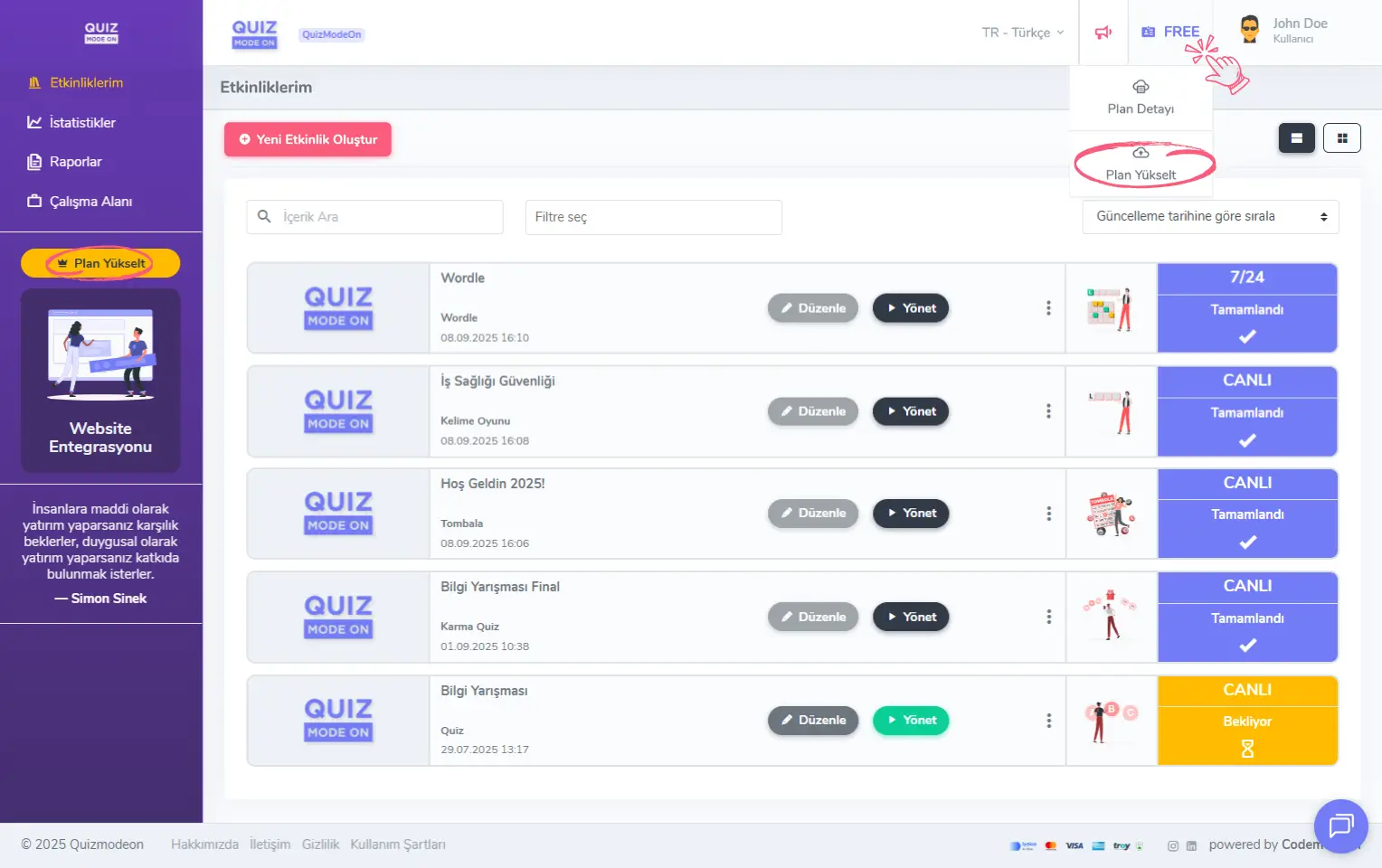
admin member - free membership plan - upgrade plan
Cancel your membership plan renewal
After choosing one of our monthly or annual membership plans, you may not want your membership to renew.
You can cancel your membership renewal in 3 easy steps.
- To see your membership plan details, open the Account Details page from the user menu at the top right.
- In the Subscription area on the Account tab, click the Details button.
- Click the Cancel Membership Renewal link to turn off the automatic renewal option.
Go to the Account Details page
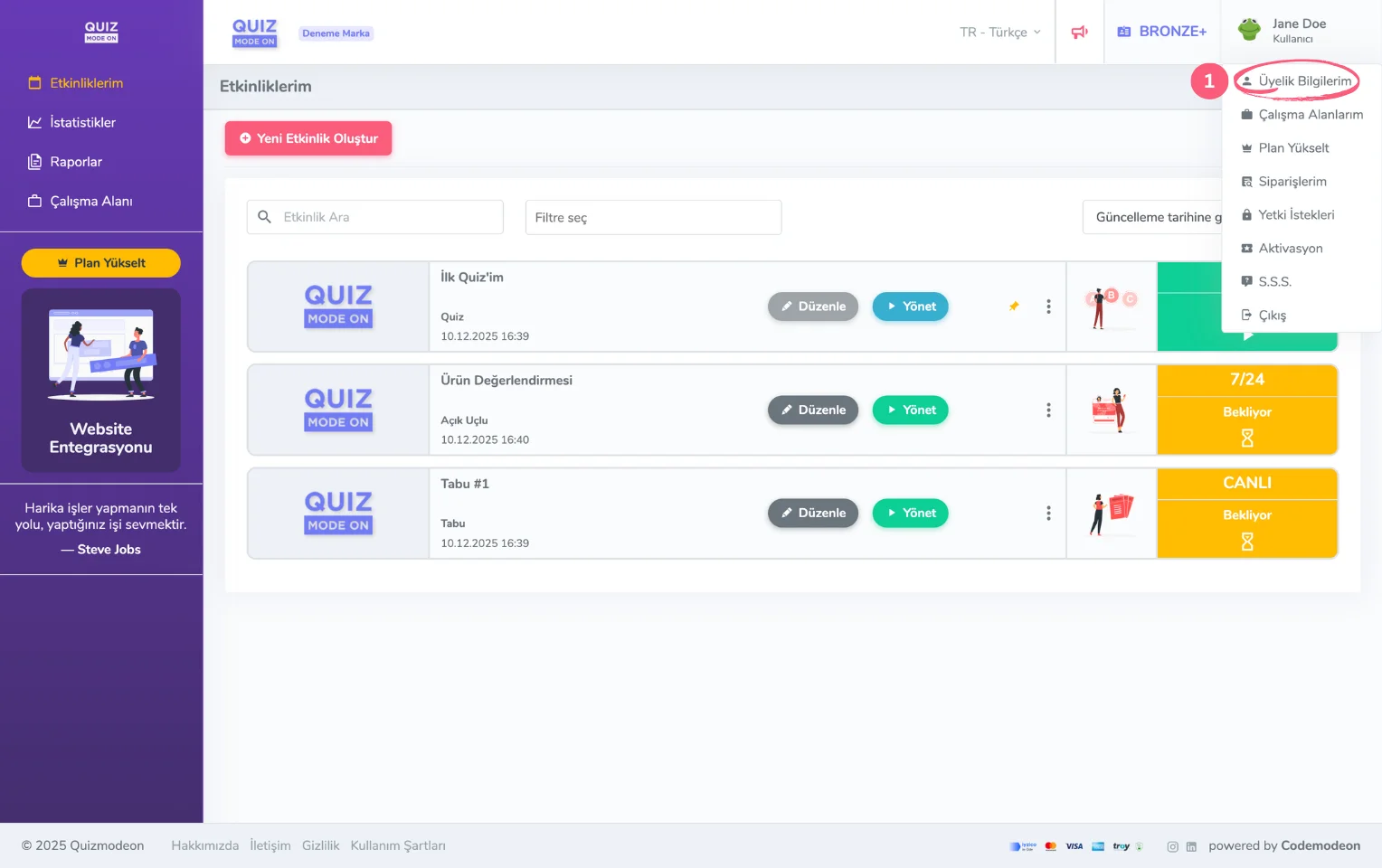
home page - user menu - membership information
View the Subscription details on the Account tab
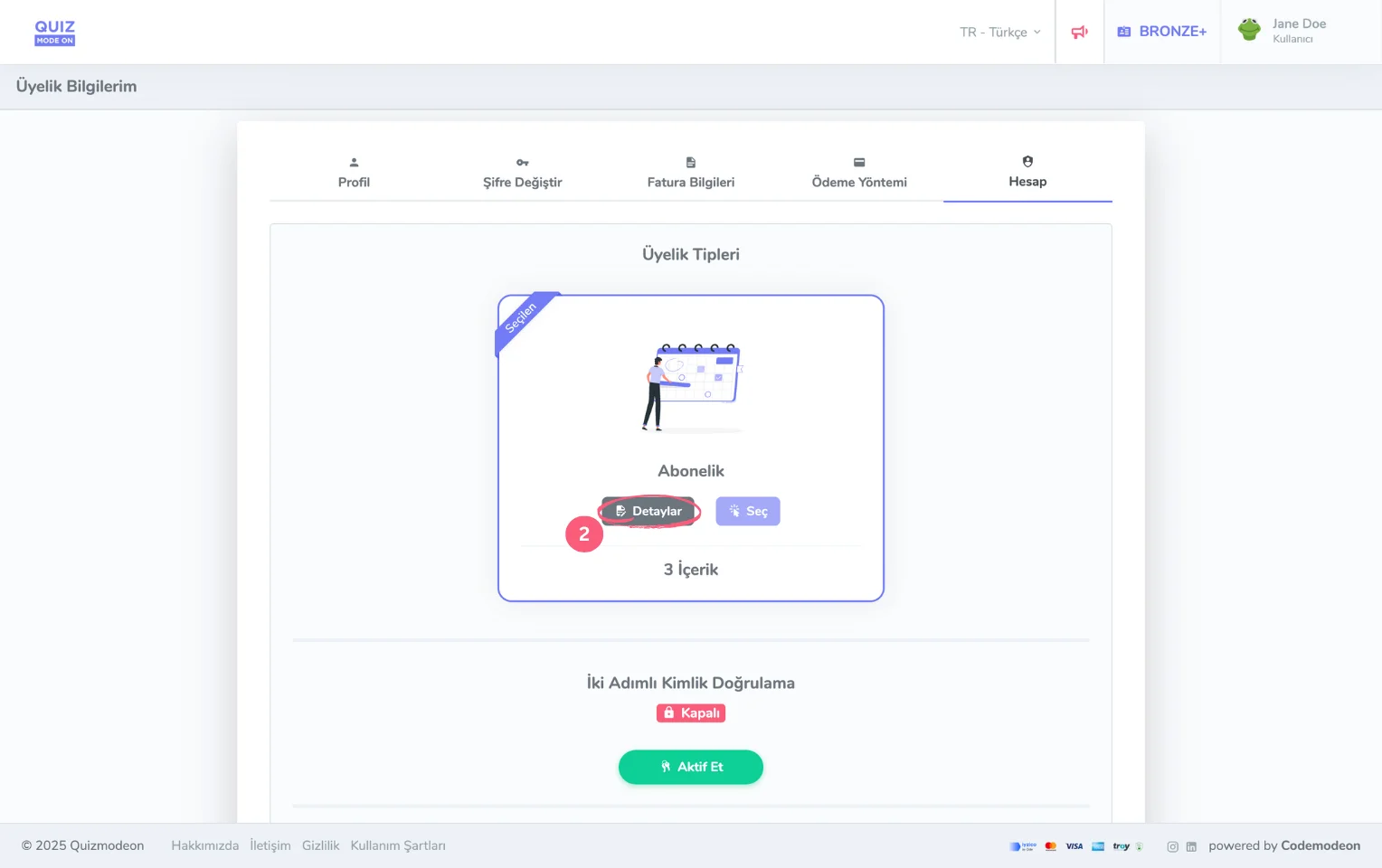
user menu - membership information - membership account
Cancel your membership plan renewal
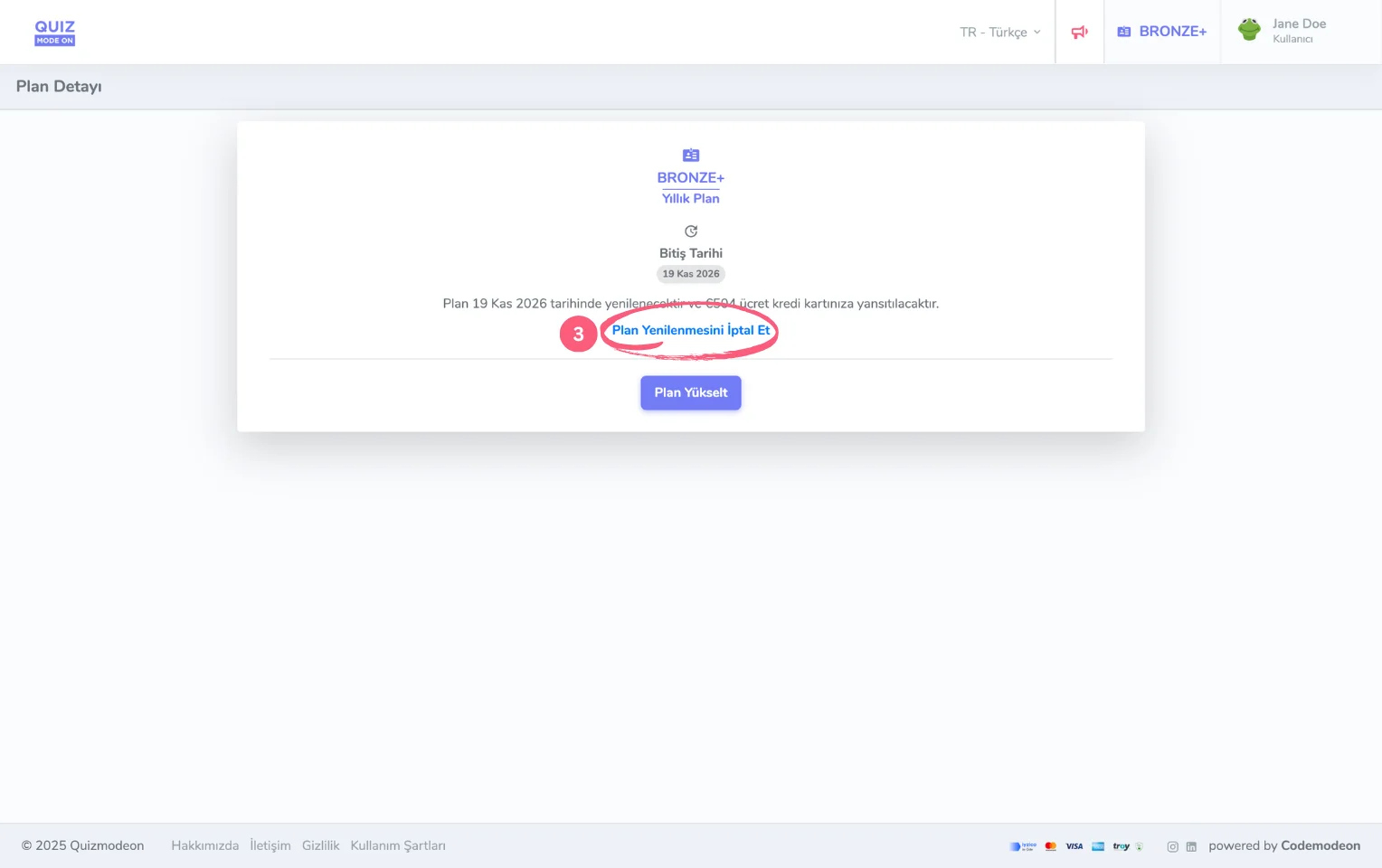
membership information - membership account - plan details