Participant login with SSO
Can participants log in to events with single sign-on (SSO)?
Thanks to Single Sign-On (SSO) technology, your participants join automatically through SSO using their existing credentials. The SSO feature works with the SAML 2.0 protocol for Enocta, while the OAuth protocol is used for Google and Microsoft.
You must be an Enterprise member to use this feature.
Which providers can I use for single sign-on (SSO)?
You can use the Single Sign-On (SSO) feature with the user accounts of Microsoft and Google, infrastructures used by most corporate companies, and Enocta, the most widely used in Turkey. We also let you use more than one SSO solution at the same time.
You must be an Enterprise member to use this feature.
What do I need to do to use the single sign-on (SSO) feature?
You can make changes from the event settings. Click the Settings -> Registration tab and turn on the Single Sign-On (SSO) feature.
For SSO, you can choose the Microsoft, Google and Enocta integrations. With Microsoft and Google SSO, the corporate email domain is checked. Login with a personal email is not possible.
You must be an Enterprise member to use this feature.
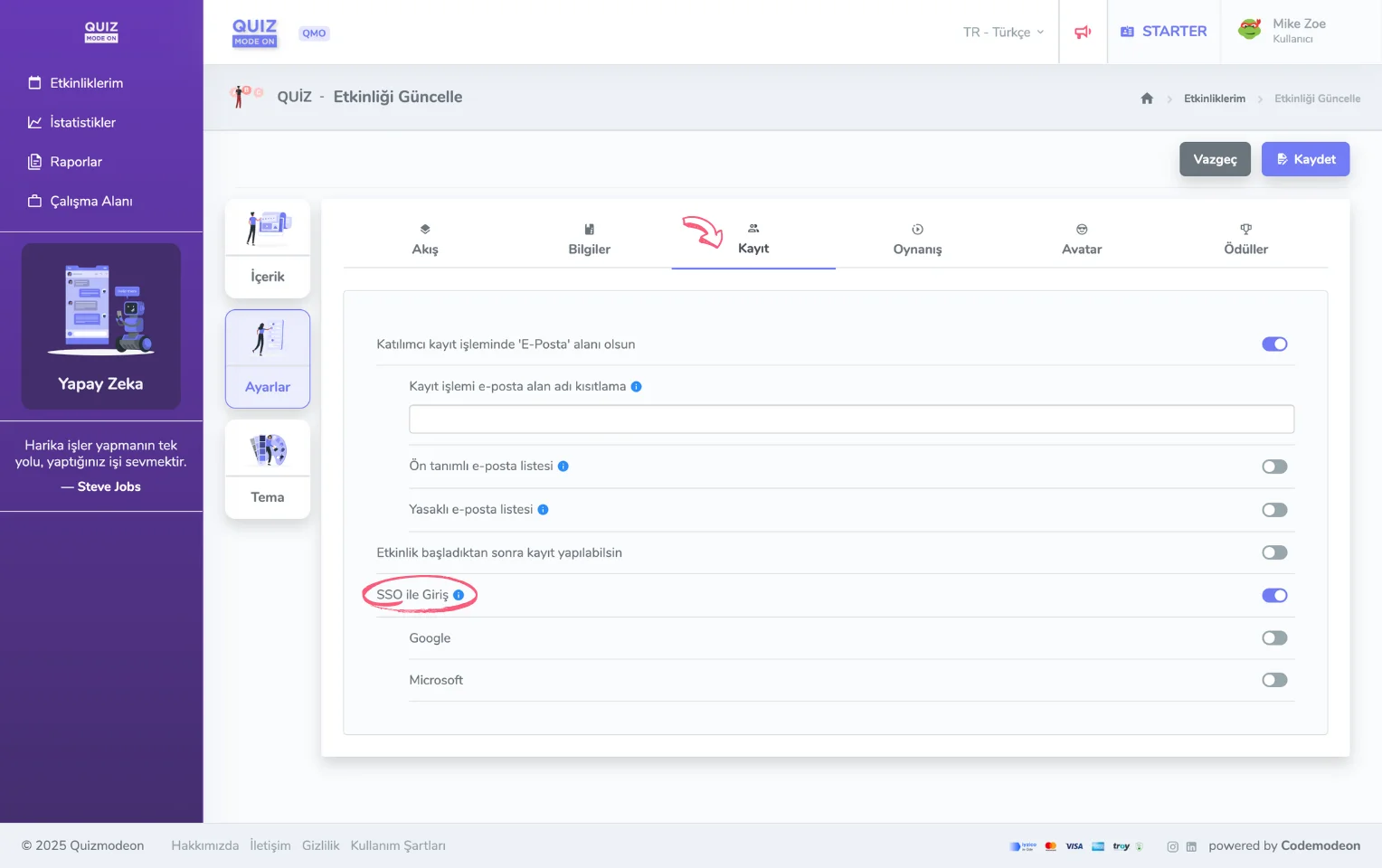
event settings - participant login - sso
How can we customize the single sign-on (SSO) feature for our company?
For now, the SSO feature works only integrated with Google, Microsoft and Enocta. If your company uses one of these infrastructures, you can easily use the SSO feature.
If you want to use an SSO (single sign-on) implementation specific to your brand, you can contact us. To use the SSO feature, you must first be an Enterprise member.
We want our employees to log in with Enocta using the single sign-on (SSO) feature. What should we do?
You can make changes from the event settings. On the Settings -> Registration tab, turn this feature on with the Login with Enocta option under SSO.
If you cannot see this feature, you can contact us to become an Enterprise member.