Content creation
Can I upload questions I prepared myself for events such as Quiz or Poll?
With the Upload Questions from File button on the Event Creation page, you can easily upload an Excel file containing the questions.
When preparing the question Excel file, do not forget to check the sample file format in the Download XLSX Sample link for the Excel template! For more information, see the Adding Quiz Questions page.
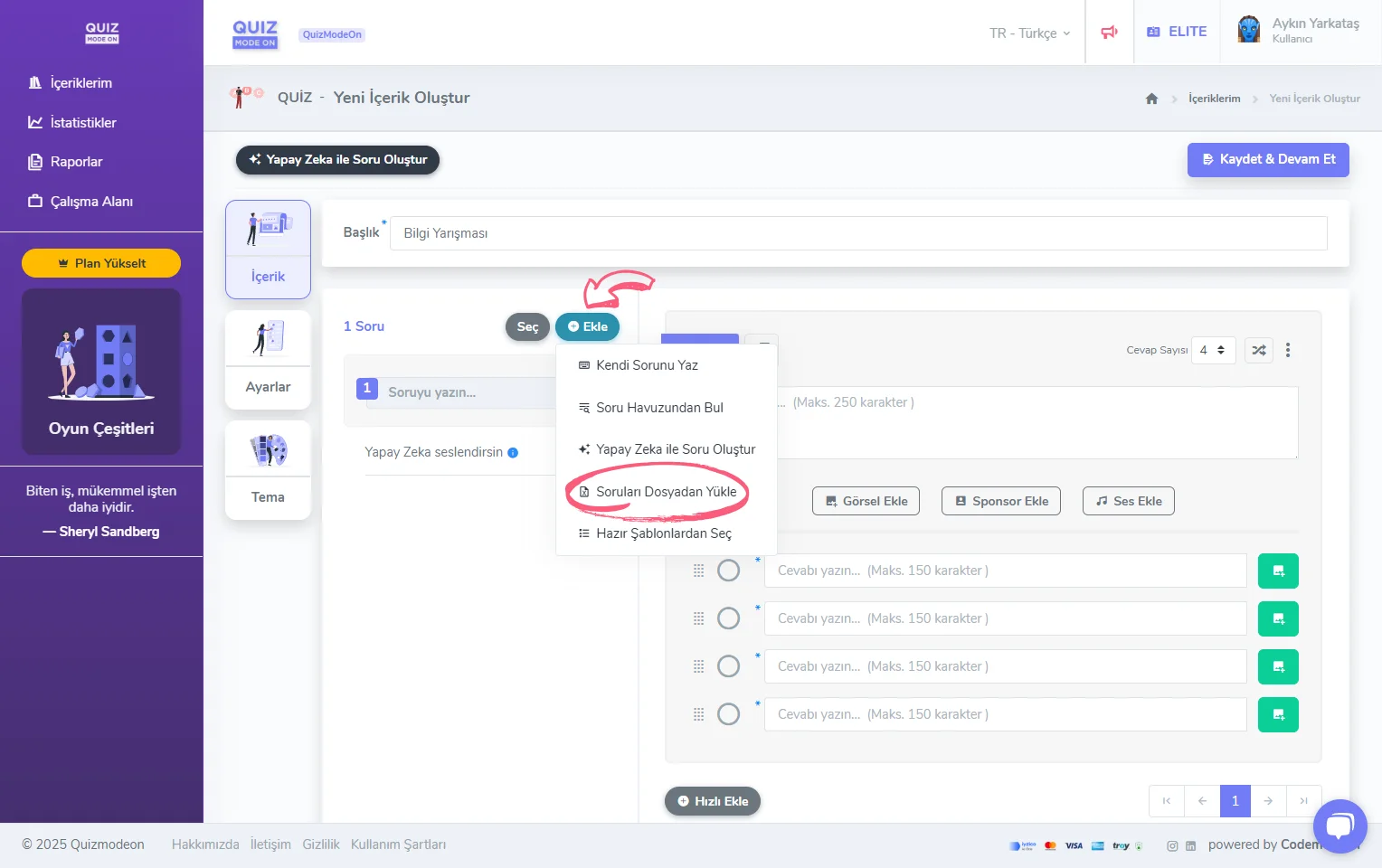
content creation - adding questions - uploading from a file
I created an event such as a Quiz or Poll and uploaded the questions and answers from Excel, but I cannot save the content. What could be the reason?
First, check that the Excel file is in the proper format, like the sample file.
If the file matches the format, check the character limits in the questions and answers. The question text can be at most 500 characters, and the answer text at most 300 characters.