Theme editor and interface
Can I make interface designs specific to my brand with the theme editor?
You can change the colors and designs in the interface, mainly the brand logo, background and all button and text colors. To learn more about using the theme editor and custom design, see the Quiz Custom Theme Design page as an example.
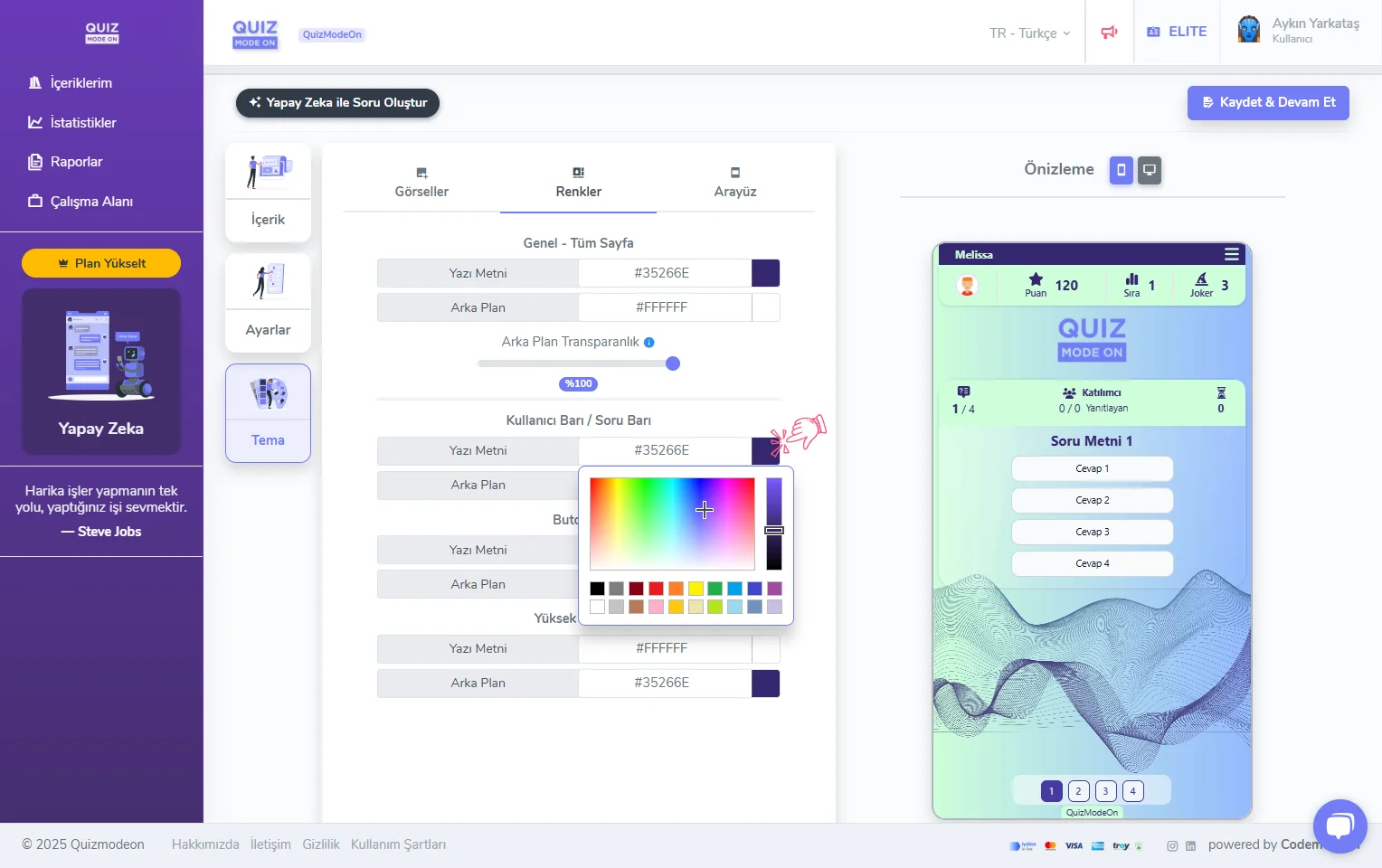
enterprise features - theme editor - visual design
I will run a competition such as a Quiz. I do not want high scores or participant names to appear on the screen. Can I do that?
Select the Interface tab in the Theme settings of the event to make event-specific changes. Among these changes, you can make many customizations such as:
- showing or hiding the scoreboard,
- showing or hiding the names in the table,
- showing or hiding emoji reactions.
You must be an Enterprise member to use these features. For more details, see Custom Design with the Quiz Theme Editor.
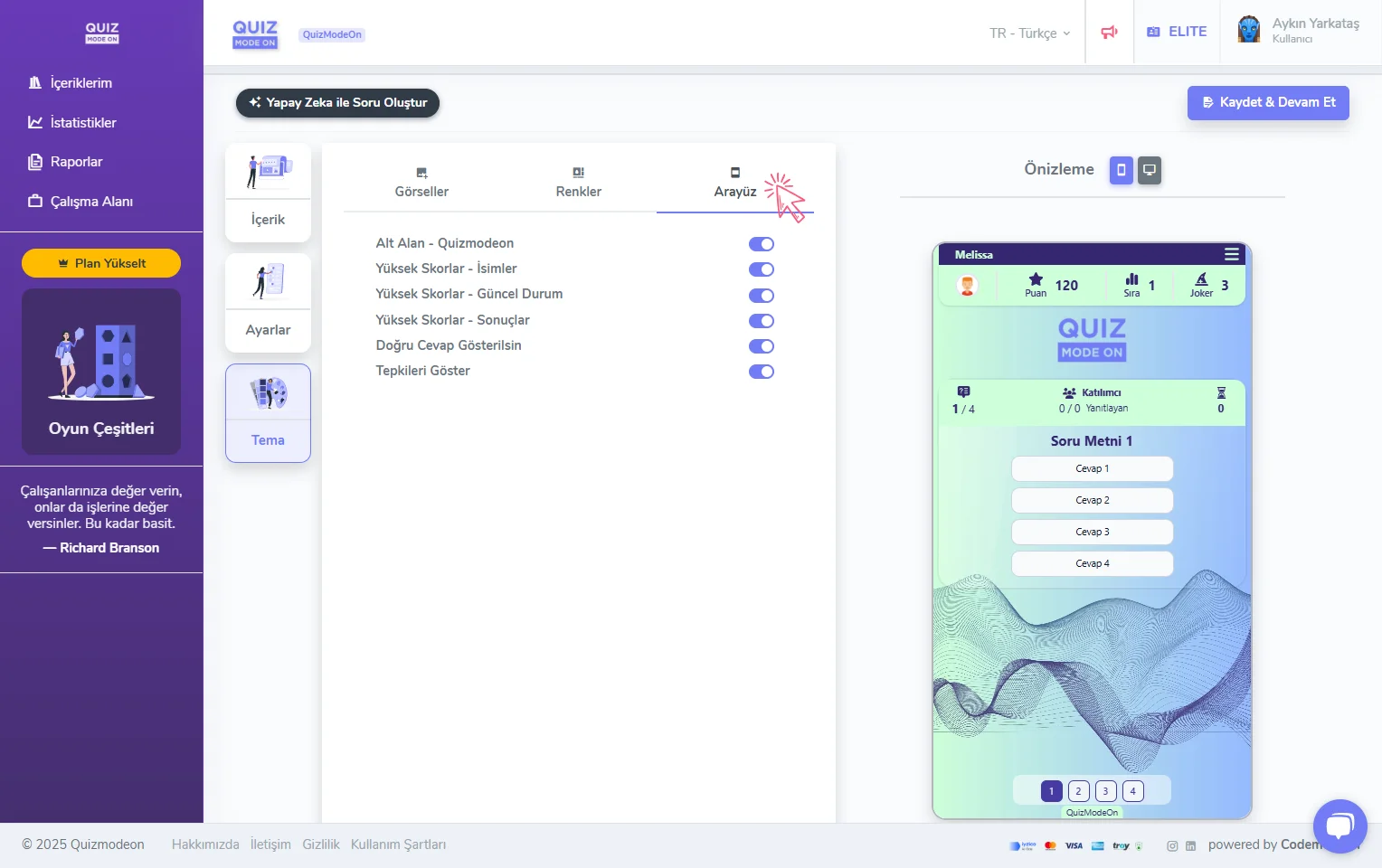
enterprise features - theme editor - hiding interface elements
Can I add a brand logo and a background image to my event?
You can add a brand logo and a background image specific to each of your events, and you can also change the interface colors.
Adding a brand logo is offered within Advanced Membership plans.
Customization options such as adding a background image and changing the interface colors are offered within Enterprise Membership plans.
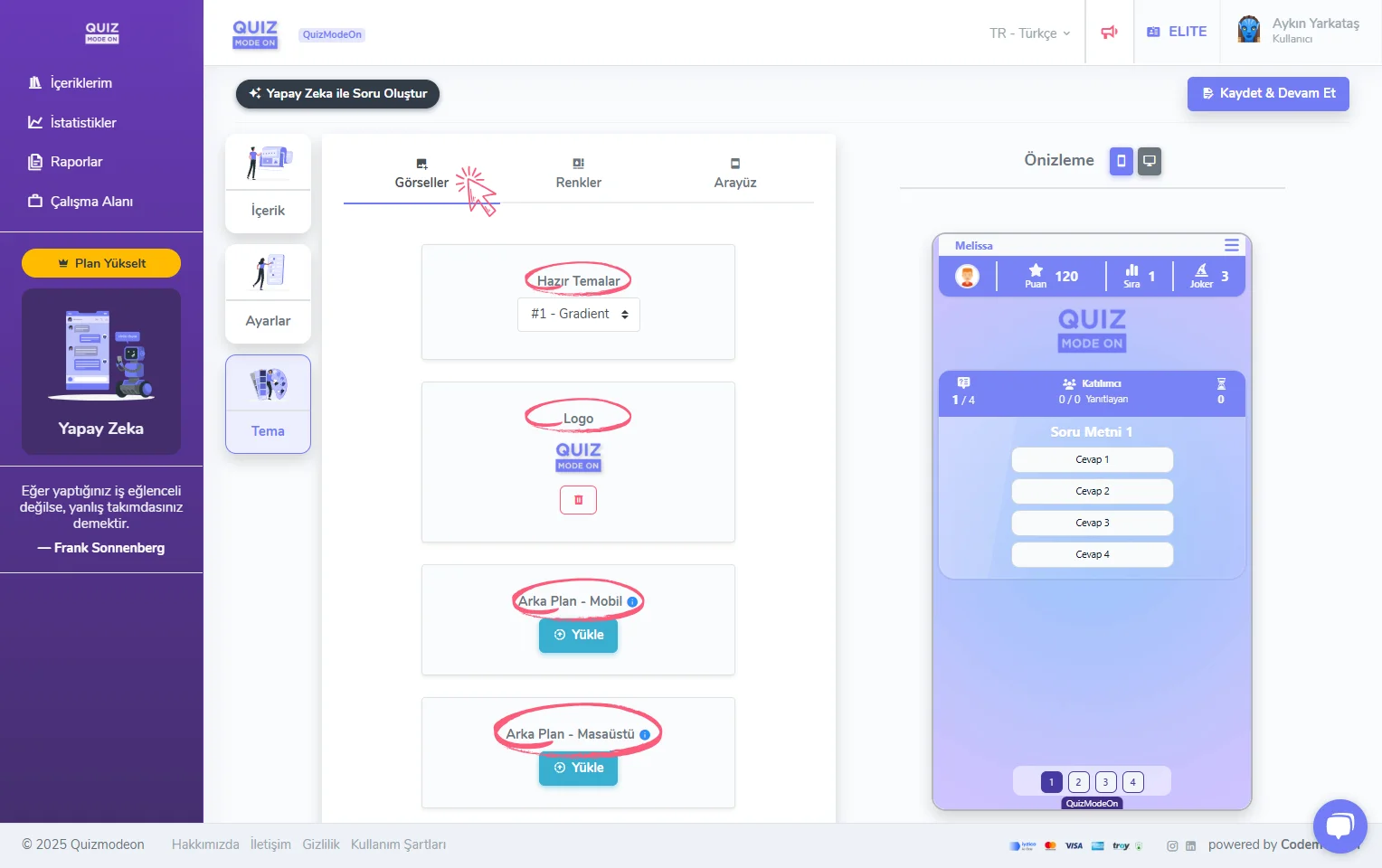
enterprise features - theme editor - uploading a logo and background image
Can I customize the interface theme for an event specific to my brand?
You can add a logo and background image specific to your brand, and also use colors that match your corporate brand identity for the interface design. To learn more about using the theme editor and custom design, see the Quiz Custom Theme Design page as an example.