Start and manage your events
When everything is ready, invite your participants
After creating the event, the admin (member):
- Must open the presenter link to start and manage the event. If the admin (member) will not manage the event themselves, they can share the presenter link with another user who has the moderator or presenter role.
- Must share the registration link or QR code so participants can log in.
- In live events, the participant link and QR code are shown on the presenter page. Before the event starts, participants can scan the QR code on the presenter page and log in to the event.
- 24/7 events have no presenter page, so only the admin (member) can access the participant link and QR code. The admin can invite participants by sharing the link and QR code through the communication and announcement channels where participants will see them.
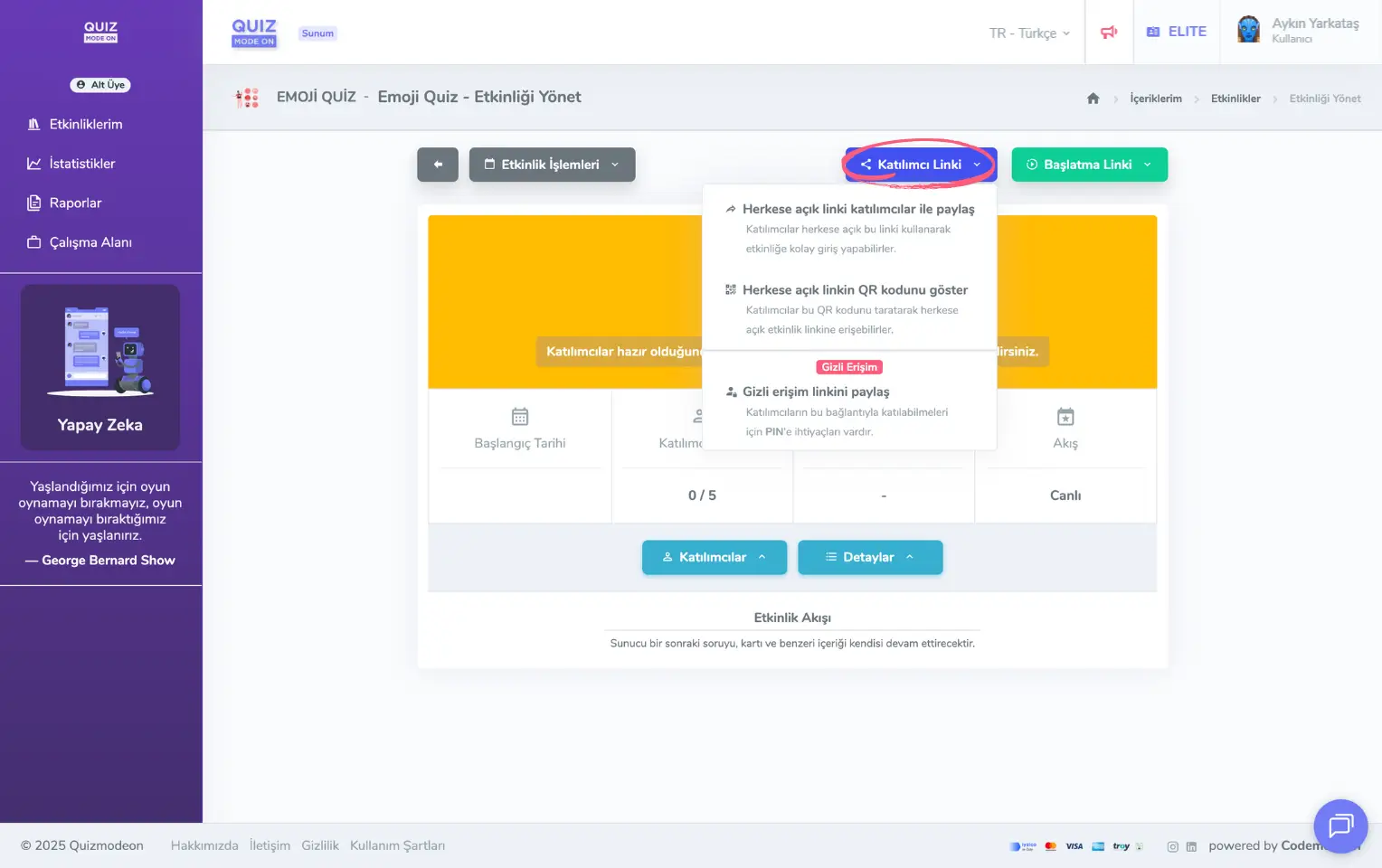
admin member - events - event management - live event - participant link
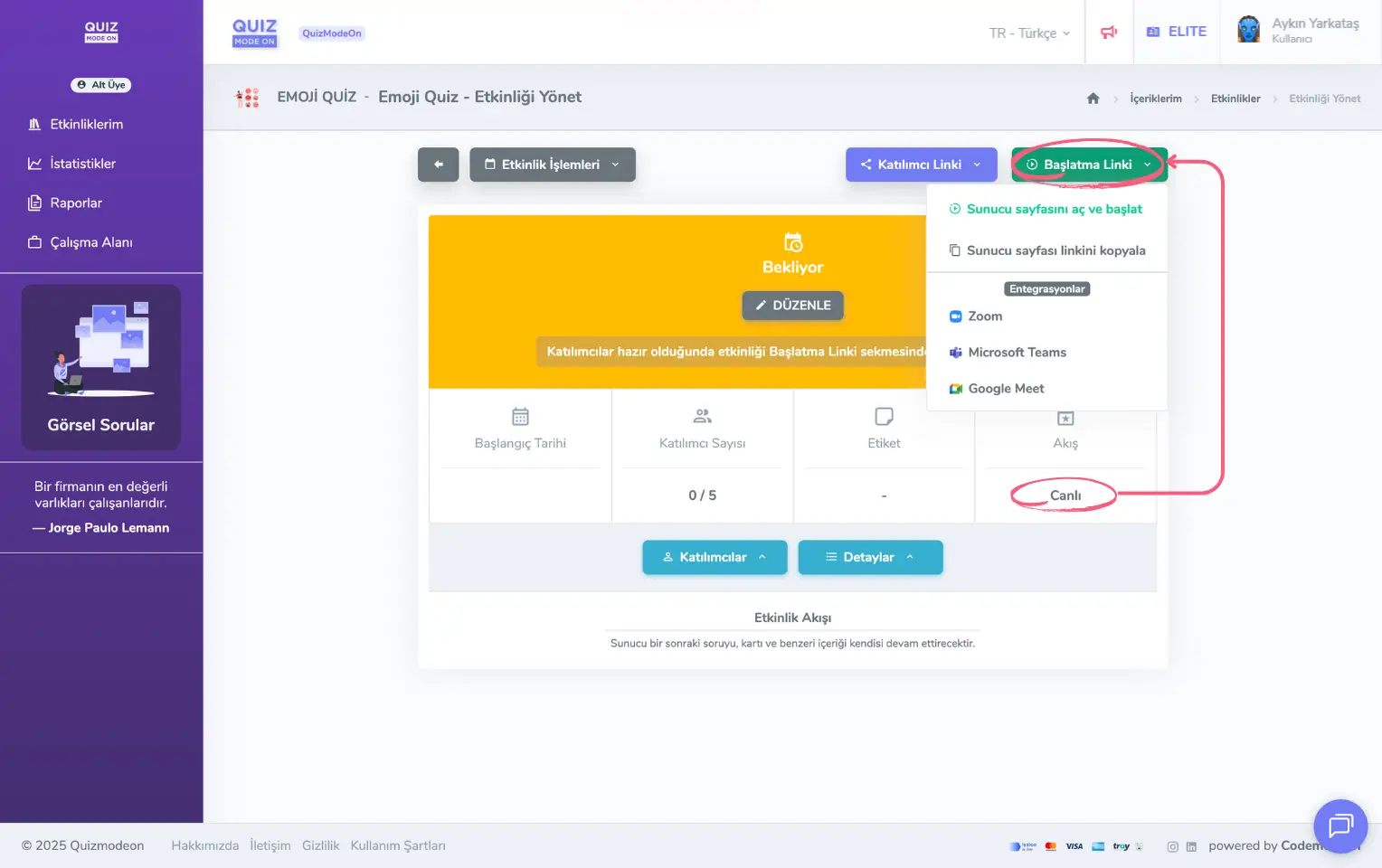
admin member - events - event management - live event - start link
Note: A user with the admin (member) role can also take the presenter and moderator roles.
Act according to the event flow
An event flow can be of 2 types.
- Live Flow: An instant flow format in which all participants interact at the same time. To manage a live event, use the presenter link. You can use this link yourself as the admin to start and manage the event. If you want another user to start and manage the event, you can share the presenter link. The person you share the link with will have the presenter or moderator role. As a moderator, you can control the transition between questions in question-and-answer events such as quizzes, polls and word clouds, and in games such as Taboo you can supervise the rounds and approve or reject Taboo cards or stop the game.
- 24/7 Flow: A flow format in which participants can log in at different times, independently of each other, and which the admin can end whenever they want. If the event flow is set to 24/7, only the admin can start the event. The admin also ends the event.
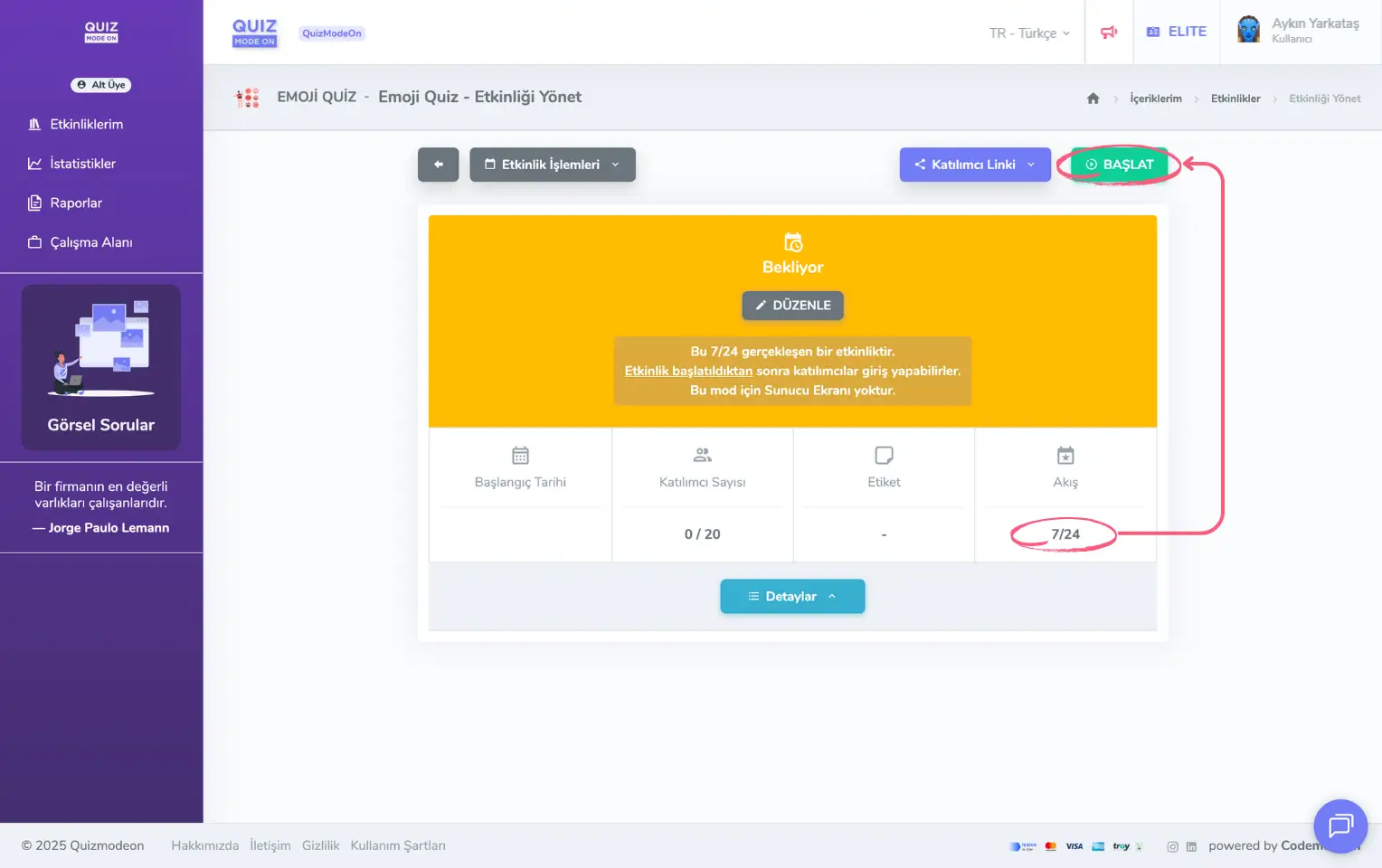
admin member - events - event management - asynchronous event - start
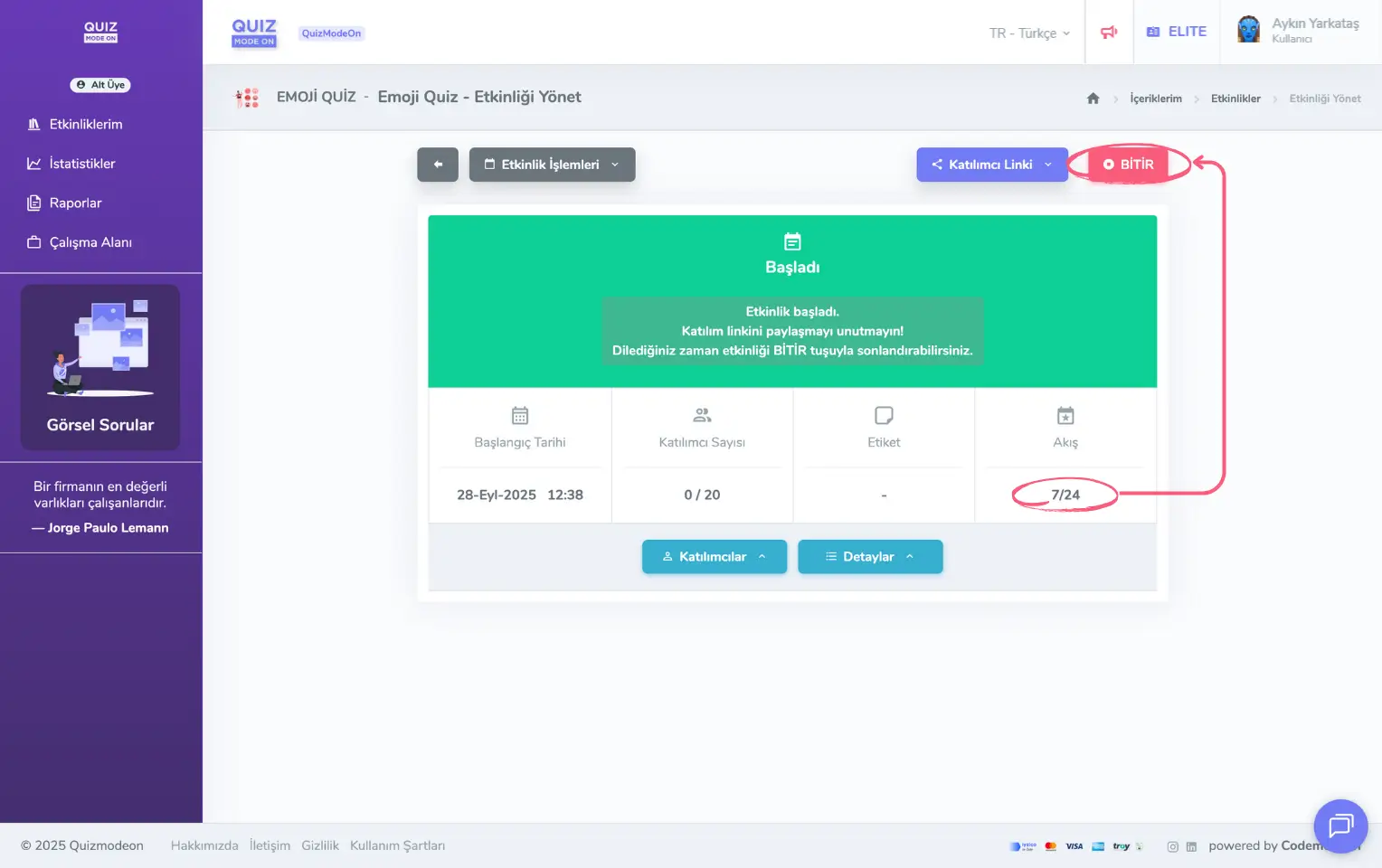
admin member - events - event management - asynchronous event - finish