Word Cloud - Flow screens
Questions and Answers
You may come across several kinds of questions on this screen, where you see the answers participants give instantly as a cloud next to the current question.
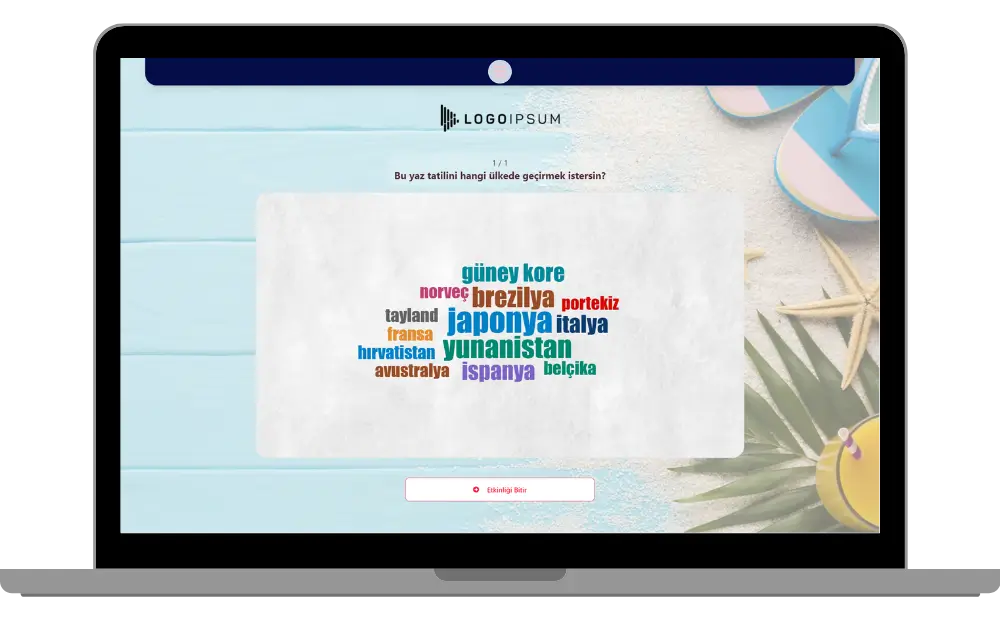
moderator - event flow (word cloud) - participant answers
Use the Submit Answer button at the top right of the screen to write and send your answer.
A number appears at the top right of the Submit Answer button. This number represents your Answer Count. If your answer count is 2 or more, you can give as many answers to the same question as your defined answer count.
The answers given by all participants are shown as a Word Cloud on the presenter screen. On the participant screen, you can see the answers given both as a word cloud and as a word list.
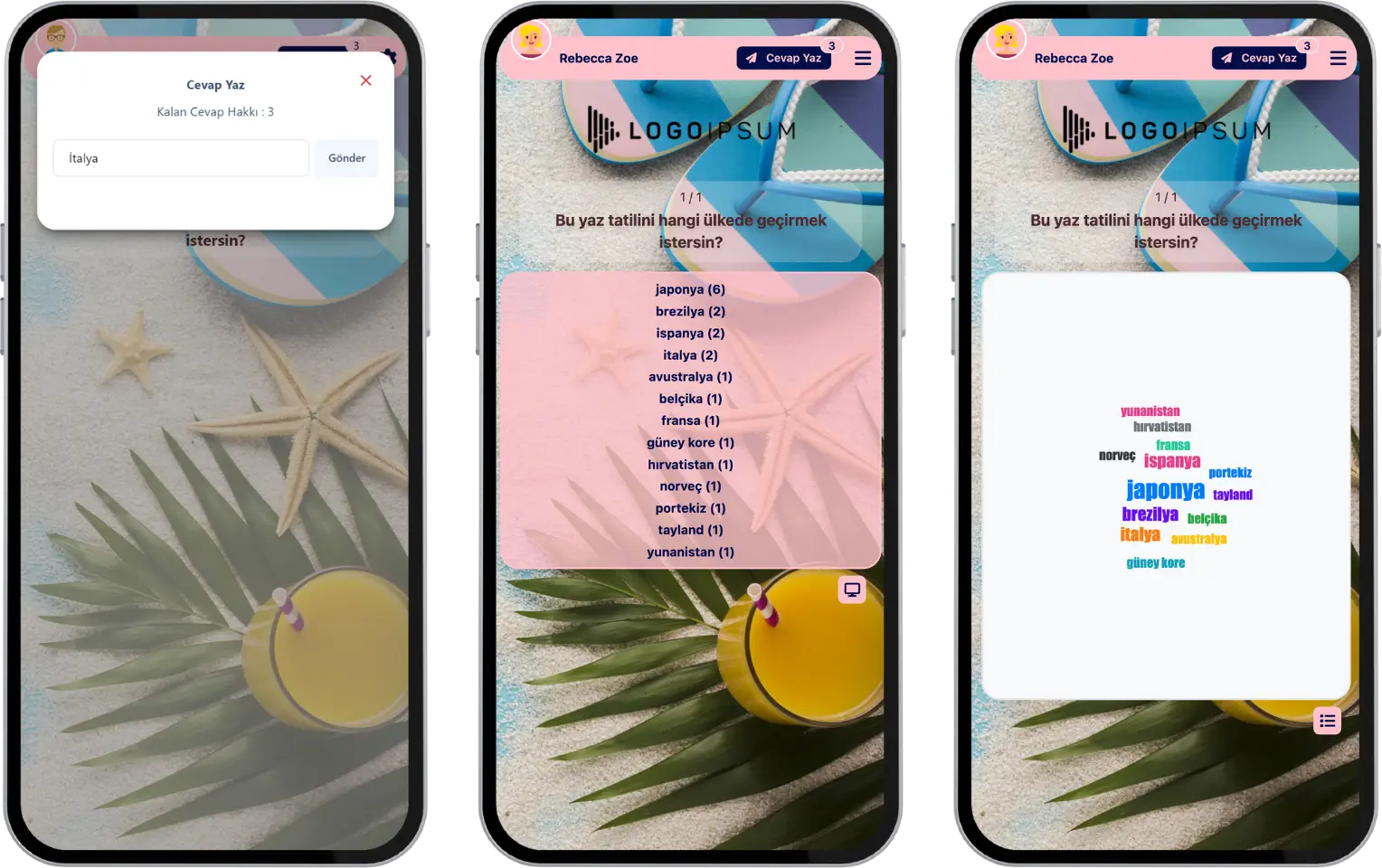
participant - event flow (word cloud) - answer list - answering
The moderator manages the question flow. The moderator is the one who moves to the next question. After all the questions are done, the event ends and you see a thank-you message.
Note #1: Word Cloud events can only be run with a live event flow. They are generally preferred for collecting people’s opinions and ideas. Since the answers can be seen instantly by all participants, it is an ideal event type for brainstorming.
Note #2: Since the question flow is managed by the moderator, you cannot move to the next question yourself.
Note #3: You can also join the event after it has started.