How to create Taboo content
What is Taboo?
Taboo is a fun team game played in turns between 2 teams. The player describing the word on a Taboo card waits for their teammates to guess the word without using certain words. It is an engaging event game with its own gamification dynamics, such as gaining or losing points depending on the cards described and the Taboo calls made. Especially preferred in team building activities and events that strengthen communication, Taboo, like the world-famous Taboo and similar games on online platforms, encourages quick thinking and strategy development.
1) Set a title for the event
In the Title section at the top of the page that opens, set a title of at most 30 characters.
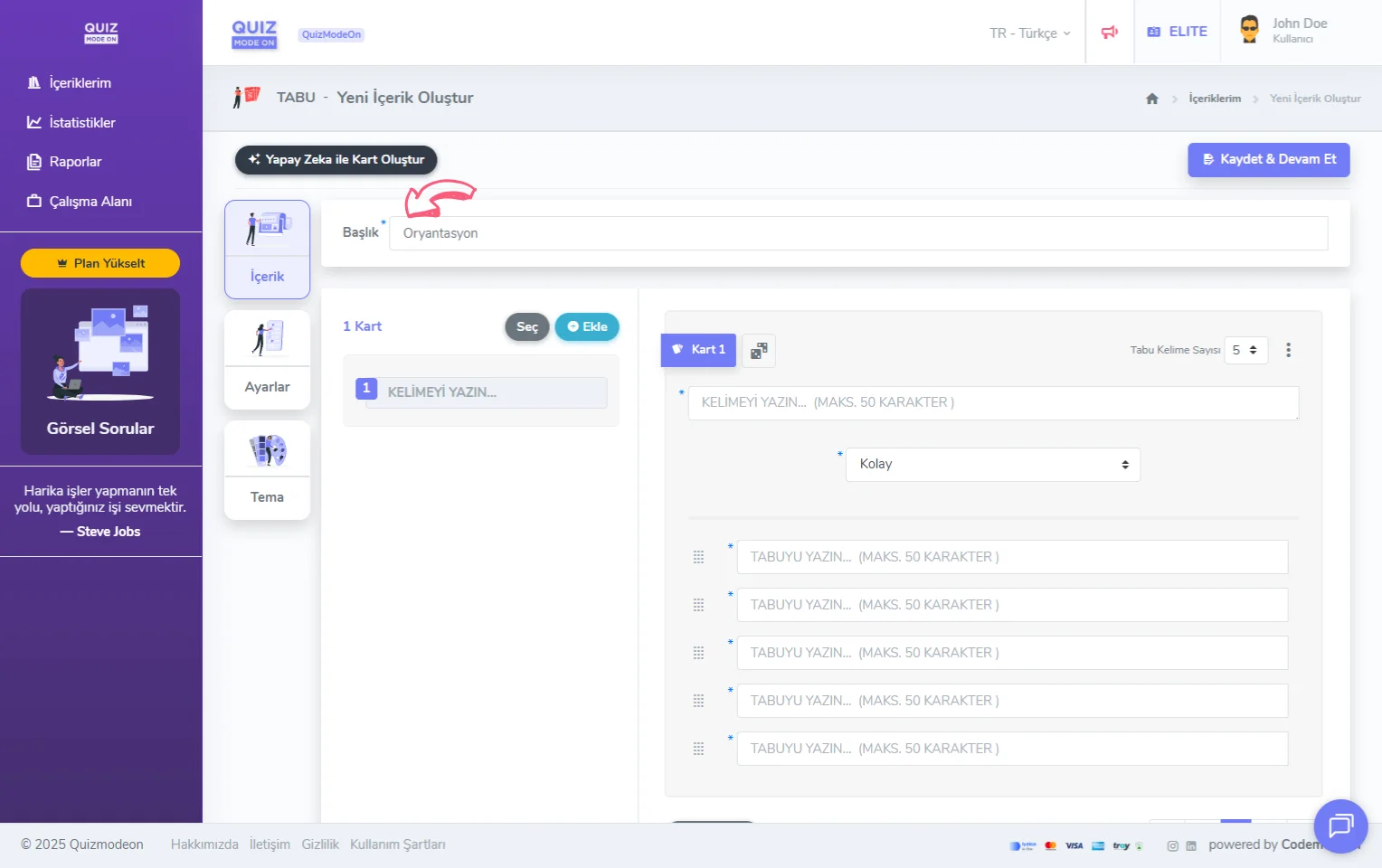
create a taboo - content - title
2) Add your Taboo cards
When you use the Add button to add a Taboo card, different options appear.
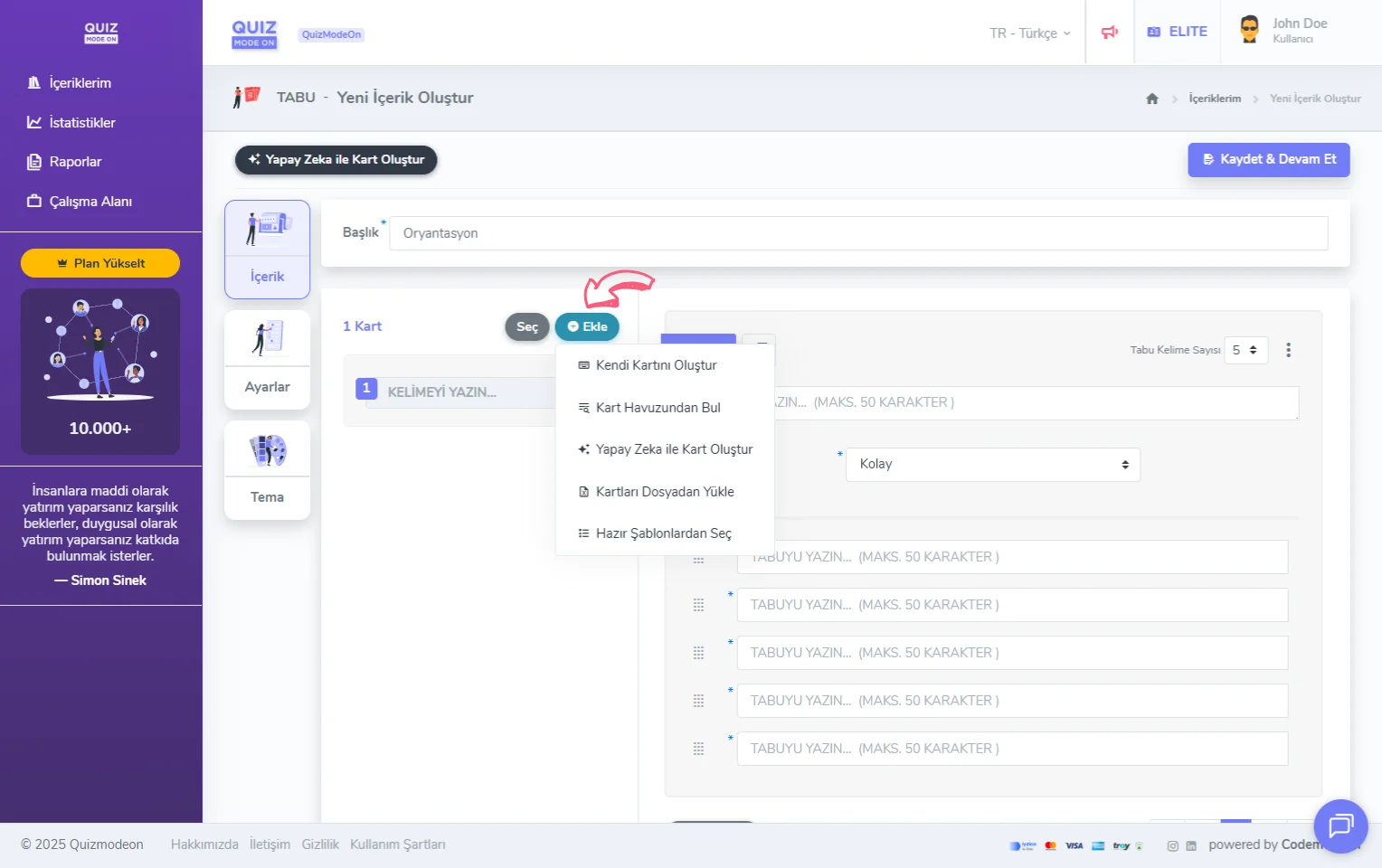
create a taboo - content - adding cards
-
Write Your Own Card: You can create a taboo card manually on the page you are on. A new card form opens so you can enter 1x guess word together with 5x Taboo words. With the Quick Add button below the card form, you can add your cards more practically and quickly.
-
Find from the Card Pool: You can add one of the ready-made Taboo cards the QuizModeOn team prepared for you, or one of the cards you created yourself in your earlier events.
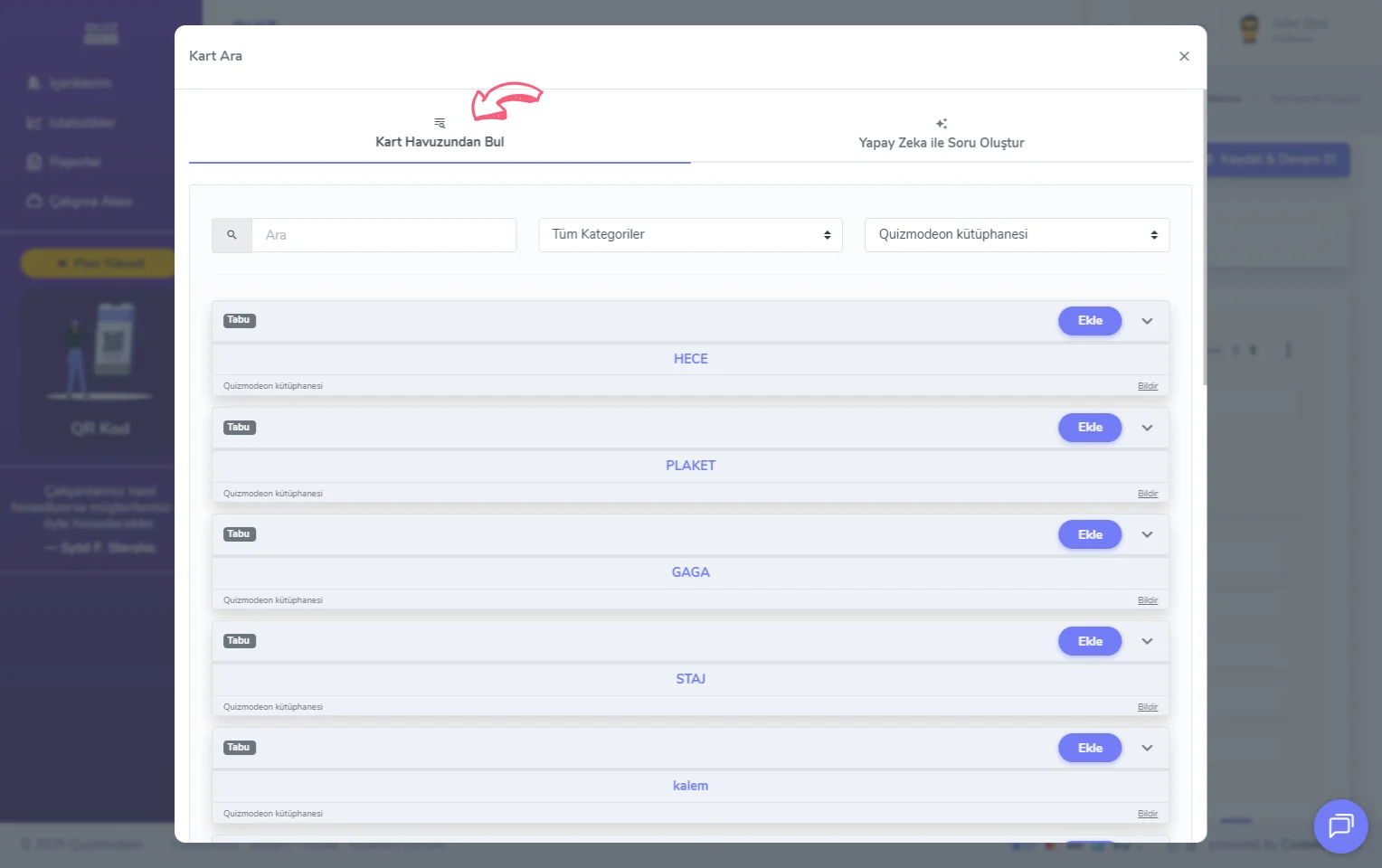
create a taboo - content - adding cards - card pool
- Create Card with AI: For the word or words you give the AI, you spend 1 credit and the AI creates 5 sample cards for you.
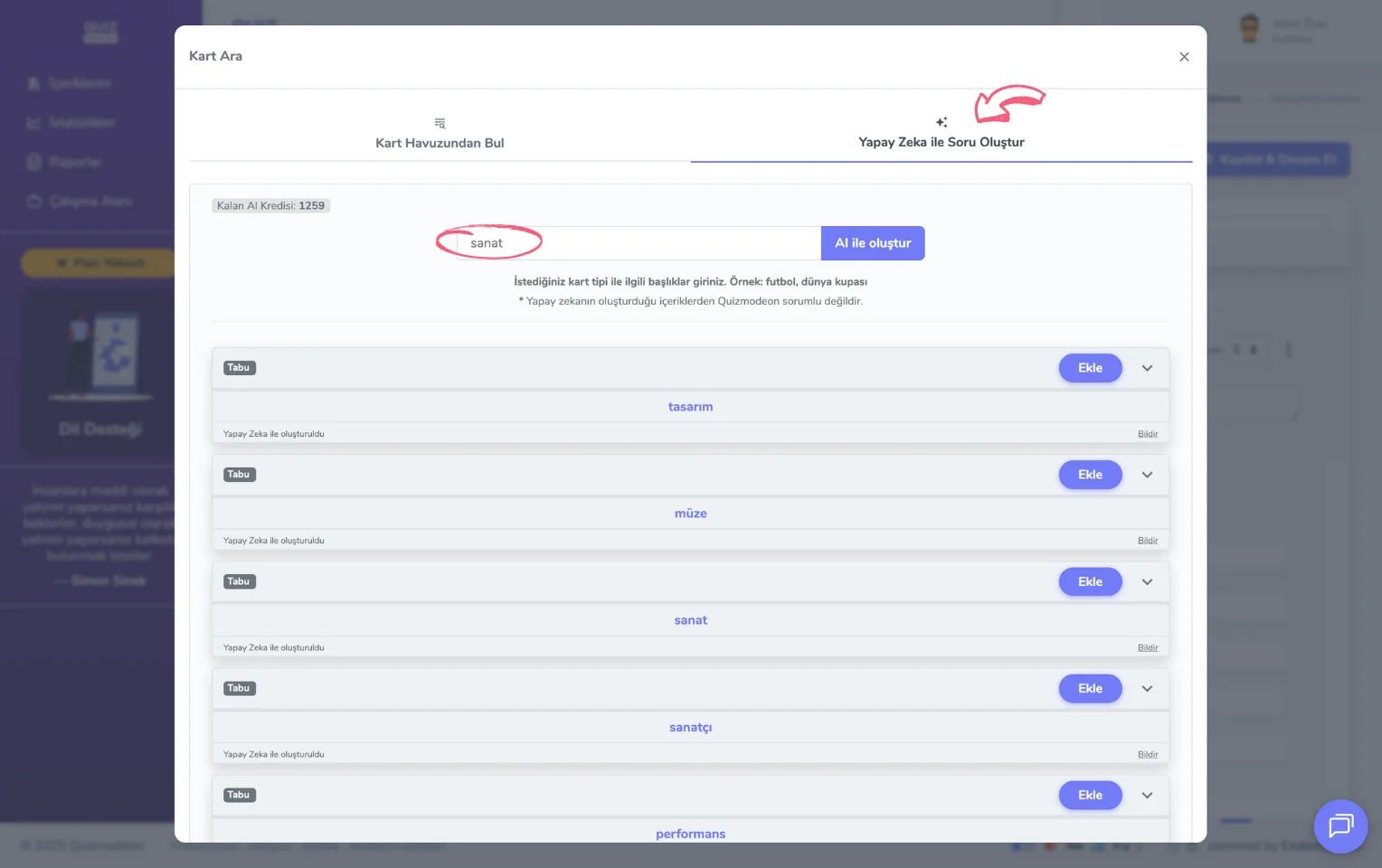
create a taboo - content - adding cards - creating cards with AI
-
Upload Cards From File: You can upload Taboo cards you created yourself in Excel. We recommend downloading the Excel file with the sample content and editing it. To look at the sample Excel file, click the Download XLSX Sample link at the very bottom of the popup page that opens with the Upload Cards From File button.
-
Start from a Template: You can choose one of the content sets made up of Taboo cards prepared by the QuizModeOn team according to the concept you want.
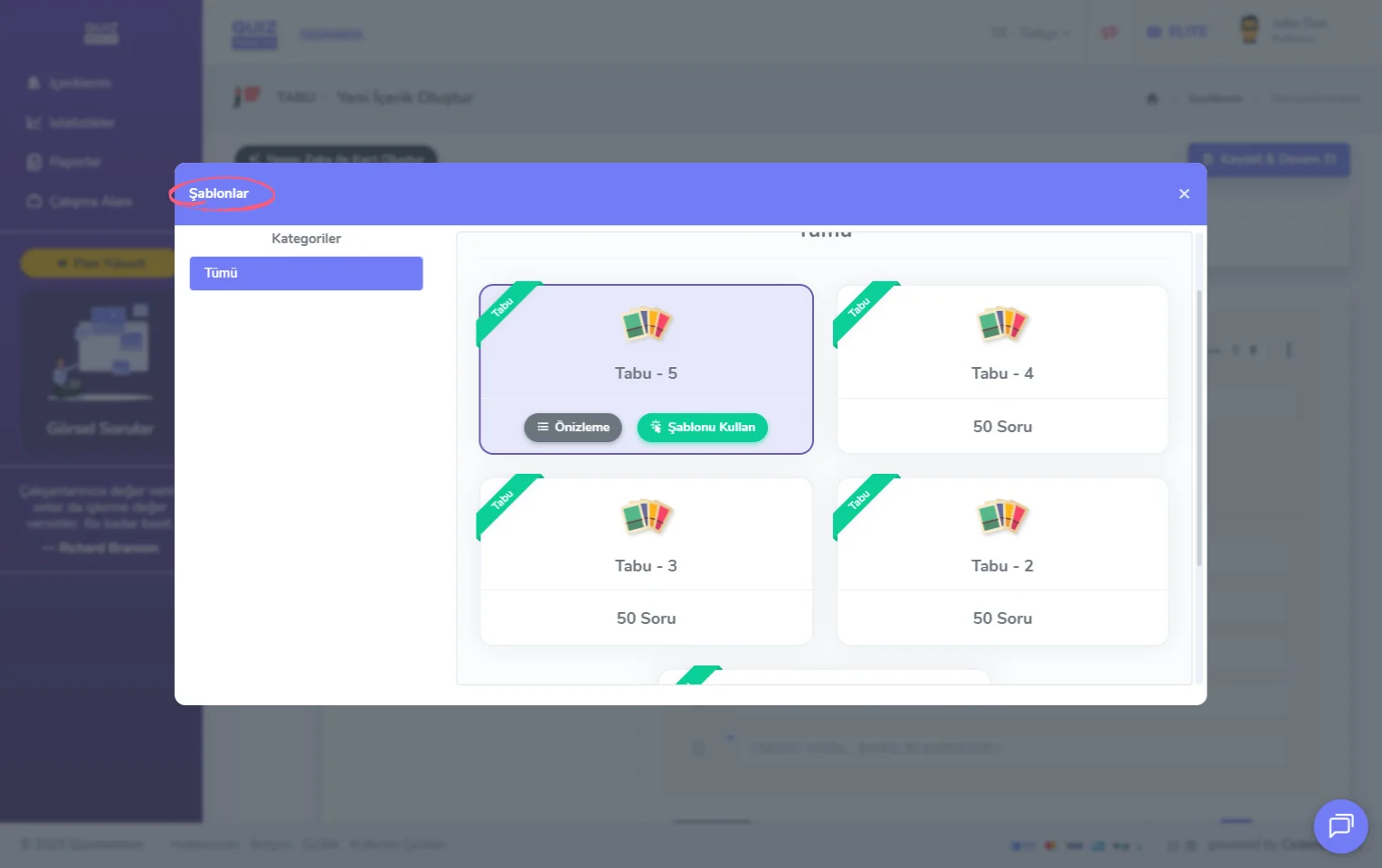
create a taboo - content - adding cards - ready-made content templates
Character limit for Taboo words
All words (the guess word and the Taboo words) can be at most 50 characters.
In the left panel that lists all the cards, you can easily change the order of the cards with drag and drop.
To easily change the order of the Taboo words, you can use the ⠿ icon to the left of the words. You can change the number of Taboo words on each card from the box at the top right between 2 and 5.
3) Delete your Taboo cards
With the Select button next to the Add button, you can select the cards you want to delete and delete them in bulk.
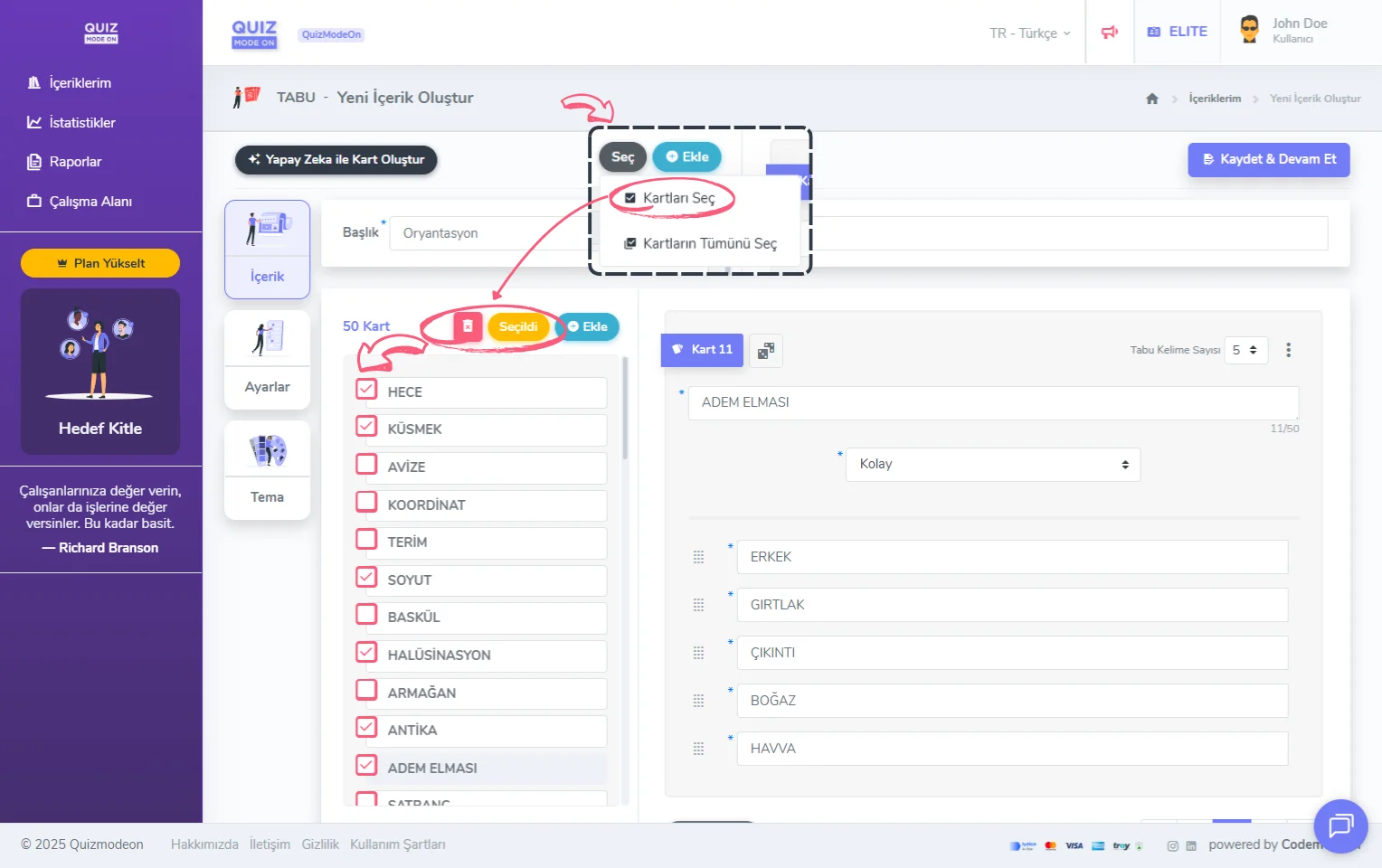
create a taboo - content - deleting cards
4) Customize your Taboo cards
You can see a preview of the card content on the right side of the section where you add your Taboo cards.
- Guess word: It can be defined as Easy or Hard according to its difficulty. In this case, the clue givers see the cards alternately, one easy and one hard.
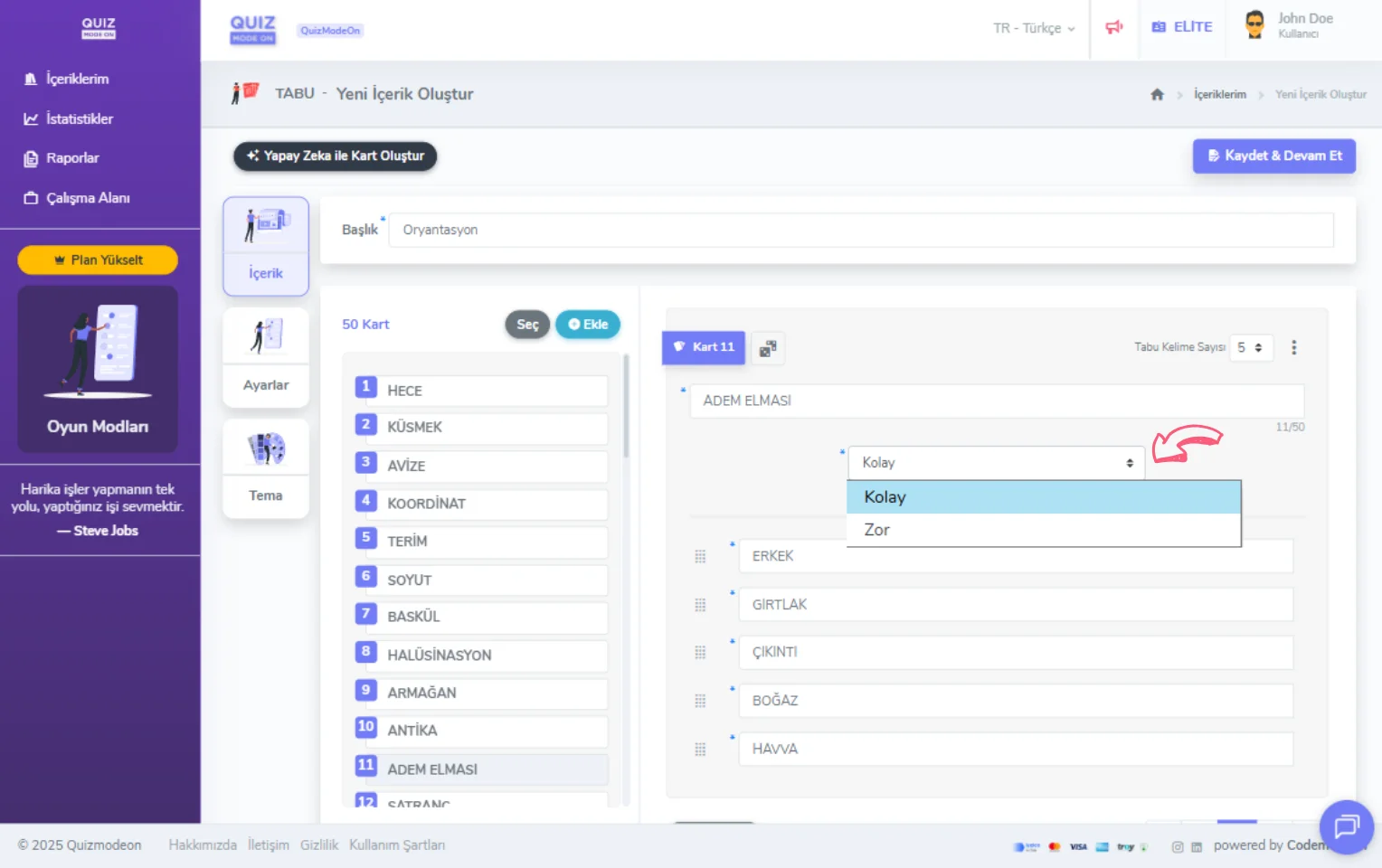
create a taboo - content - adding cards - word difficulty level
- Taboo words: You can update the number of forbidden words from the box at the top right in the range of 2 - 5 words. Fewer Taboo words offer an easier game experience with a simpler description.