Draw It - Flow screens
In this game, played in teams, you use your drawing skills to try to describe words to your teammates, and you try to guess what they draw. A different thrill awaits you every round.
Team Game
Draw It is a word-guessing game with drawings, in which participants compete against each other in 2 teams.
Before the game starts, participants choose their teams on the registration screen where they log in, and wait for the game to start.
Note: If the moderator set team selection to random, you cannot choose a team on the registration screen, and the system automatically assigns you to a team.
In Draw It, teams play in turns each round. One team describes by drawing to try to get the word guessed, while the other team acts as moderator within the game rules to keep things in check.
Game Dynamics
Teams
In each round, 1 team plays in turn. 1 person from the team draws while their teammates try to guess.
When it is your team’s turn to play, a yellow POPUP button appears on the screen to decide who will draw, you or one of your teammates. This popup appears for only 1 player on the team at a time. If the player who sees the popup does not press the button, the next teammate is asked in turn whether they want to draw.
Note: The people who draw are not assigned automatically by the system. In each round, anyone on the team who wants to can draw.
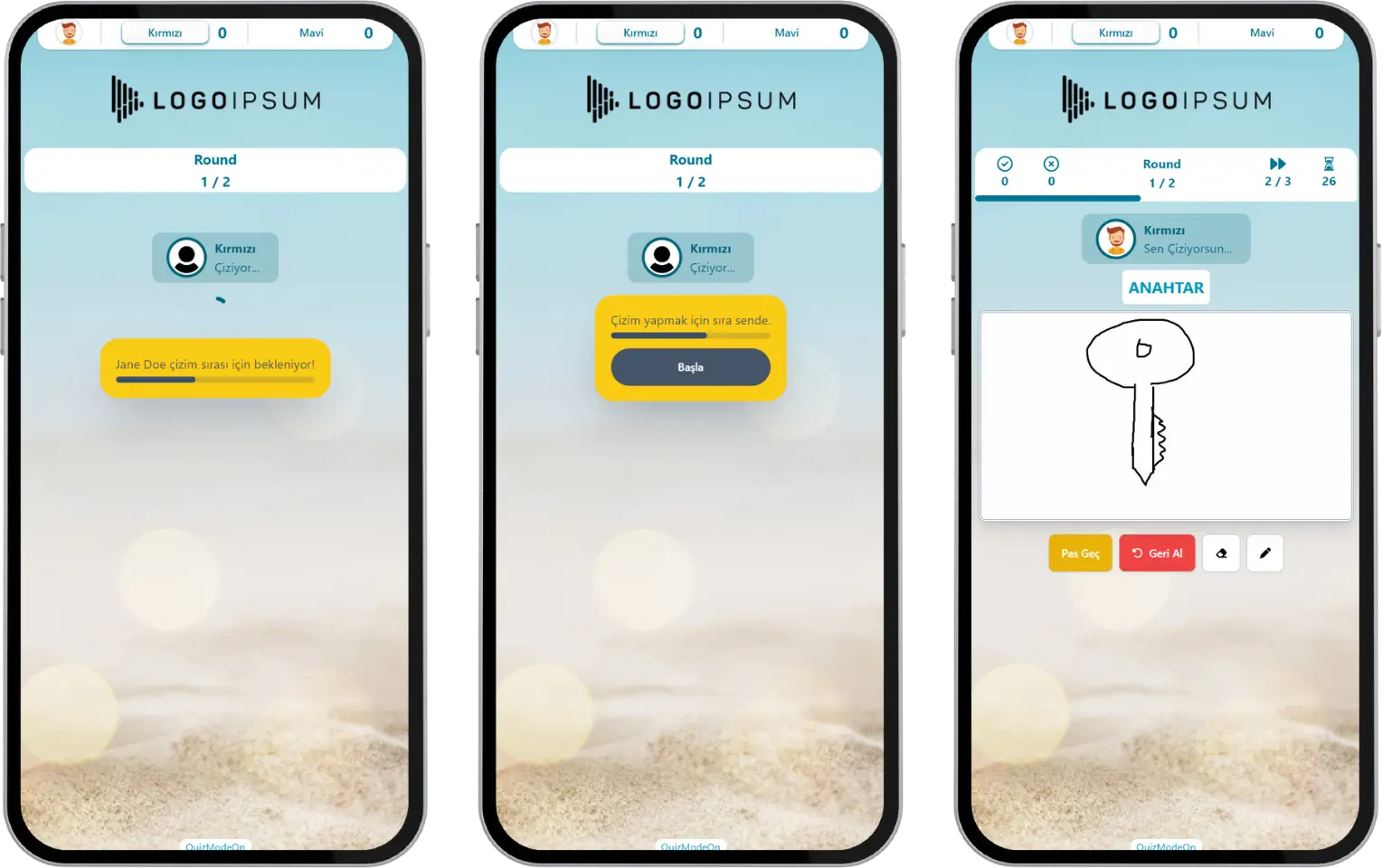
participant - event flow (draw it) - team game - drawing team - drawer selection
When it is your team’s turn to moderate, a blue POPUP button appears on the screen to decide who will moderate, you or one of your teammates. This popup appears for only 1 player on the team at a time. If the player who sees the popup does not press the button, the next teammate is asked in turn whether they will be the moderator.
Note: Moderators are not assigned automatically by the system. In each round, anyone on the team who wants to can moderate.
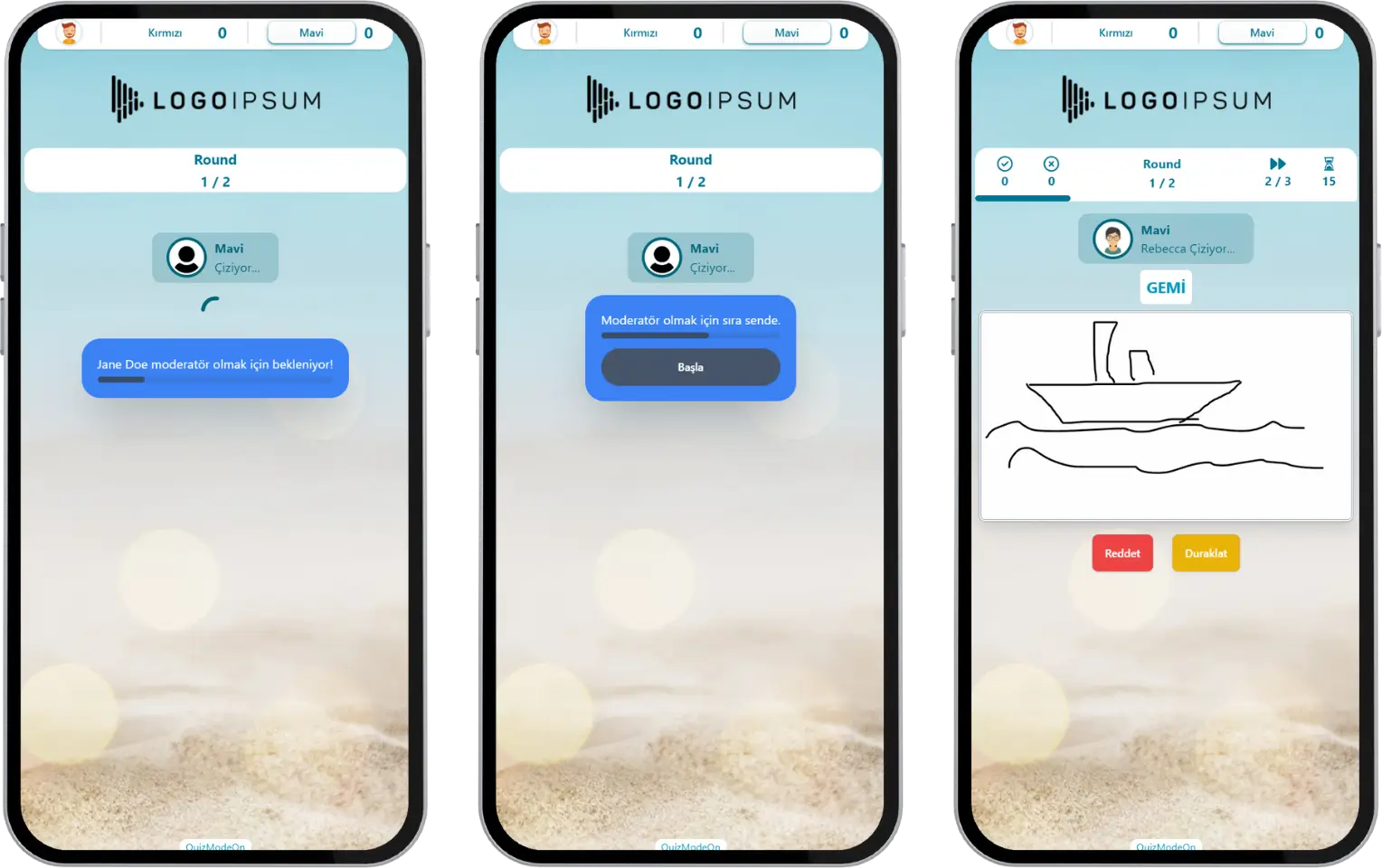
participant - event flow (draw it) - team game - checking team - moderator selection
Word Guessing with Drawings
The word to be described by drawing appears only on the screen of the player who will draw. The drawing player tries to describe the word to their teammates while following the game rules.
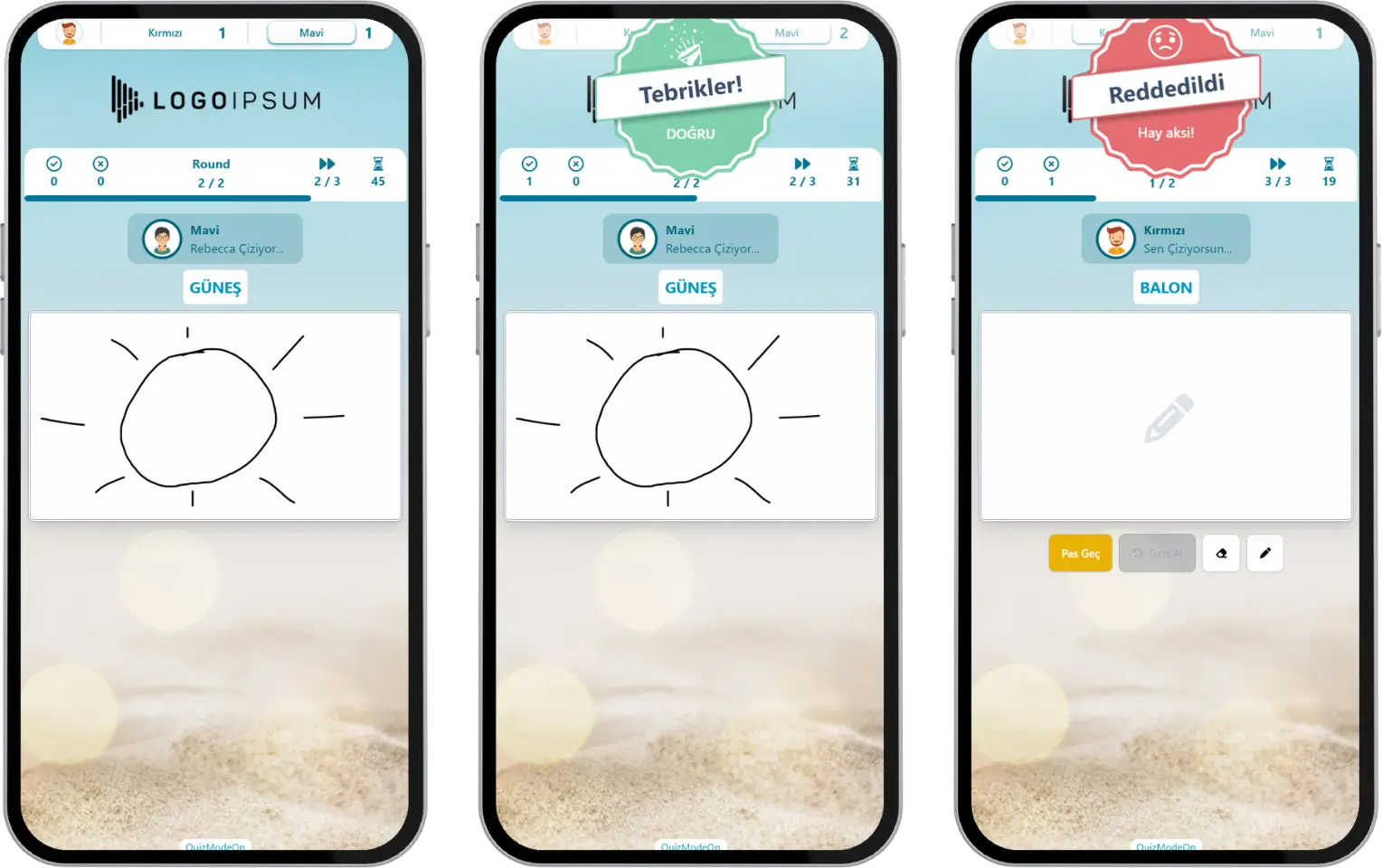
participant - event flow (draw it) - team game - drawing screen
Note #1: Writing letters or words while drawing breaks the game rules. If the drawing player breaks a rule, the moderator rejects the drawing.
Note #2: While drawing, you can use the Undo button to quickly revise your picture.
Guessing Correctly
If the drawing player follows the rules and gets their teammates to guess the word, they can move on to the next drawing.
The moderator makes the correct-guess decision. By pressing the Confirm button, they control the flow and let the clue giver move on to the next drawing.
Breaking a Rule
If the drawing player breaks a rule, the drawing is rejected and they move on to the next drawing.
The moderator makes the rule-violation decision. By pressing the Reject button, they control the flow and let the clue giver move on to the next drawing.
Note: Writing the word being described, or writing letters or numbers on the screen, counts as a rule violation.
Passing
If the clue giver finds the word difficult, they can pass and may want to draw the next word instead. A player’s passes are limited.
The clue giver can move on to the next word by pressing the Pass button.
Note: Passing does not cause a loss of points.
Pausing the Game
Given the nature of the game, the moderator has the authority to pause the game flow for matters such as arguing over a drawing. The moderator controls the flow by pressing the Pause button and can stop the game instantly.
Scoring
Players earn points for each drawing they guess and lose points when they break a rule.
A notification is shown instantly on the screen when a drawing is guessed correctly or a rule is broken.
Current Standings and Results
After each round, the instant team standings and the participants’ scoreboard appear on the screen.
At the end of the game, the winning team is announced. Besides the team score, the players’ individual scores can also be viewed under High Scores. This way, the players who contributed most to the team are ranked.
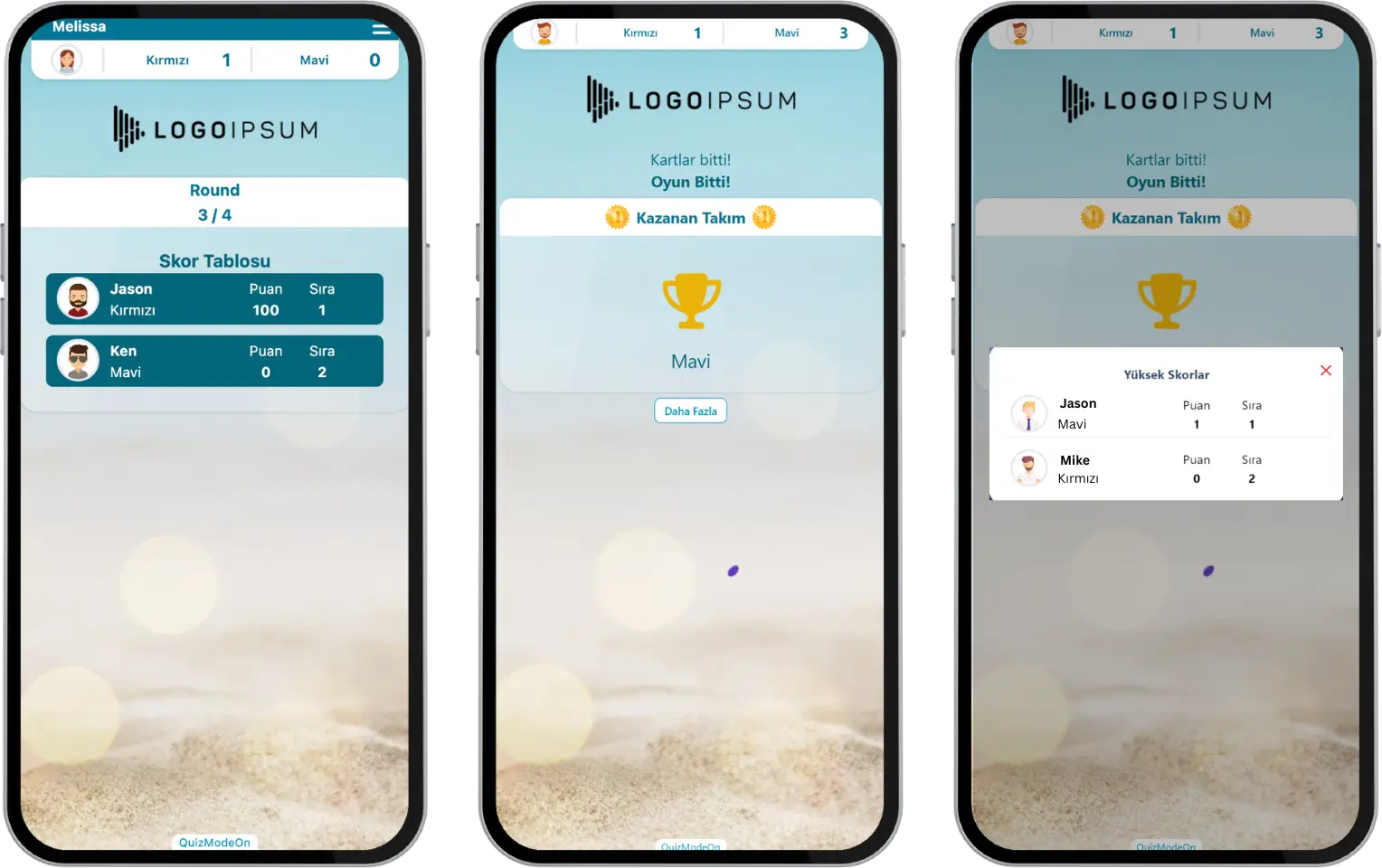
participant - event flow (draw it) - results - scoreboard and winners