Security settings
I want to make logging in to my membership account more secure. Can I do that?
After logging in to the portal, click your avatar at the top right and select the Account Details link. At the very bottom of the Account tab, click the Activate button in the Two Factor Authentication (2FA) area and follow the steps.
Set up your device for two-factor authentication using the Google or Microsoft Authenticator apps. This way, you will need to enter the app’s verification code every time you log in to your account.
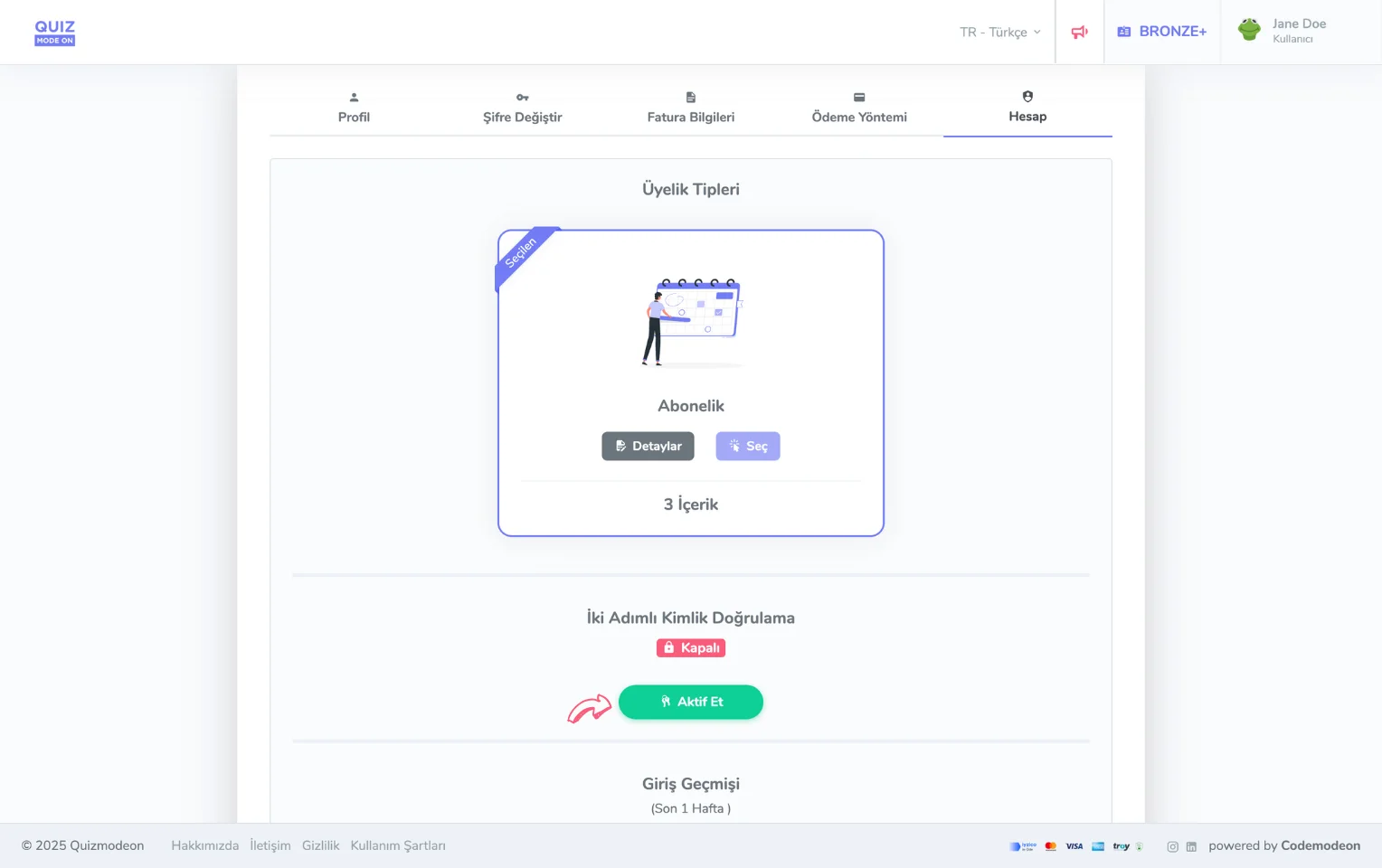
membership account - security - two-factor authentication
I want to change my password. How can I do it?
After logging in to the portal, click your avatar at the top right and select the Account Details link. On the Change Password tab, you can easily update your password by entering your current password and your new password.
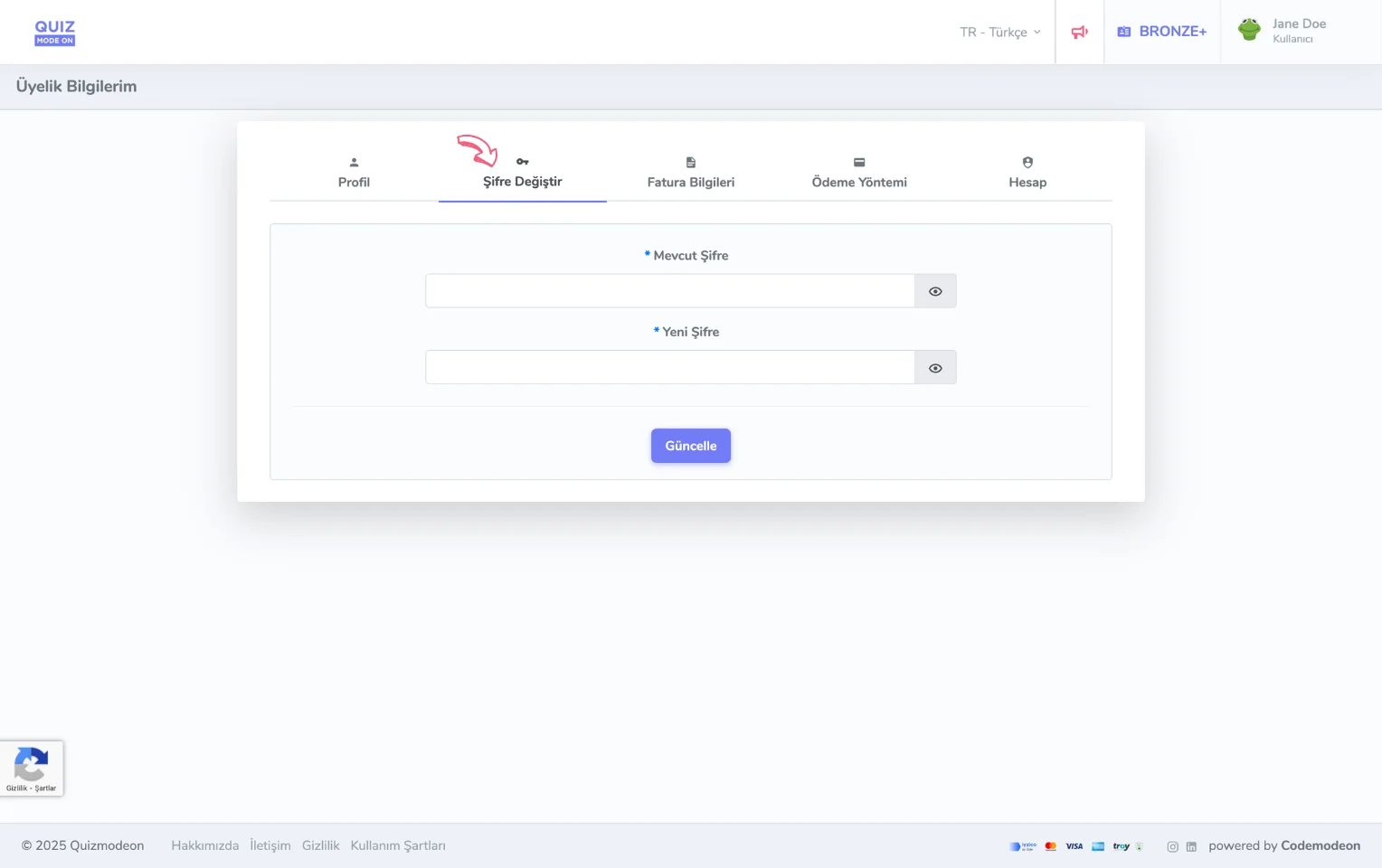
membership account - login details - changing the password
I forgot my password and cannot log in. What should I do?
On the portal login page, click the Forgot My Password link to reset your password. After entering your email address to set a new password, you need to enter the verification code sent to your email.