Live Poll - Flow screens
Questions and Answers
On this screen, where you see the current questions, you may come across 3 different question formats.
- Multiple-Choice
- Rating
- Word Cloud
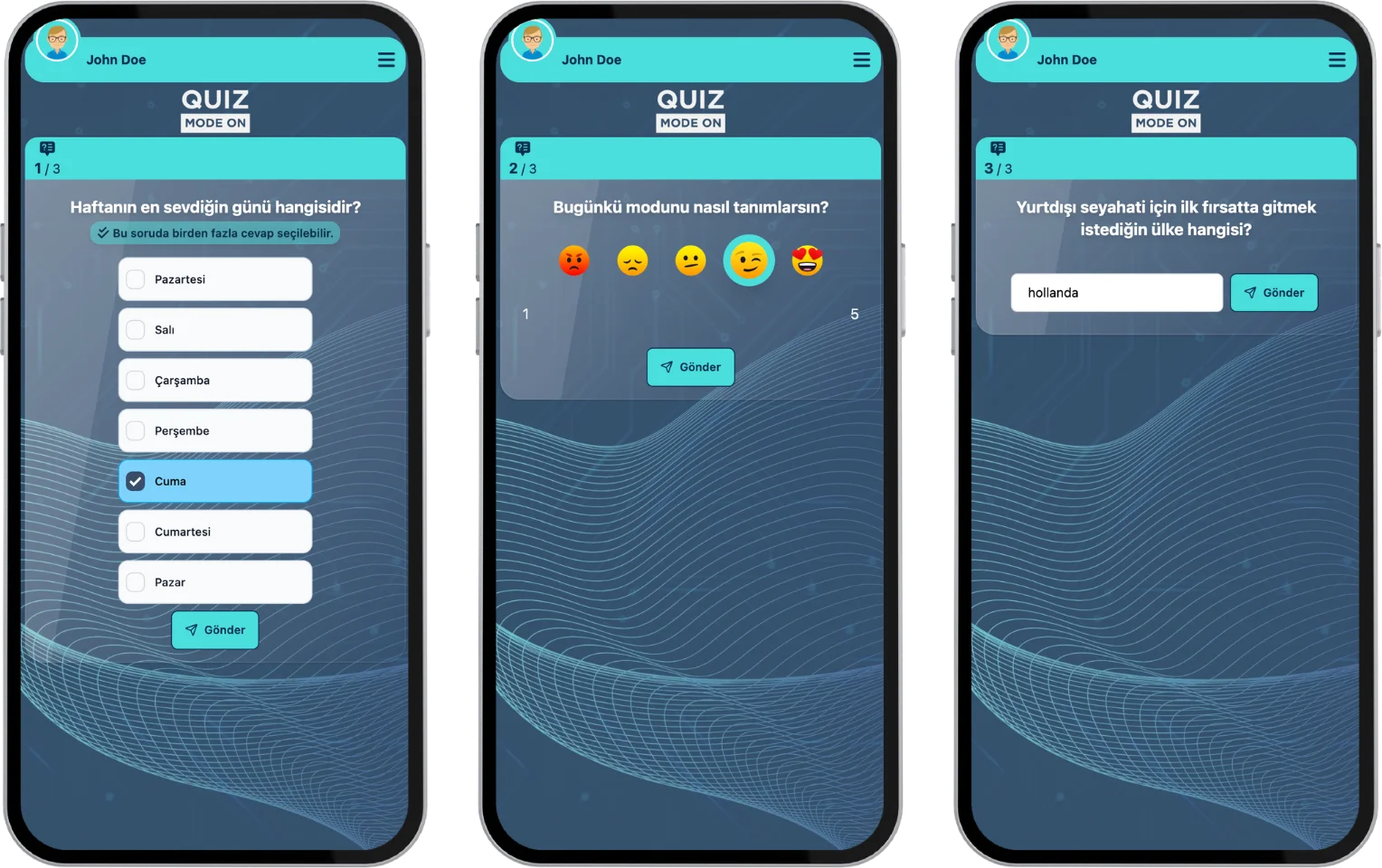
participant - event flow (live poll) - question and answer formats
Multiple-Choice
On the question screen, you answer the questions by selecting one or more of the answer options. The answer options can consist of a minimum of 2 and a maximum of 8 options.
Note: If the multi-select option is selected for a Multiple-Choice question, more than one option can be selected.
Rating
There are 3 different scoring formats for the answers to questions:
- Star: Score by marking as many star icons as you like.
- Slider: Set the value you want on the slider.
- Emoji: Share your opinion by choosing one of 5 emojis.
Note: For the Star and Slider answer formats, you can set the value range (the number of options) to a minimum of 2 and a maximum of 10.
Word Cloud
You can share your answer using the short text input field below the question.
Note: In Word Cloud events, all the answers are spread across a canvas and shown on the moderator and presenter screens. The answers given more often appear larger. The canvas design and word colors can be changed from the theme. For more information, see the Create a Word Cloud page.
Results
In a Live Poll event, there is no set answering time for the questions. The live flow is controlled by the presenter (moderator), and the answers are reflected on the screen instantly. The presenter (moderator) moves to the next question whenever they like. After all the questions are done, the event ends and you see a thank-you message.
The result screens vary by question type:
Multiple-Choice
The answers given are shown as bar charts on the presenter (moderator) screen, and the results update instantly.
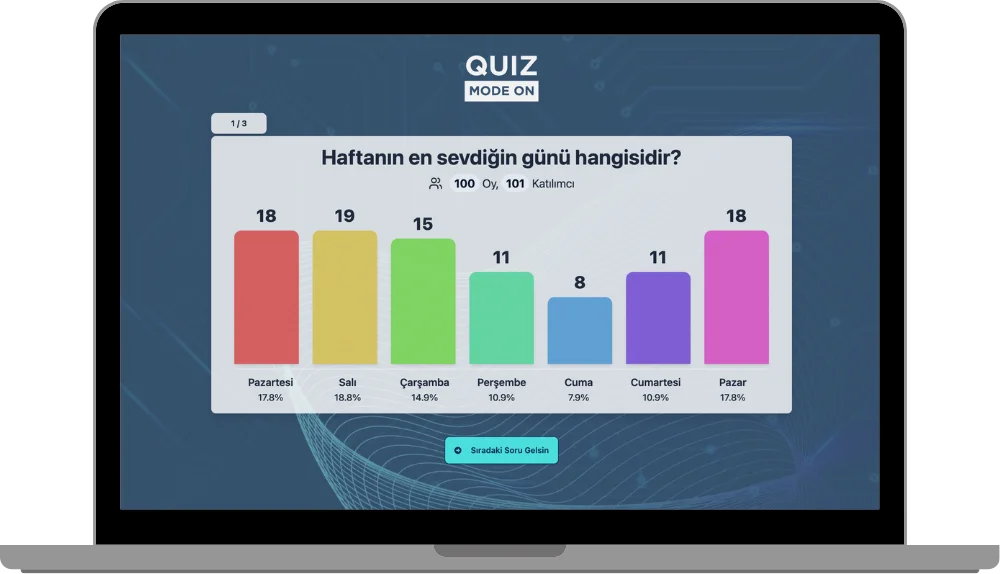
participant - event flow (live poll) - multiple-choice - instant results
Rating
The answers given are shown as bar charts on the presenter (moderator) screen, and the results update instantly.
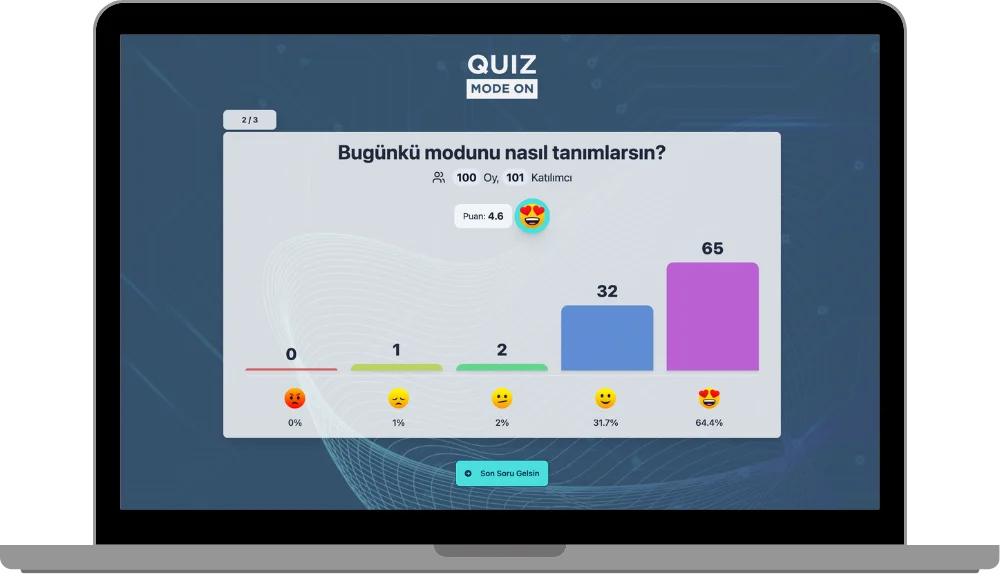
participant - event flow (live poll) - rating - instant results
Note: Rating questions can be Star, Emoji or Slider.
Word Cloud
The answers given are shown on a canvas on the presenter (moderator) screen, and the results update instantly.
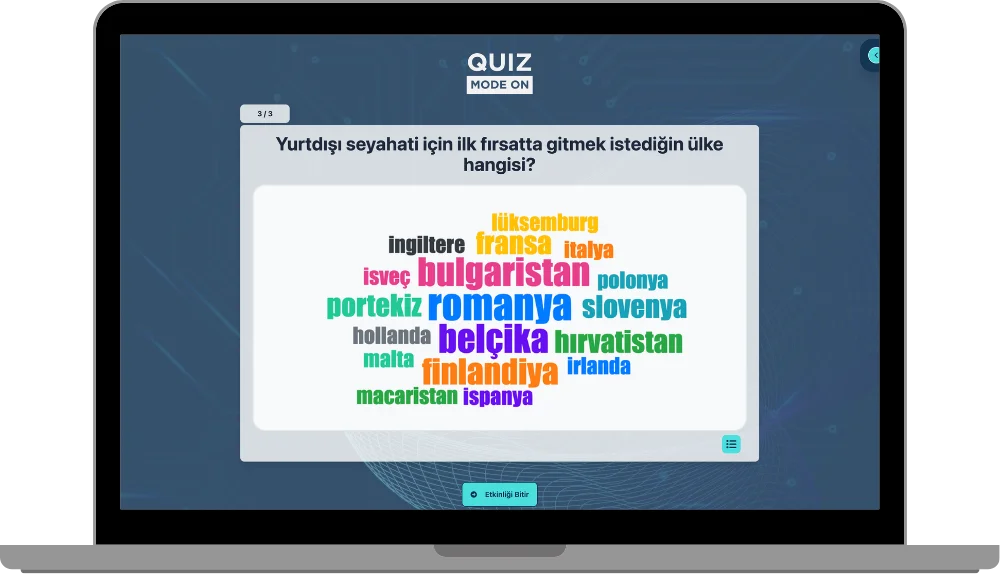
participant - event flow (live poll) - word cloud - instant results
Note #1: Live Poll events can only be run by the moderator with a live event flow.
Note #2: Live Poll events have no set time for the questions. The presenter (moderator) moves to the next question.
Note #3: For the Multiple-Choice and Rating question formats, the distribution of the answers given by all participants and the number of answers are shown on the screen at the end of each question.
Note #4: The results of a Word Cloud question can also be shown as a list instead of the cloud view.
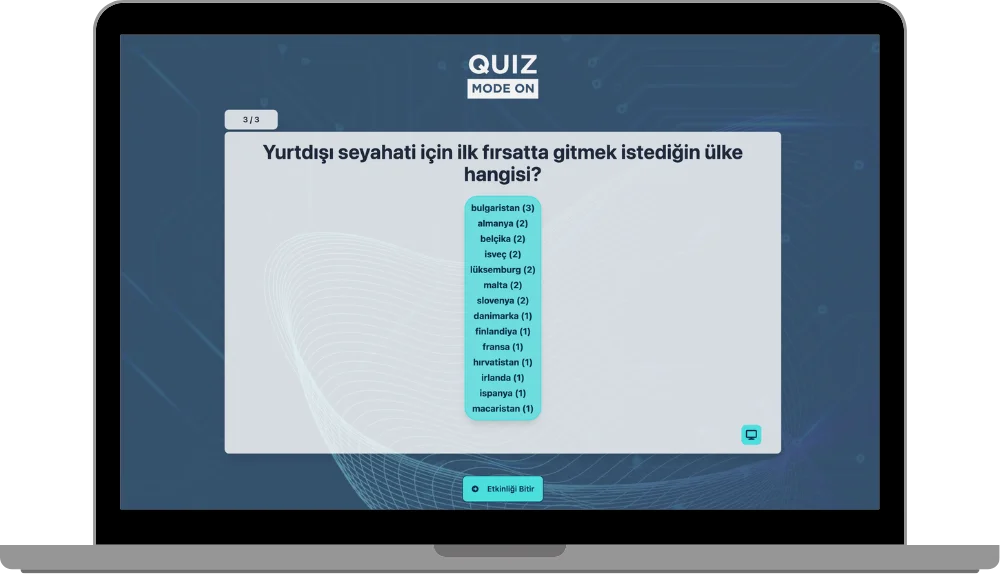
participant - event flow (live poll) - word cloud - list view