Q&A - Flow screens
In Q&A events, participants ask questions. Once the questions asked are approved by the moderator, they appear on both the presenter screen and the other participants’ screens.
Asking Questions
Use the Ask a Question button at the top right of the screen to write and send your question. The questions you ask appear on your own screen with the Pending status.
Moderation
Only approved questions appear on the presenter screen and on the other participants’ screens.
A participant’s questions can appear on their own screen in 4 different ways, along with their statuses.
- Pending Questions: Questions the moderator has not yet evaluated appear with the Pending status.
- Approved Questions: Questions the moderator approved appear with the Approved status.
- Rejected Questions: Questions the moderator did not approve appear with the Rejected status.
- Answered Questions: When the person answering questions in the event answers a question, the moderator marks it as answered and it appears with the Answered status.
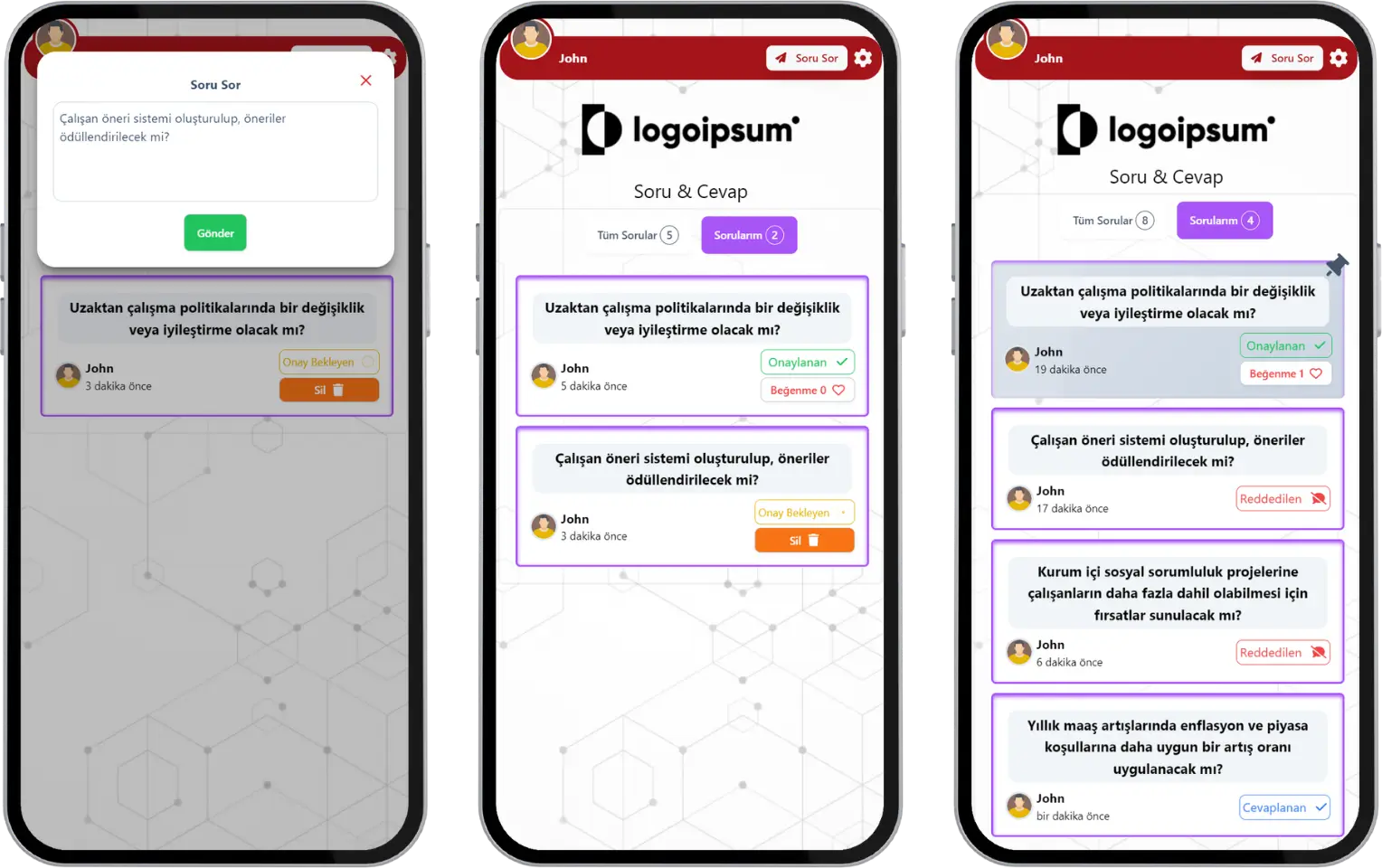
participant - event flow (q&a) - question list - asking a question
The moderator can pin approved questions they like or consider important to the top of the presenter screen. This keeps the question from disappearing from the screen and makes sure it is easily visible to all participants and to the person who will answer the question.
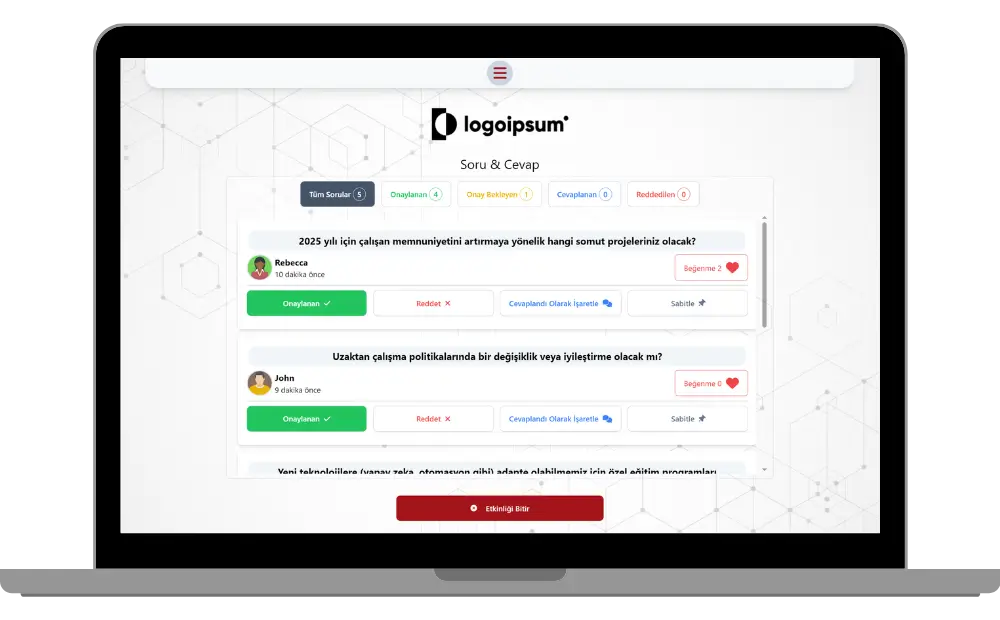
moderator - event flow (q&a) - question control - filtering and moderation
Note: All the questions asked land on the moderator screen. The moderator screen is different from the presenter screen. The moderator can filter questions, approve them, reject them, mark them as answered, or pin approved questions to the top of the list.
Liking Questions
To increase engagement in Q&A events, all participants’ opinions about other participants’ questions matter, so the approved questions that appear on the screen have a Like button next to them.
You can like the questions other participants asked by pressing the Like button next to a question. Questions with more likes appear higher on the screen.
Question Order
The questions on the presenter screen are ordered as follows:
- Pinned questions (the most recently pinned on top)
- Liked questions (the most liked and earliest asked on top)
- Other questions (the earliest asked on top)
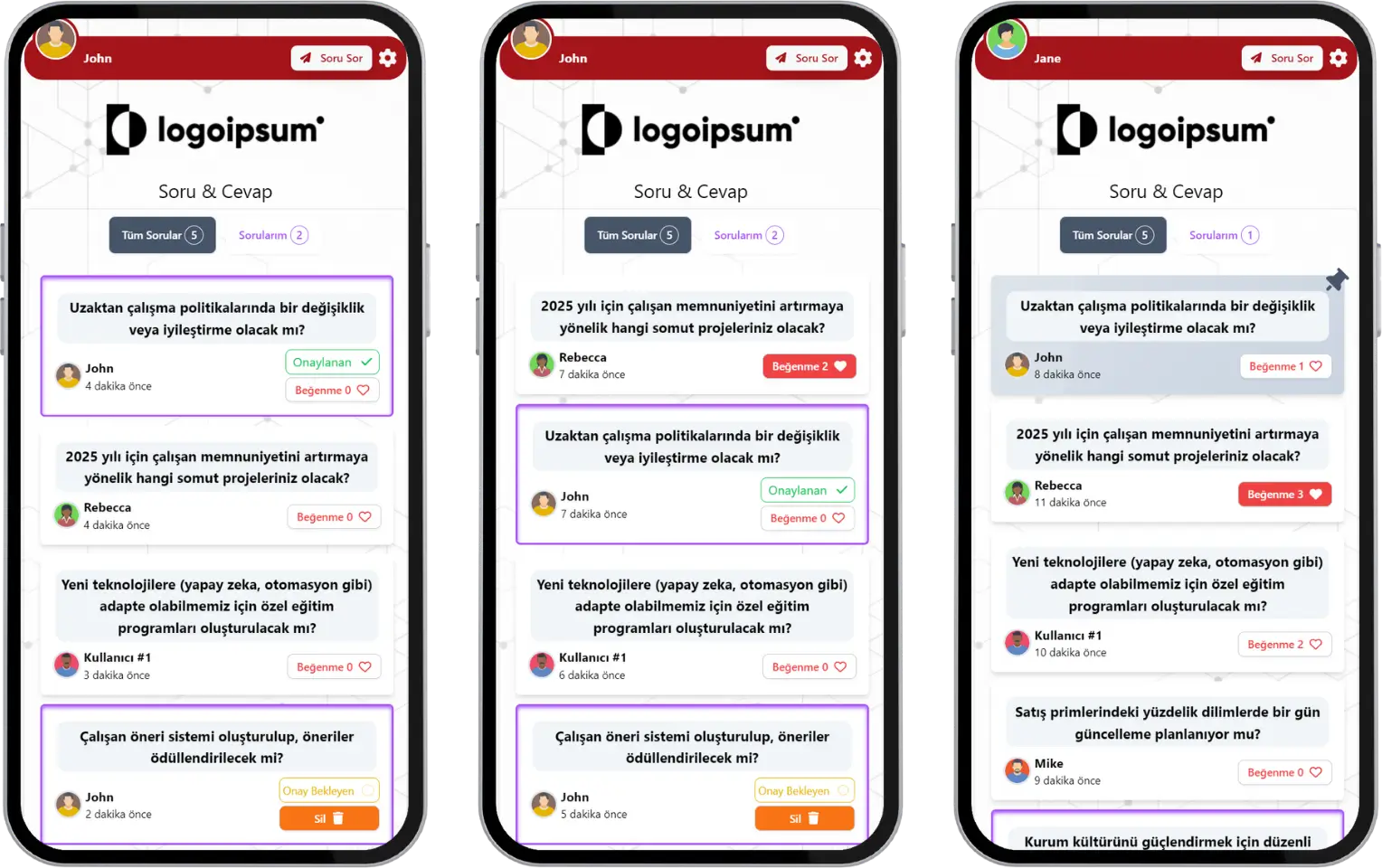
participant - event flow (q&a) - question list - viewing and liking questions
Note #1: The presenter and moderator manage the event flow together. The event can be ended by the presenter or left open. If the presenter ends the event, you see a thank-you message.
Note #2: Q&A events can only be run with a live event flow. They are generally preferred for collecting questions and opinions on topics people are curious about.
Note #3: You can also join the event after it has started.