Event flow and duration
Can I start my event automatically at a time I set?
Click the Information tab in the event settings and select the auto start option to set the start time. You must be an Enterprise member to use these features.
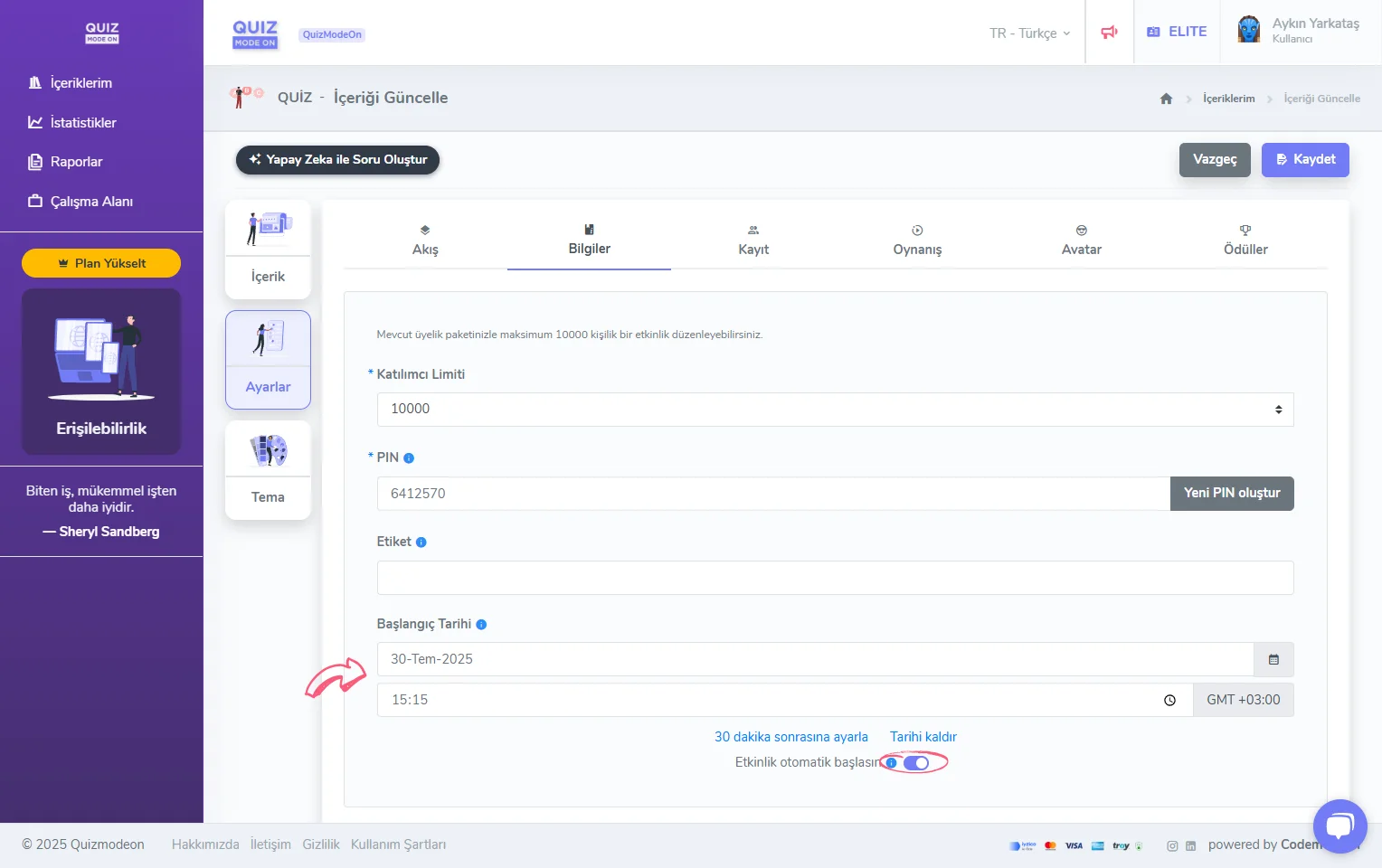
event settings - auto start
I will run a competition such as a Quiz or Guess What. Where can I change the question answering time?
On the event creation page, under Settings -> Gameplay, you will see the Answering time limit (seconds) option. Here you can set the same time for every question.
If you want to set the time per question, select the Custom timer for each question option, then go to the Content section and change the time shown on top of each question.
For more information, see the Quiz Gameplay Settings page.
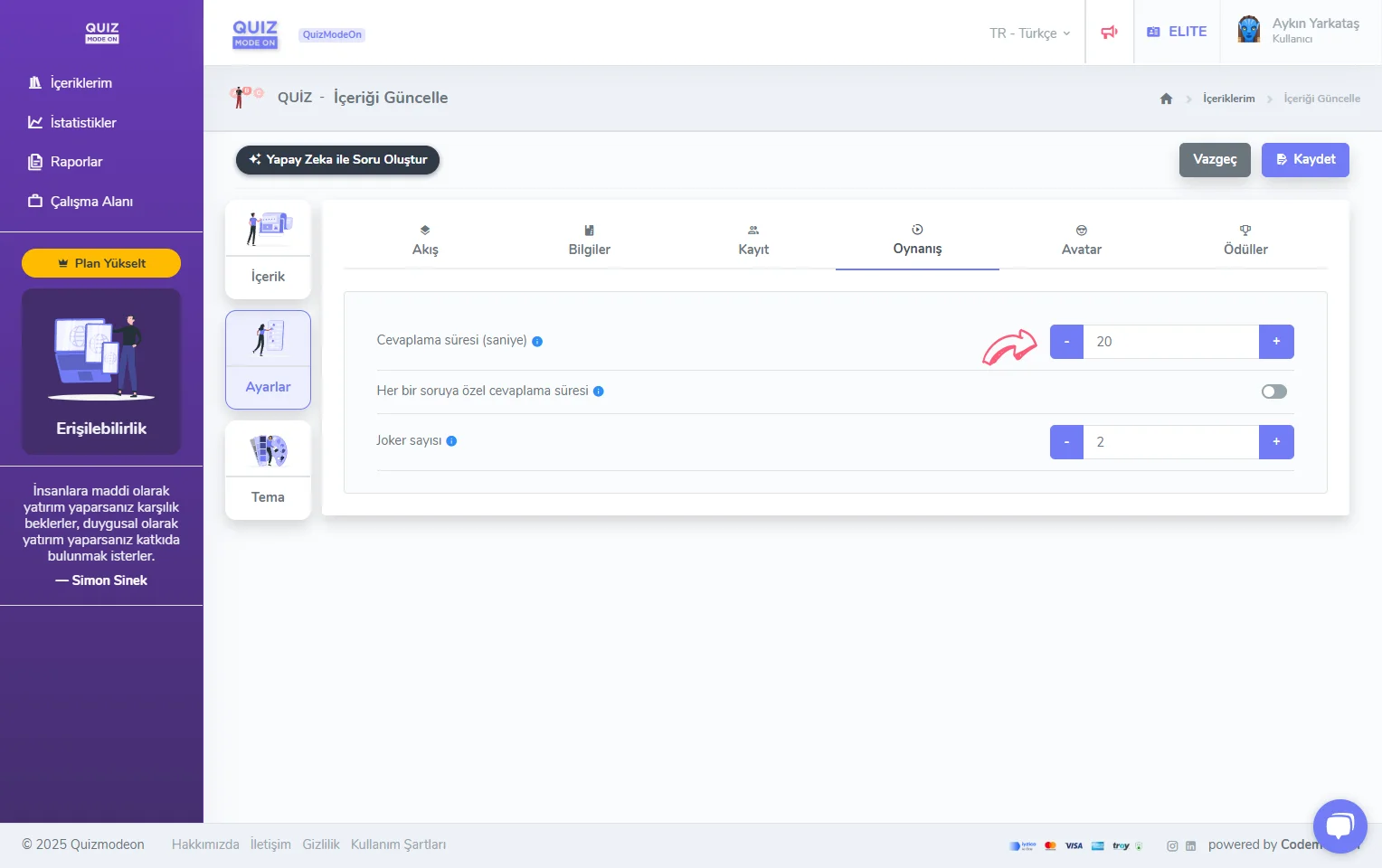
event settings - question time
Can the answering time be different for each question?
If you want to set the time per question, select the Custom timer for each question option, then go to the Content section and change the time shown on top of each question.
For more information, see the Quiz Gameplay Settings page.
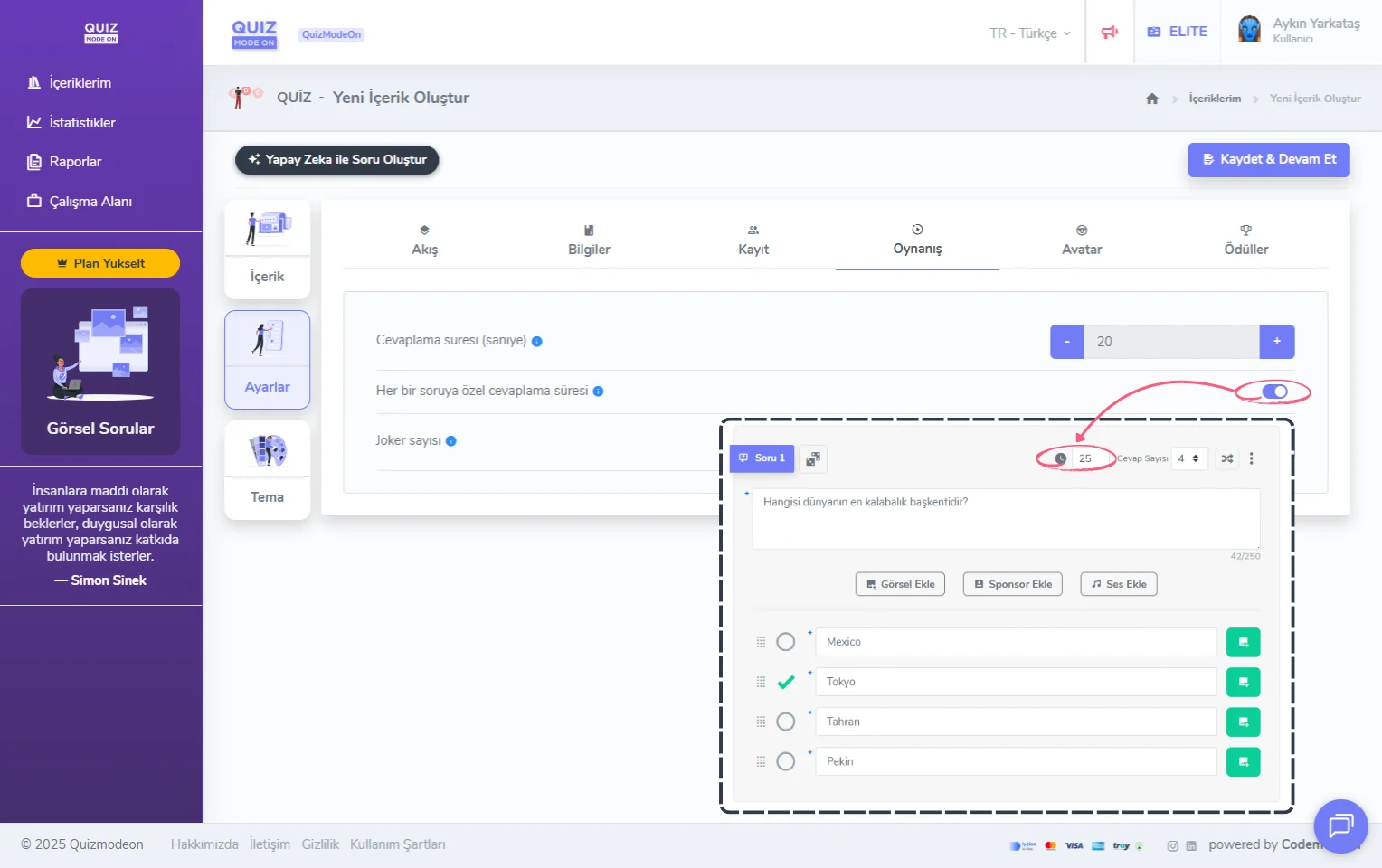
event settings - question time - setting a time per question
What is the maximum answering time for a question?
In event types such as Quiz, Guess What and Poll, the maximum answering time can be set to 180 seconds, that is, 3 minutes.
In event formats without a competition dynamic, such as Poll, if the flow is set to 24/7 (asynchronous), the answering time can be removed.
Do I have to set an answering time for a game format such as Quiz?
For all game and event formats with a competition dynamic, a maximum answering time must be set, regardless of the event flow.
For formats such as Quiz, Guess What, Emoji Quiz, Mixed Quiz and Wordle, one time must be set per question.
For formats such as Tombola, more than one time may need to be set, such as the number waiting time and the number marking time. In Lucky Pick, only the round time used by the automatic draw is set; if the moderator draws the winners one by one, this time is not used.
For team game formats such as Taboo and Draw It, the round time must be set.
Do I have to set a question answering time for an opinion-collecting event such as a Poll?
If you plan the event flow as 24/7 (asynchronous), you do not have to set an answering time for event formats such as Multiple-Choice Poll, Open-Ended, Rating and Mixed Survey. To set a time, you need to turn on the Add timer option.
Also, although the Word Cloud event is a live flow, no question time is set because the question flow is managed by the moderator.
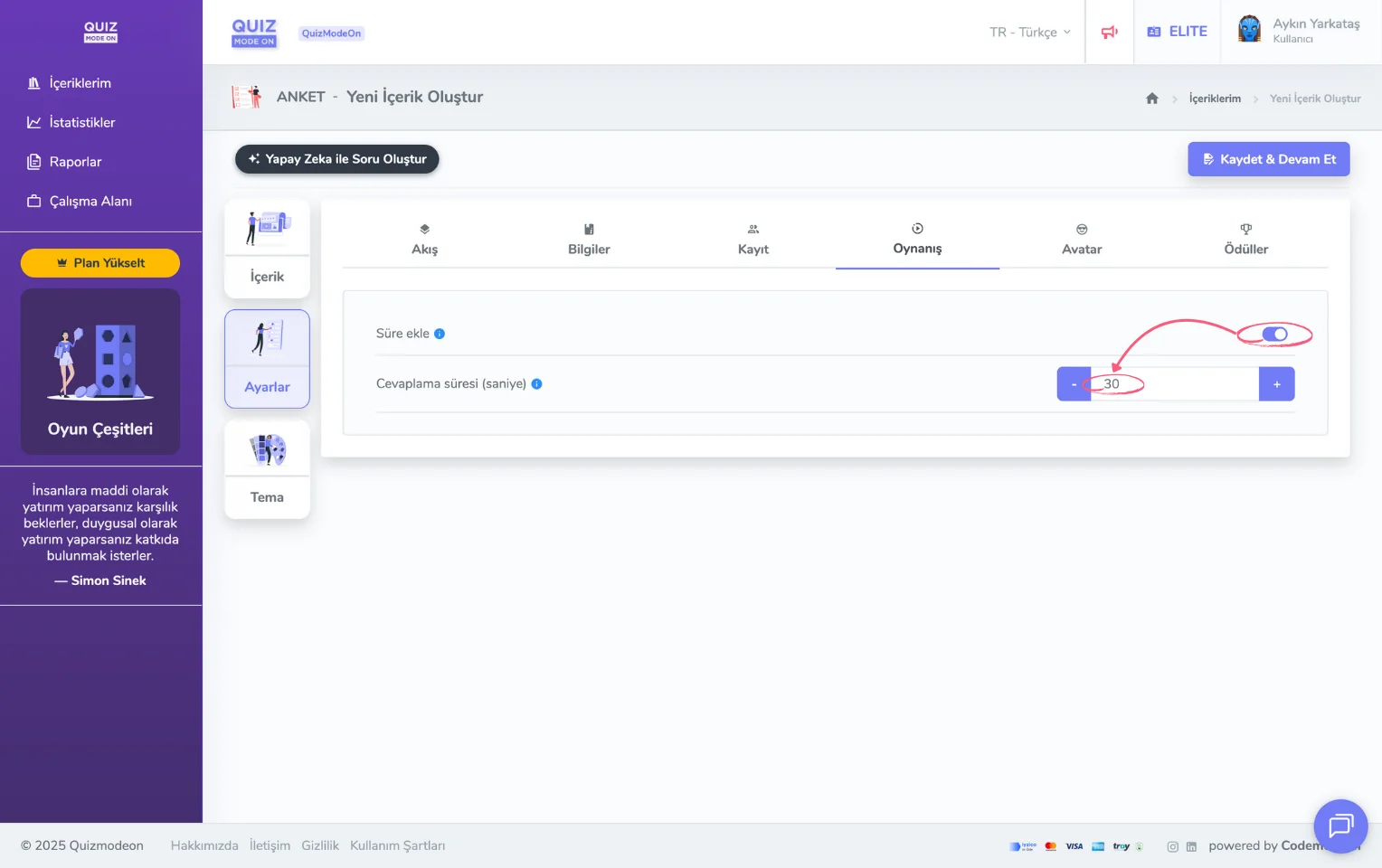
event settings - question time - optional time setting