Buy a membership plan
After starting with the free membership plan, which offers limited features, you can upgrade to one of the paid membership plans if you need more.
Choose one of the paid membership plans
Every member who signs up for the portal starts using the system with the FREE membership plan. If you want to use a wider range of game types and get more features, you can upgrade your membership.
To upgrade, click the Upgrade Plan button in the left panel, or click your current membership plan (FREE) at the top right of the page and select Upgrade Plan.
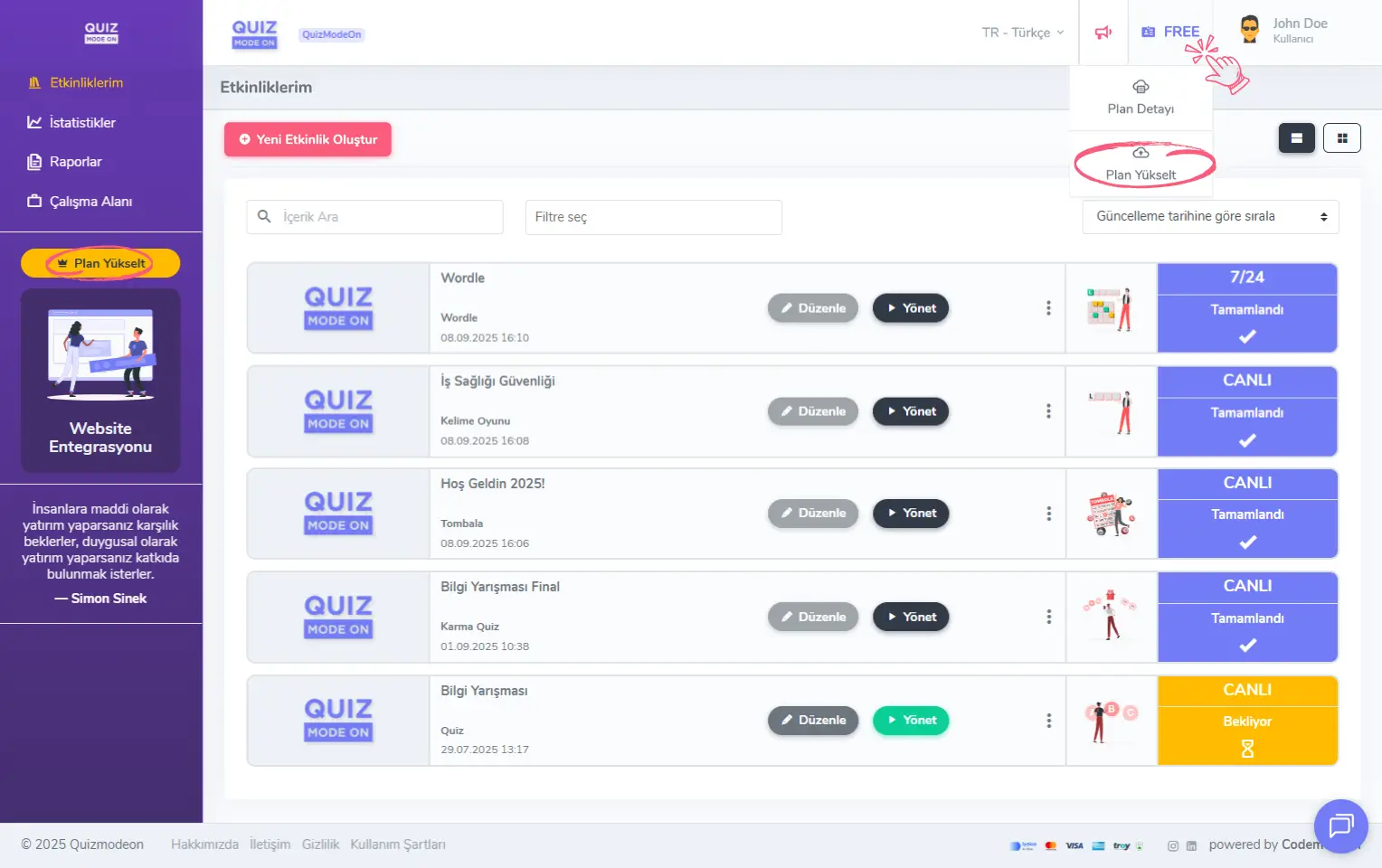
admin member - free membership plan - upgrade plan
Choose your membership plan
Keep your target audience in mind and choose a membership plan that fits your maximum concurrent participant count. Take your usage period into account and pick either a monthly or an annual option.
To choose your membership in 3 easy steps:
- Choose the usage period for your membership plan.
- Choose the maximum number of concurrent participants you want to reach.
- Decide on one of the membership plans that matches your choices.
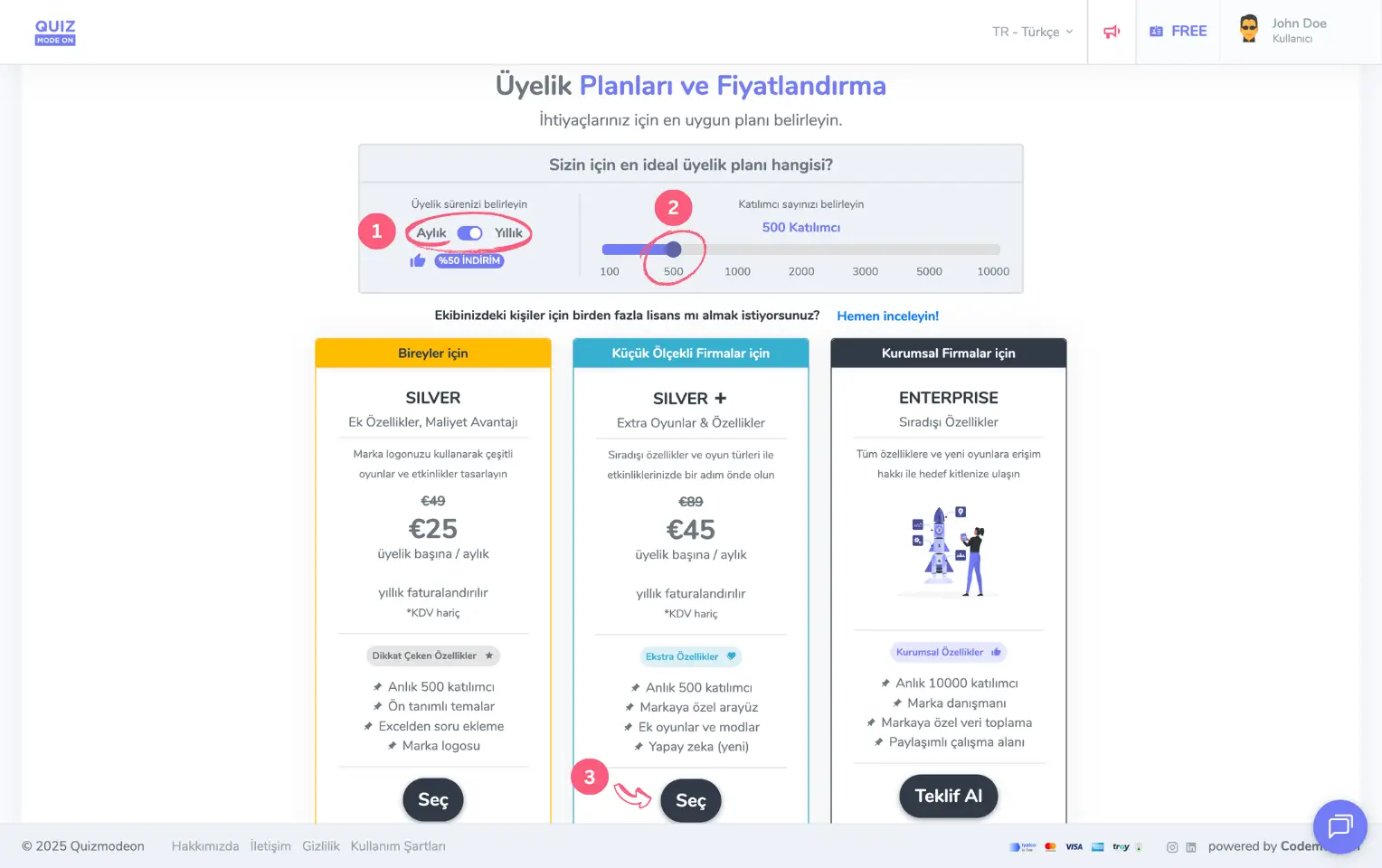
admin member - membership plan - pricing and features
Note #1: Unlike other platforms, QuizModeOn offers monthly membership plans in addition to annual ones.
Note #2: Annual membership plans are 50% cheaper than monthly membership plans.
Upgrade your current membership plan
You can upgrade the membership plan you purchased earlier to a higher plan at any time. Enterprise memberships cannot be upgraded through the portal; please contact us.
Members may want to upgrade their plans for several reasons:
- To reach more participants (for example: moving from Silver (500) to Gold (1000))
- To use more event types and features (for example: moving from Silver to Silver+)
- To use the platform for a longer time at a better price (for example: moving from Silver Monthly to Silver Annual)
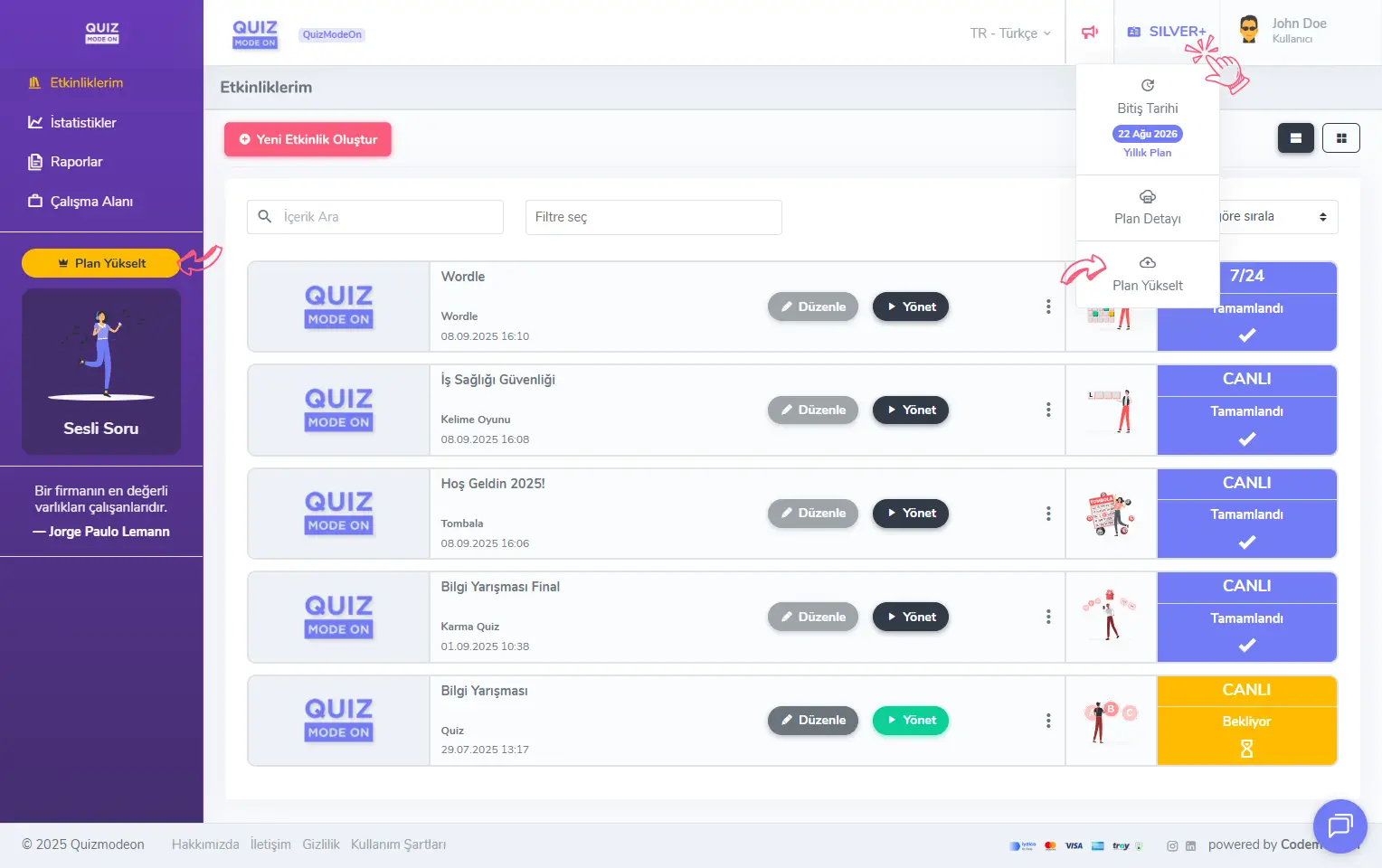
admin member - paid membership plan - upgrade plan
Note: You cannot move your existing membership plan to a lower-level plan. To do that, wait for your paid membership to end. After you drop to the FREE plan, you can choose and buy the membership package you want from scratch.
Buy the membership plan
After choosing the membership plan you want to switch to, you must enter your Invoice and Payment Information.
Enter your billing information
Fill in all the billing information completely.
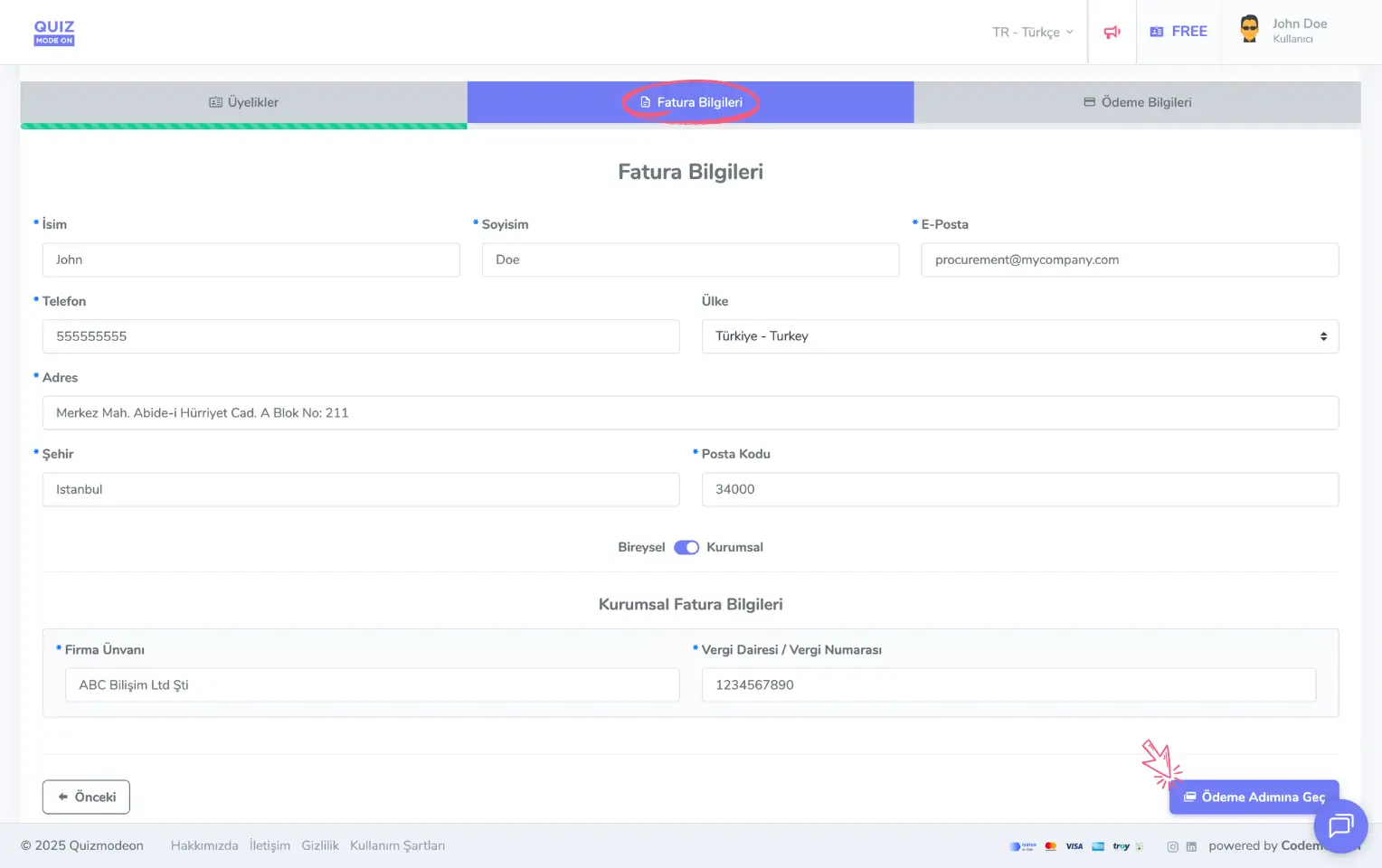
admin member - upgrading the membership plan - billing information
Note: If you want the invoice to be issued in the name of a company, choose Corporate instead of Individual and add the company details as well.
Check your payment information
Before moving on to the payment step, you can review the plan you chose and your billing information.
If you are switching from the free (FREE) membership, you see the total amount on the screen based on the membership plan and period you chose.
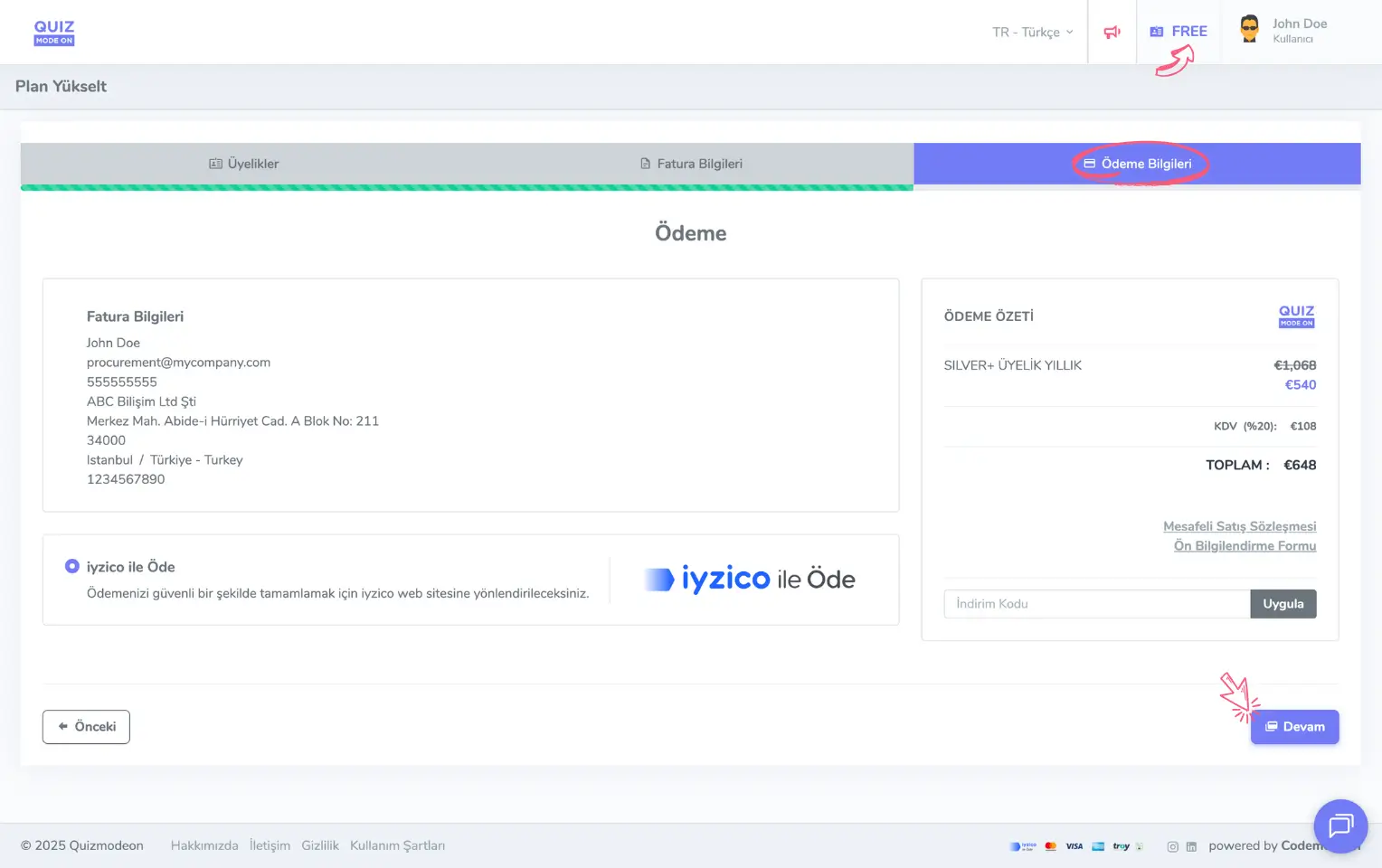
admin member - buying a membership plan - payment and card information
If you are moving from an existing paid plan to a higher plan, the price difference between your current membership plan and the new plan you chose is calculated and the total amount is shown on the screen.
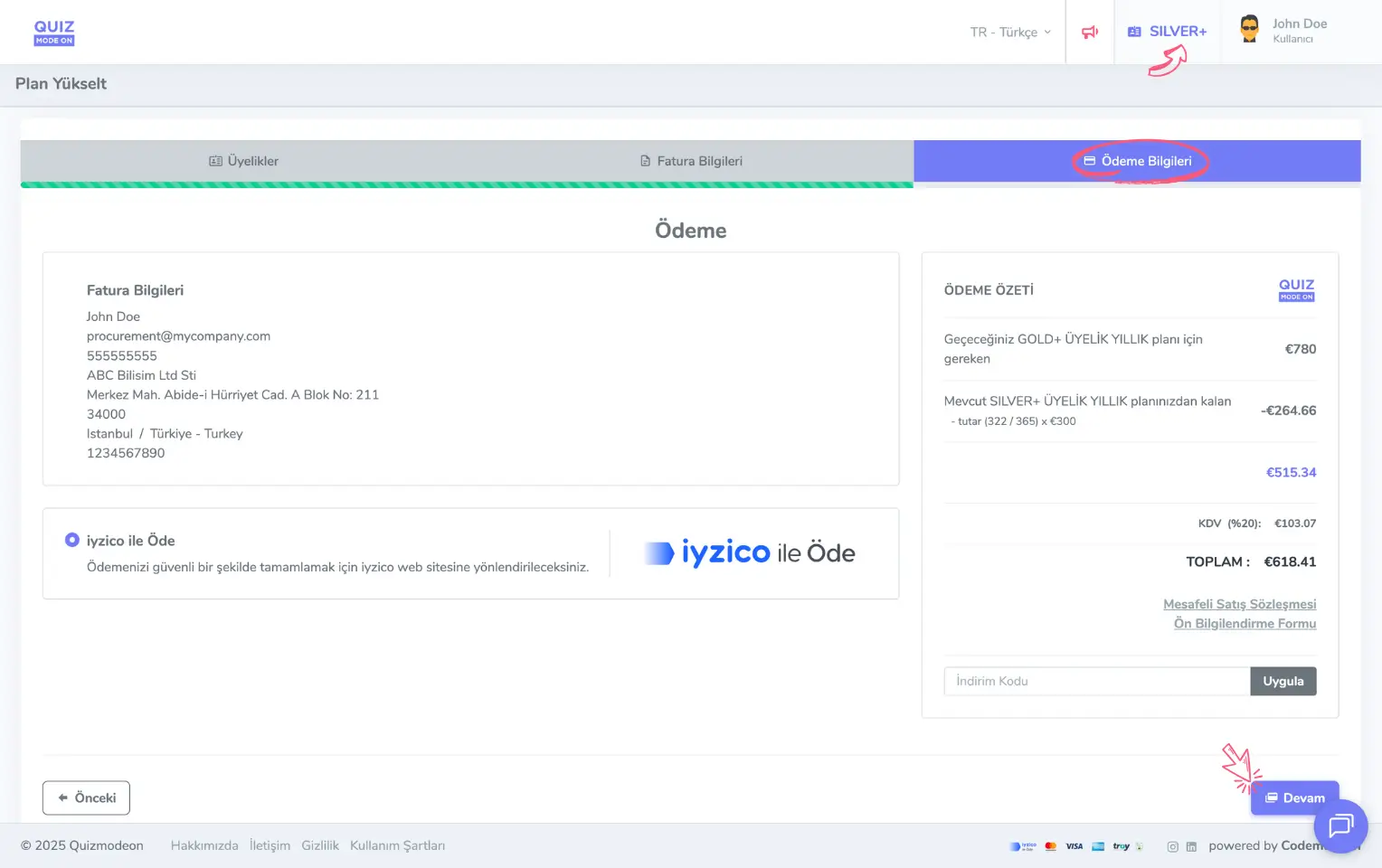
admin member - upgrading the membership plan - payment and card information
Note: When you move from an existing paid membership plan to another plan, the price difference is calculated based on the remaining membership time, and this difference is deducted from the total amount for the new membership to determine the final amount to pay. For example, if you paid 300 EUR for a SILVER+ annual membership and want to switch to a GOLD+ membership 43 days later, there are 322 days left until your membership ends, so the unused amount to be deducted for that remaining time is (322/365) x 300 EUR.
Complete your payment
After checking the Payment Information, which shows the amount to pay and the plan you selected, continue, enter your credit card details and complete the payment.
Note #1: Your card details are stored under the protection of the iyzico infrastructure. When the next payment period arrives according to your membership period, the membership amount is charged automatically.
Note #2: If you do not want your membership to renew automatically, you can turn off automatic renewal on the My Membership page.