Rating - Flow screens
Questions
On this screen, where you see the current questions, you may come across several kinds of questions and answer formats. Instead of standard questions, you can see richer ones: profile questions, image-supported questions and audio questions.
Answer Types
The Rating event has 3 different answer formats:
- Star: Score by marking as many star icons as you like.
- Slider: Set the value you want on the slider.
- Emoji: Share your opinion by choosing one of 5 emojis.
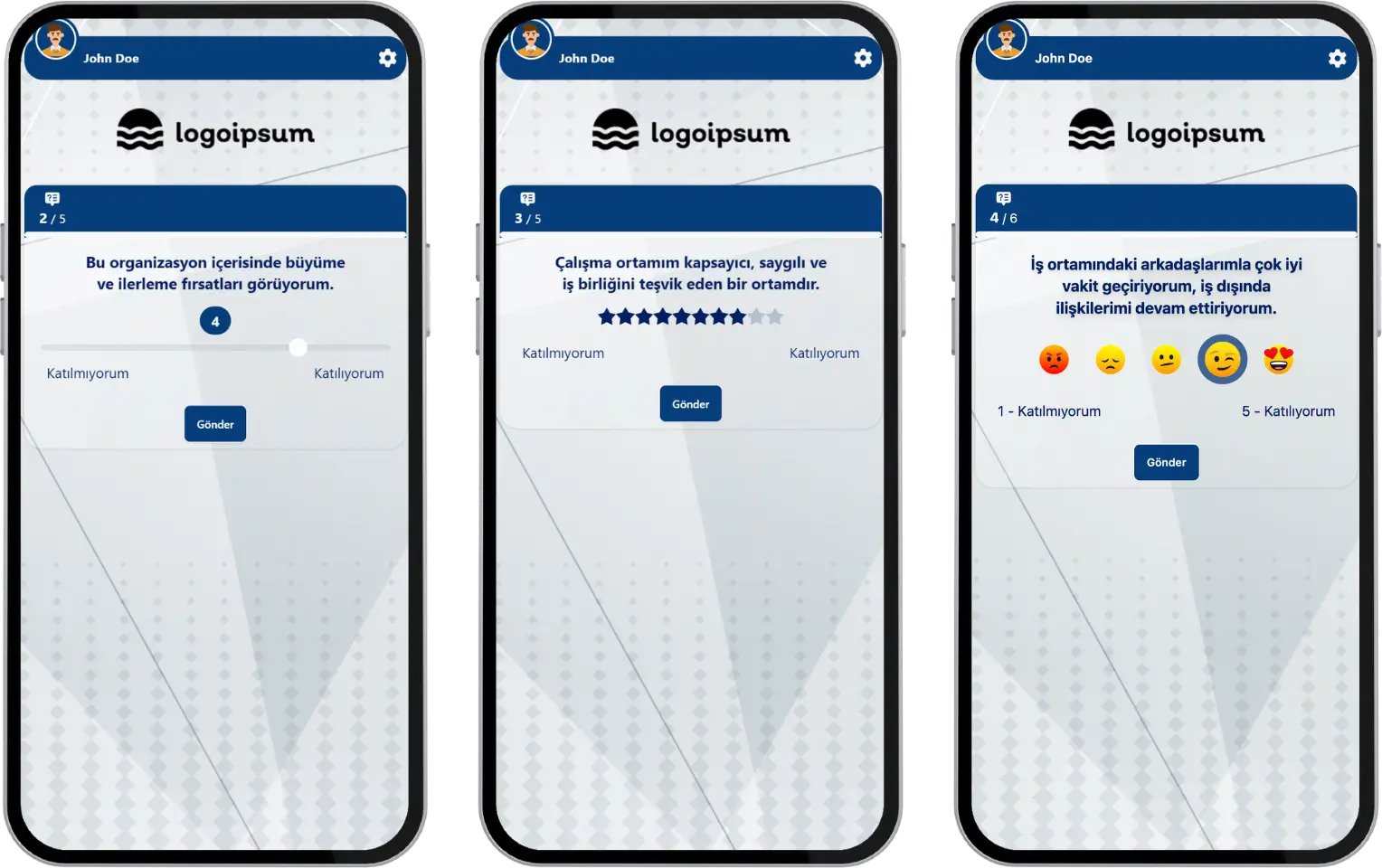
participant - event flow (rating) - question and answer formats
Note: For the Star and Slider answer formats, you can set the value range (the number of options) to a minimum of 2 and a maximum of 10.
Results
When the answering time ends, the rates of the answers given appear on the screen. After a short time, the next question comes. After all the questions are done, the event ends and you see a thank-you message.
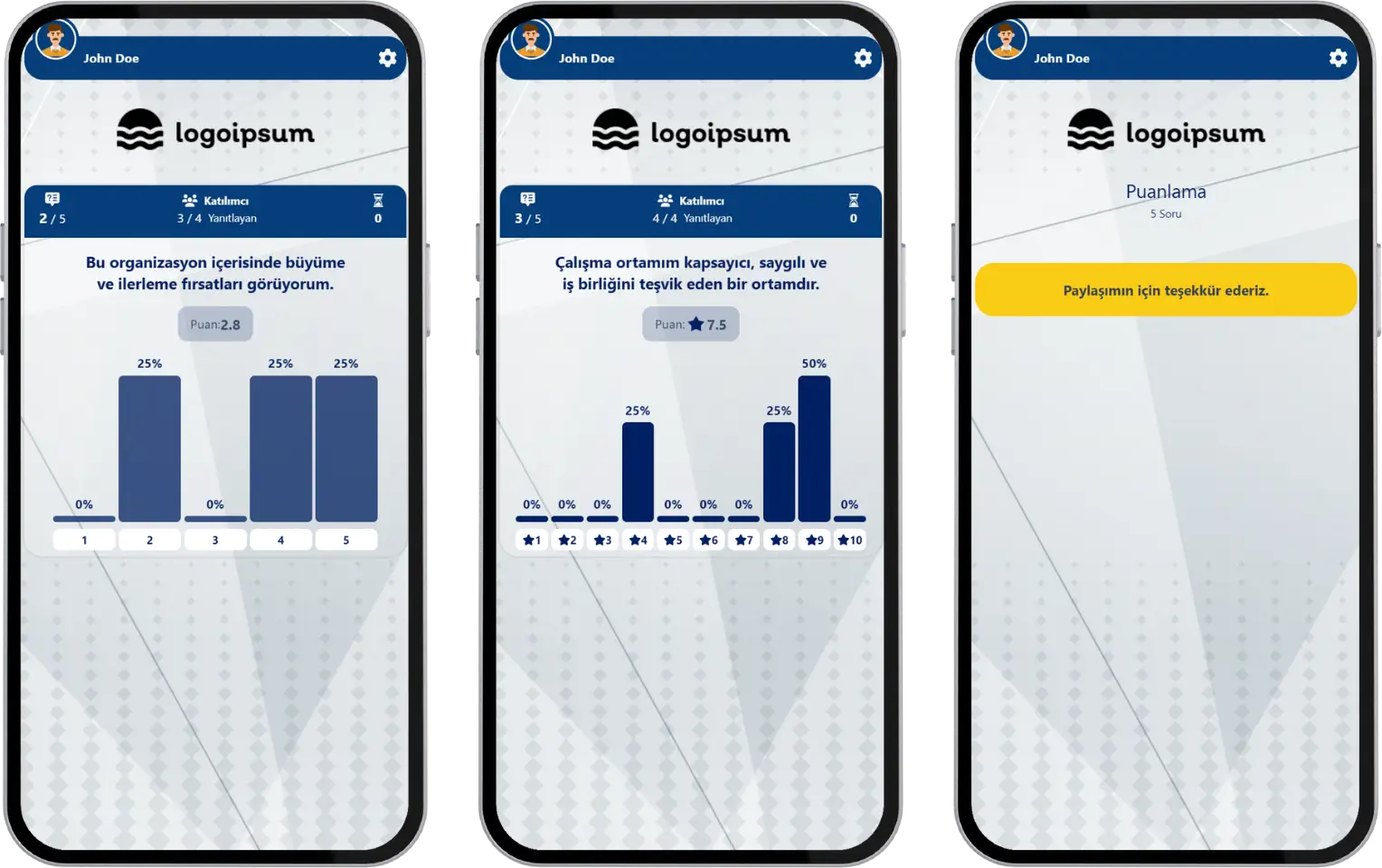
participant - event flow (rating) - instant results
Note #1: Rating events can be run by the moderator with either a live or a 24/7 event flow. In the live event flow, after each question, the distribution of the answers given by all participants is shown on the screen, and after a short time the next question comes. In the 24/7 event flow, the instant result screen is not shown after each question, and the next question comes right away.
Note #2: If the event is set to a 24/7 flow, an answering time may not be defined. In that case, since there is no answering time per question, you cannot move to the next question without answering the current one.