Create interactive events and games
Create a new event
The home page opens as the My Events page. Click the Create New Event button at the top left.
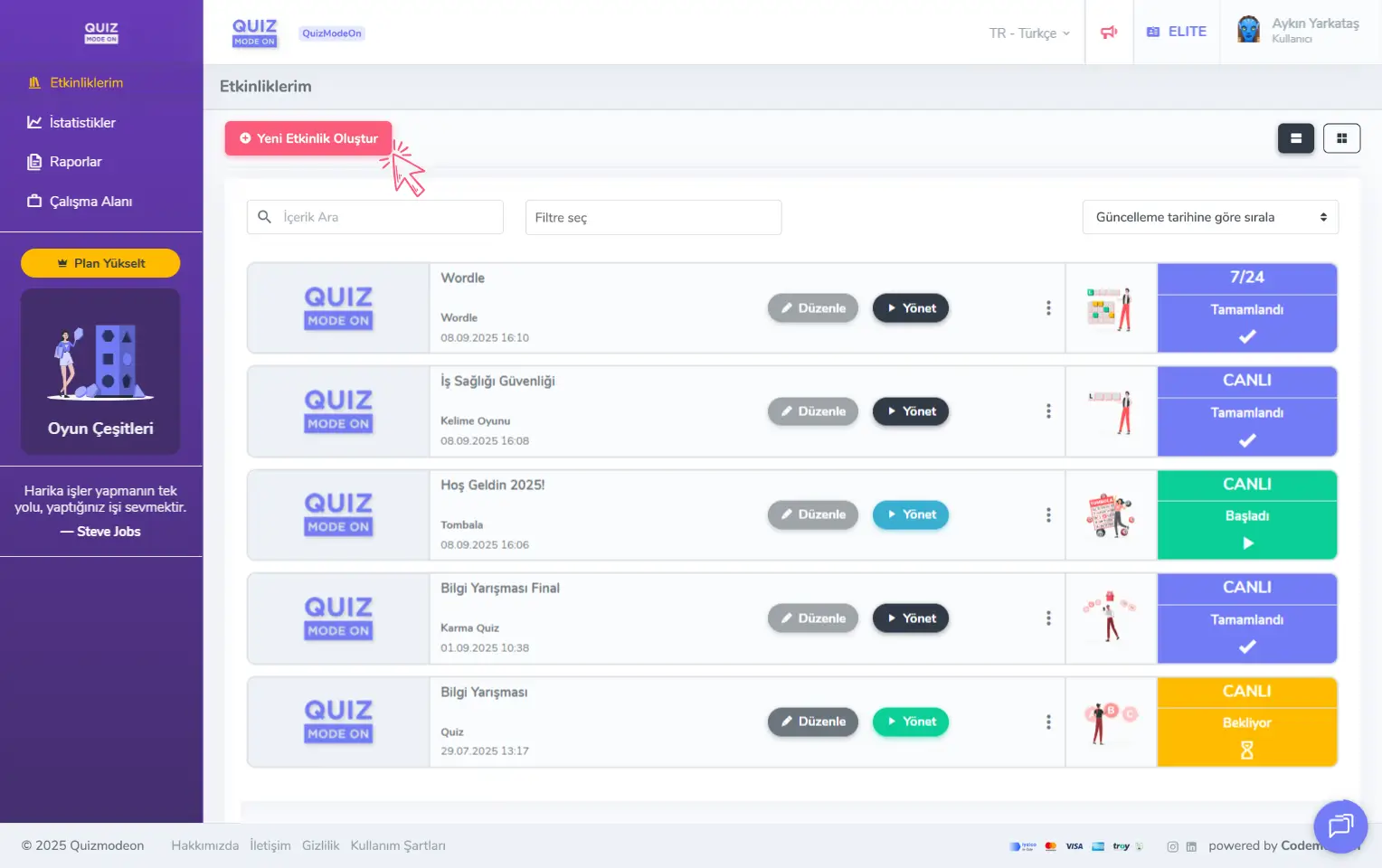
admin member - home page - my events - create a new event
To create a new event, choose Create from Scratch or Start from a Template to continue.
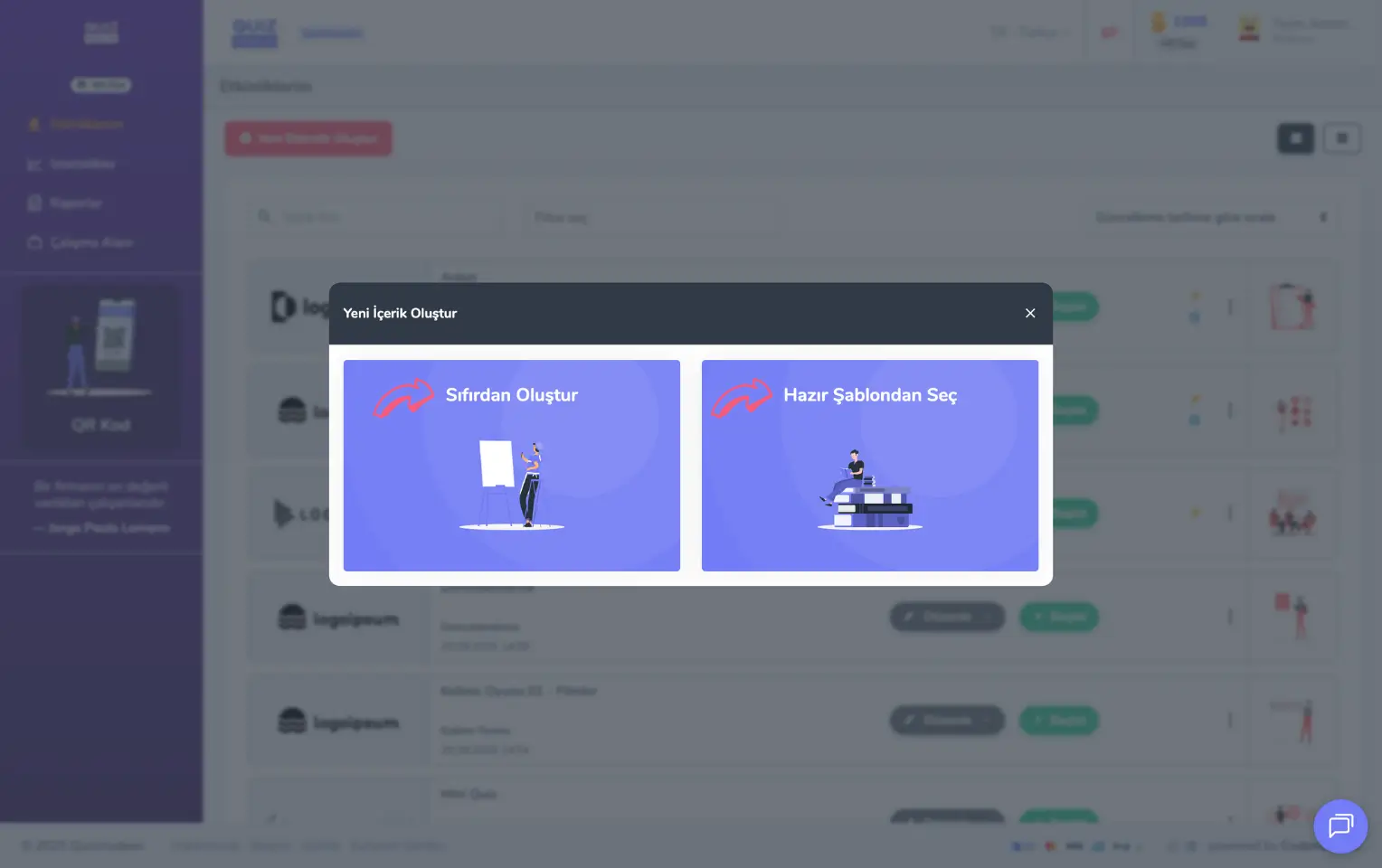
admin member - home page - my events - new event - from scratch or from a template
Start by choosing one of the event types
If you want to produce content made specifically for your event, choose one of 20 different event types, including Quiz, Poll, Word Cloud, Taboo, Guess What and Spin Wheel, and create events that suit your target audience.
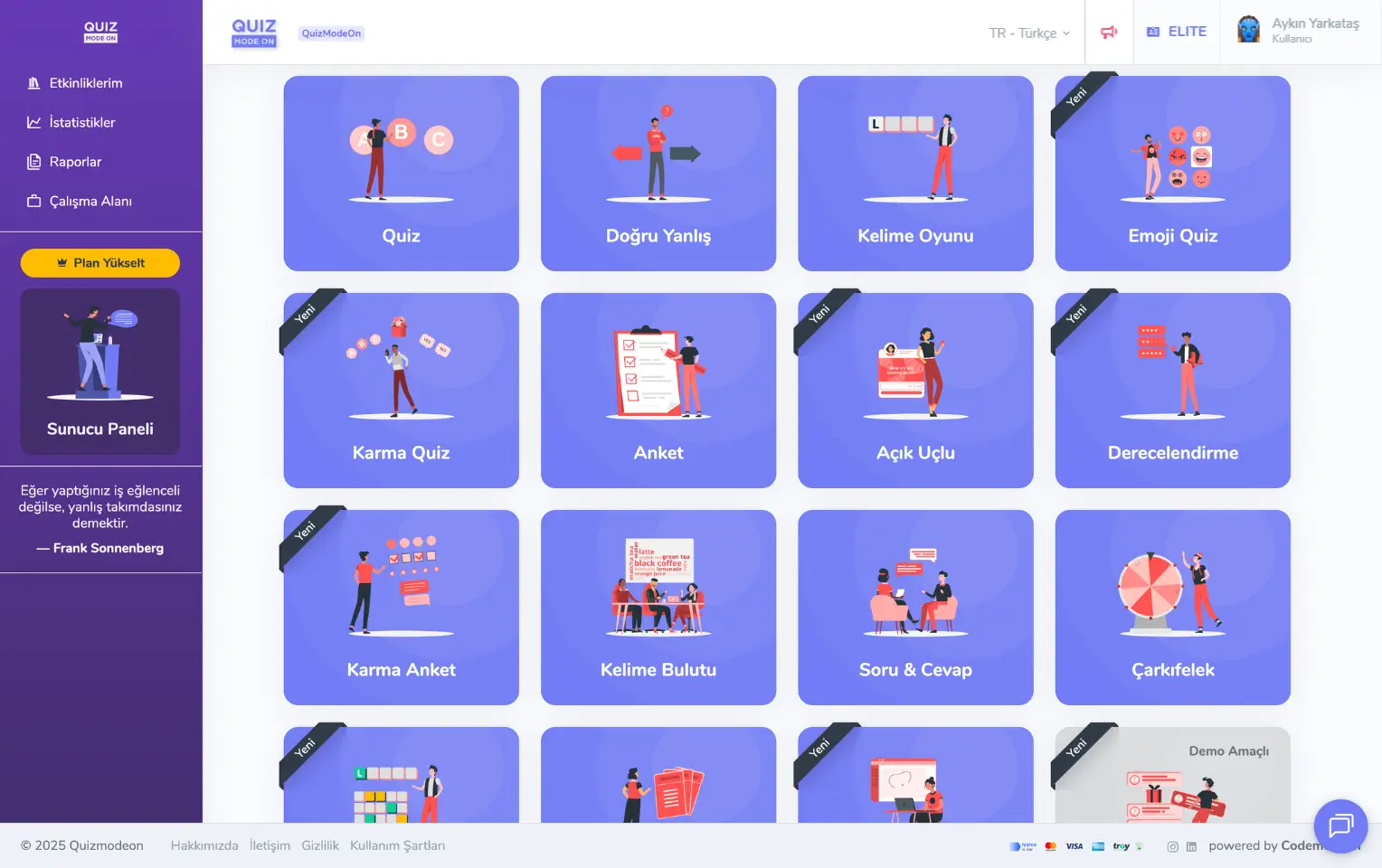
admin member - home page - my events - create a new event - event types
Start with one of the templates
Use the ready-made content and events in QuizModeOn’s own library to create events that suit your target audience quickly and easily. If you like, you can also change the template you picked to update the event content, or add new content.
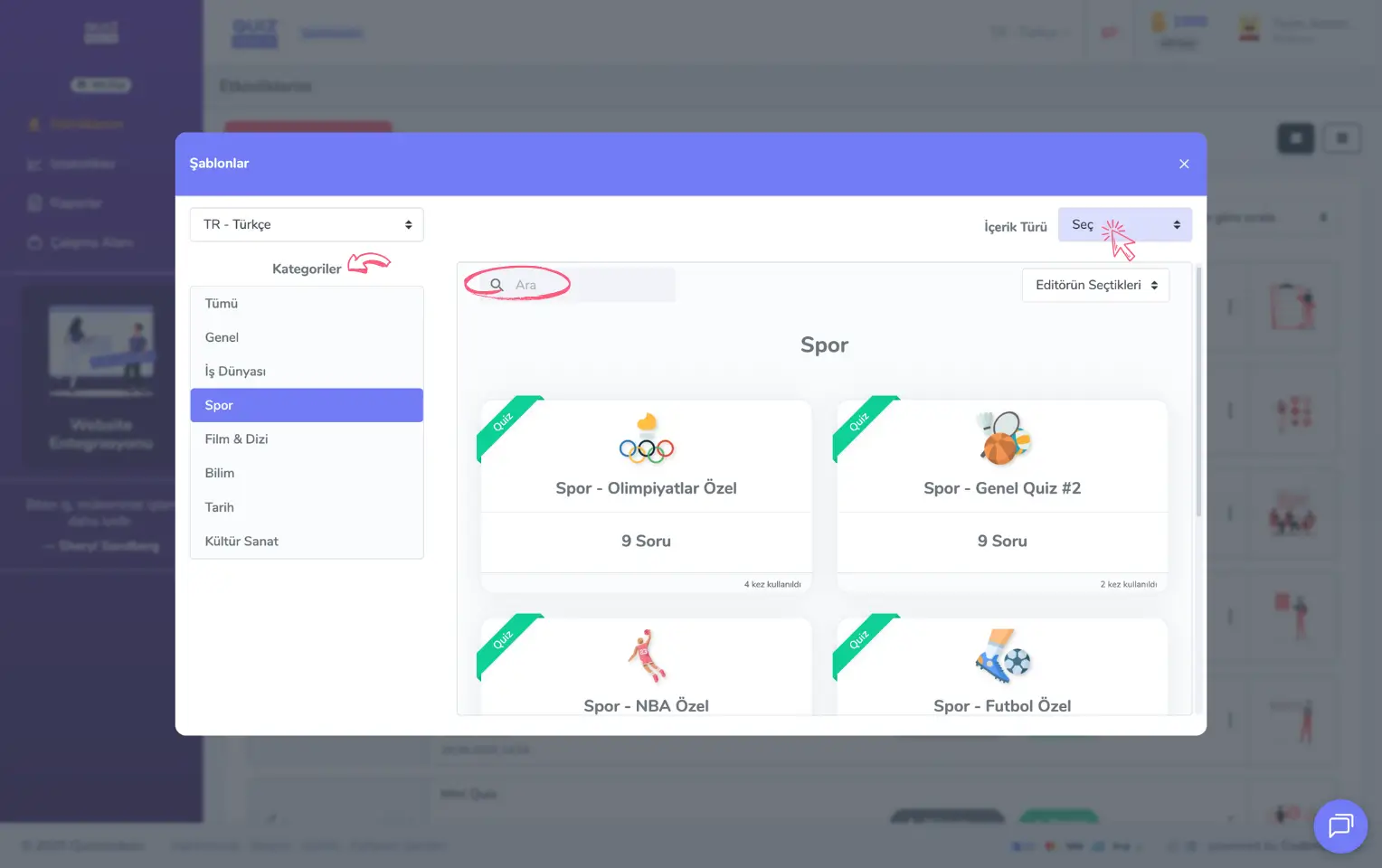
admin member - home page - my events - create a new event - ready-made content templates
Customize your event
You can update the content, settings and themes of these events.
- Content: You can create custom content for the event. If it is a quiz, write the questions and answers and select the correct answers. If it is a Taboo game, create and add the Taboo cards.
- Settings: You can define settings such as the event flow type, general information, participant registration, avatar set and gameplay.
- Theme: Customize the look of your event with visual settings such as colors, background and logo, and create a tailored experience for your users. Some features are available only to ENTERPRISE members.
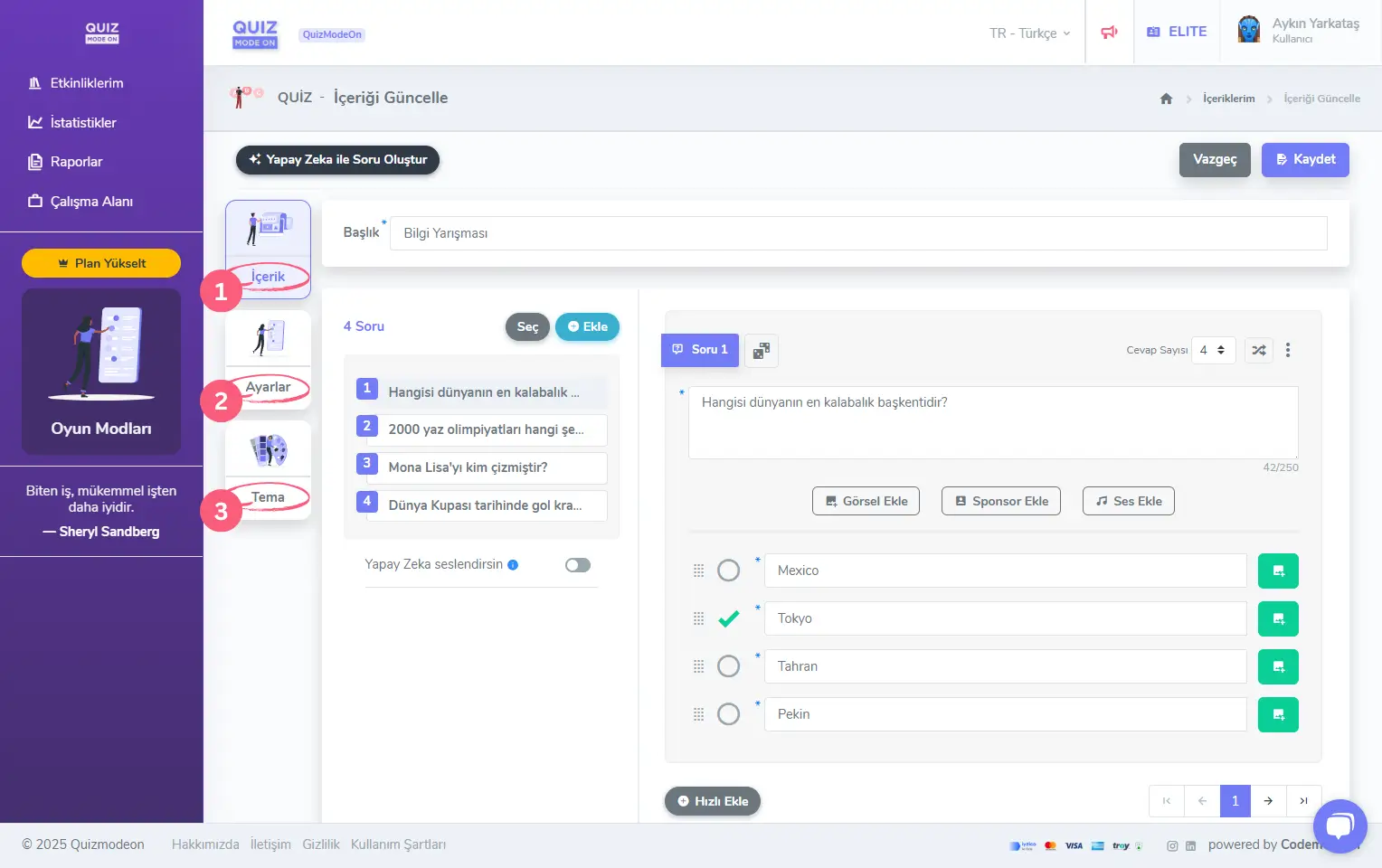
admin member - home page - my events - create a new event - content
To learn more about creating content, settings and the theme editor for every event type, visit the Create Games and Events category.
With the game-themed interactive events they create on QuizModeOn, the admin (member) can reach different target audiences, that is, participants.